Display User’s Manual
---Buttons
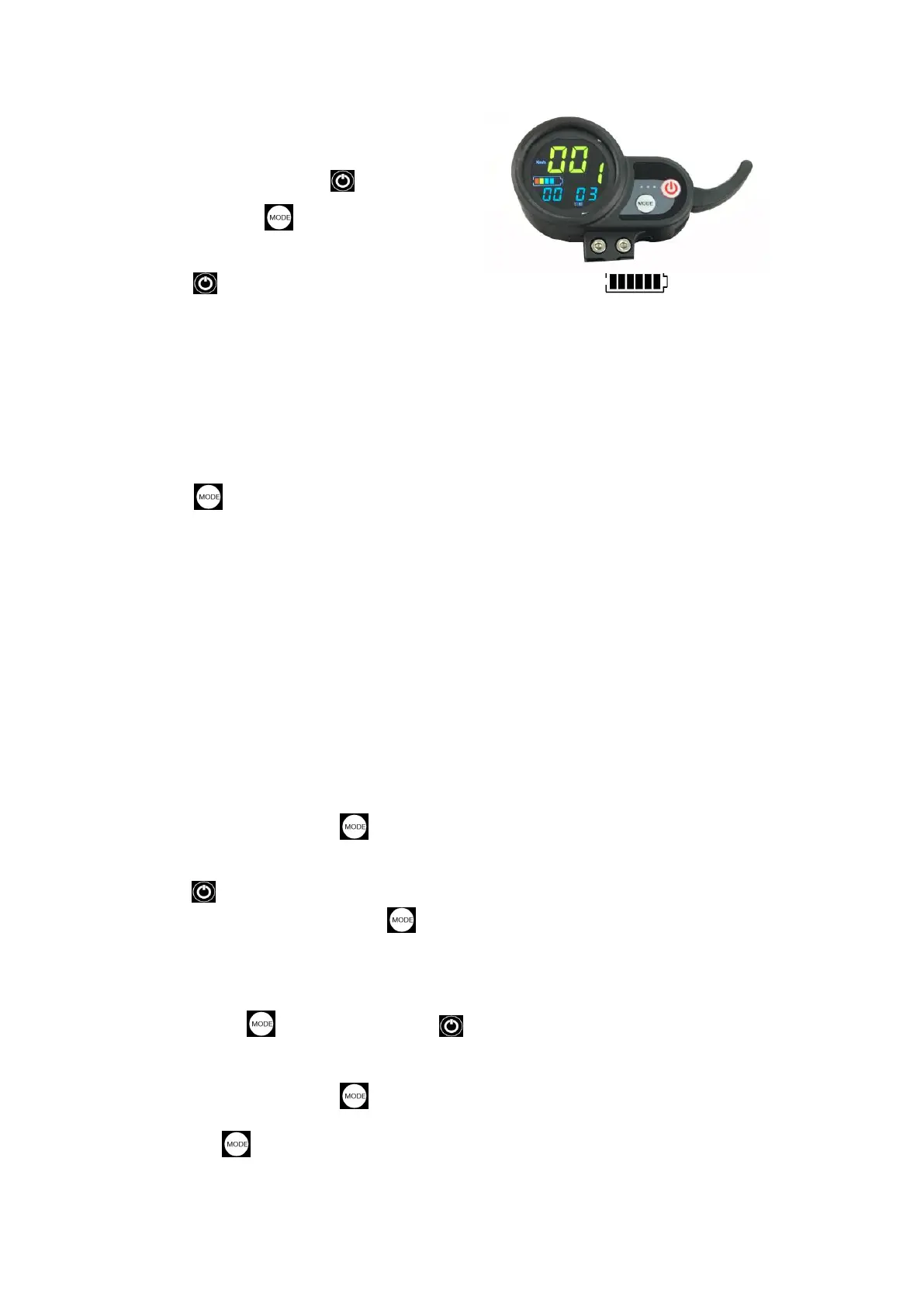
Total 2 buttons : One is Power button;
Another one is Mode button.
---Instructions
Press Power button to Turn on or Turn off Display; Show battery
level ; Speed show real-time speed for the scooter. Range for Single mileage,
accumulated mileage can showed by Mode button to choose.
After turn on the display, if long time (about 3mins) no operation it will shut
down automatic; When Display show: CA 2:00 , it means that the display will
shut down after 2 hours.
Press Mode button for short time, it will show different content; It have :
TIME,TRIP,ODO,DST,VOL,CH 2:00... ;
TIME: Means Time from Turn on;
TRIP: Means Single mileage;
ODO: Means accumulated mileage;
DST: Means how long range the scooter can run with real-time battery capacity.
But only for reference;
VOL: Means Battery rear-time Voltage
CH 2:00 : Means after 2hours it will shut down,and time will Countdown ;(some
scooter have no this function)
When show TRIP ,Press Mode button for long time, the TRIP single mileage
will become 0;
Press Power button for short time, the Gear(Speed Gear; 1, 2, 3) Position will
flicker, At this time press the Mode button to change the Gears; Gear 1 is
Lowest; Gear 2 is middle speed; Gear 3 is Fastest.
---Parameter settings
When Press Mode Button and Power button at the same time. It will
Enter Parameter Setting :
When showed P0, Press Mode Button for short time , it will change to show
P1; Press Mode Button again, It will show P2
、
P3
、
P4
、
P5
、
P6
、
P7
、
P8
、
P9;


 To Next Page
 Loading...