5
2.2.2 Print
• Before you start printing, spray the glassplate
with 3DLAC, so that the print doesn’t get
loose from the printing surface. For more
instructions on how to remove the glassplate
for spraying, see FAQ, page 10.
WARNING! Don’t spray 3DLAC elsewere
except the glassplate.
• Press Print and select the file to be printed.
If desired, modify settings and check the
estimated printing time. Make sure the
temperature is right for the filament which is
used.
TIP. Suggested printing temperature
should be written on the filament roll.
To adjust temperature while printing, go
to Tune and change temperature
• To confirm, press Print again. Depending on
the current nozzle and glassplate temperature,
the machine will take a moment to heat up to
the set the temperature.
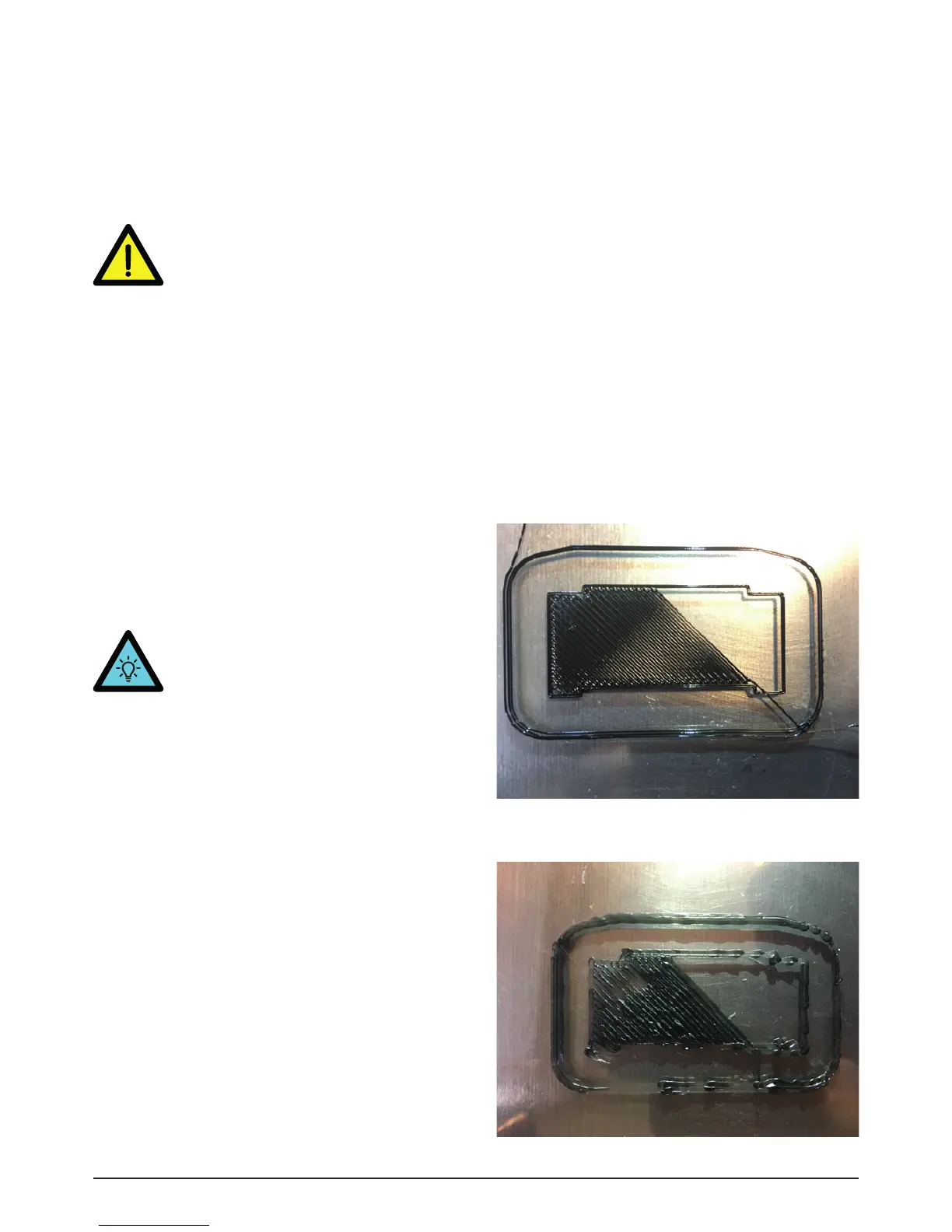
TIP. If you notice that the nozzle is too
high (lines not connecting each other,
Img.7) or too low (very rough surface,
Img.8) from the glassplate you can
always adjust its height by twisting the
knob on top of the printer (clockwise for
lowering).
Image 7 - Lines not connecting
Image 8 - Rough surface


 To Next Page
 Loading...