8
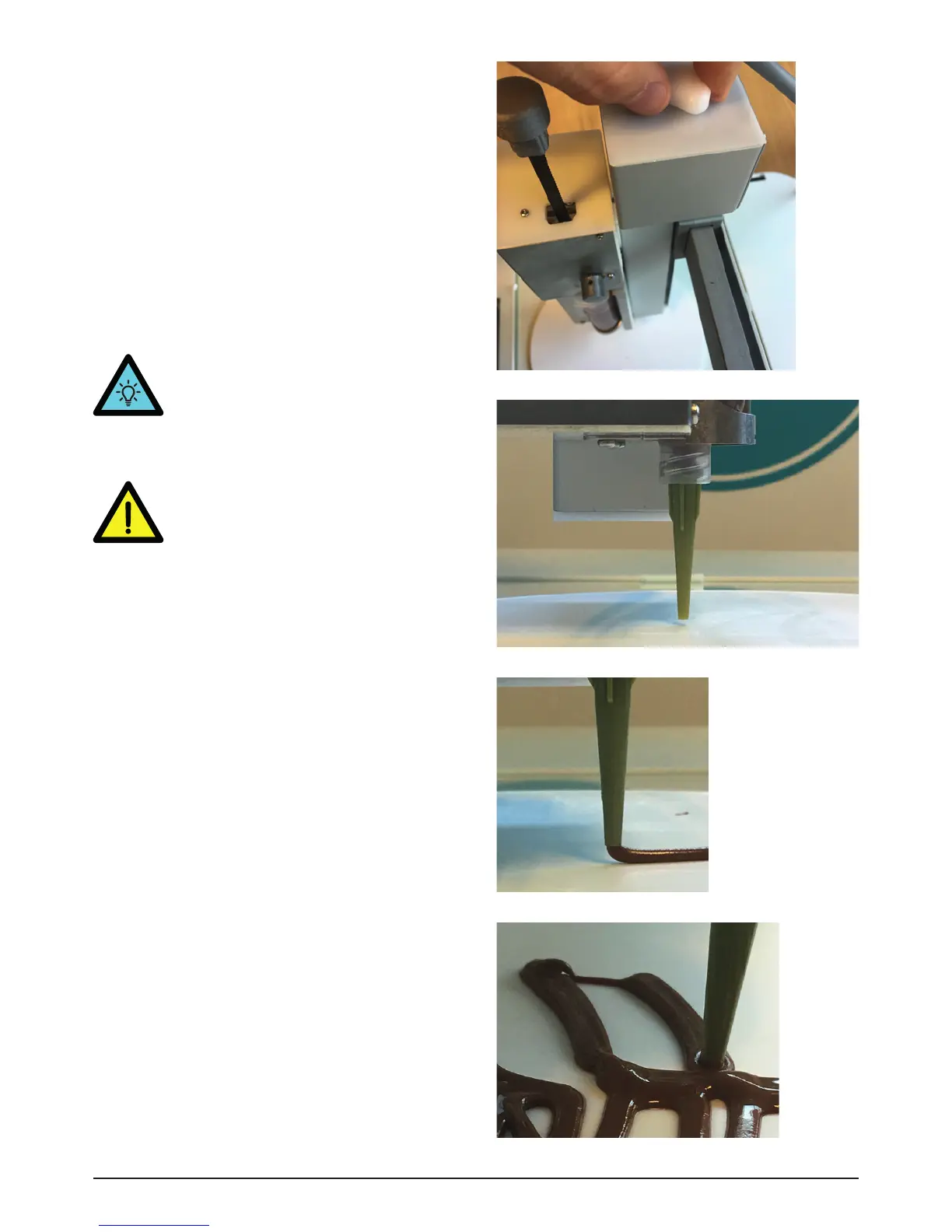
TIP. If you notice that the nozzle is too
high (Img. 15) or too low (Img. 16) from
the glassplate, you can always adjust its
height by twisting the knob on top of the
printer (clockwise for lowering).
Image 15 - Nozzle too high above surface
Image 16 - Nozzle too low on surface
2.3.3 Print
• Before starting to print, adjust the height of
nozzle to the surface you want to print on, by
twisting the white knob [13] on the top of the
printer to about 1mm from the printing surface
(Img 13 - Img 15).
• Build up the pressure inside the syringe by
extruding some of the material. Press Prepare
>> Extrude several times, until you see the
paste material emerging from the nozzle.
• Press Print and select the file to be printed.
Press Print again to confirm.
Image 14 - Nozzle 1 mm above surface
Image 13 - Turning the white knob
• WARNING! YOU NEED TO RECALIBRATE
THE HEIGHT OF THE NOZZLE
EVERYTIME YOU TURNED THE
WHITE KNOB DURING PRINTING OR
AFTER RESTARTING THE PRINTER.
OTHERWISE THE NOZZLE GETS RUINED.


 To Next Page
 Loading...