TASK
1. Empty the abrasive from the silo and, if possible, from the vessel.
CAUTION! Support the vessel if it is not empty. It can weigh over 90.7
Kg (200 lb) when full.
2. Record the pressure settings for PR1 and PR2 if they are set to pressures
different from the regulator labels.
3. Set PR1 to 0 bar (0 psi).
4. Do the Lockout/Tagout
procedure.
WARNING! Failure to do the lockout tagout procedure can result in
equipment damage or injury to personnel.
5. Disconnect all abrasive and air hoses from the vessel, pinch valve,
and pneumatic
controls.
6. Disconnect the cables from the manifold pressure sensors.
Label the cables. This helps to connect the cables later.
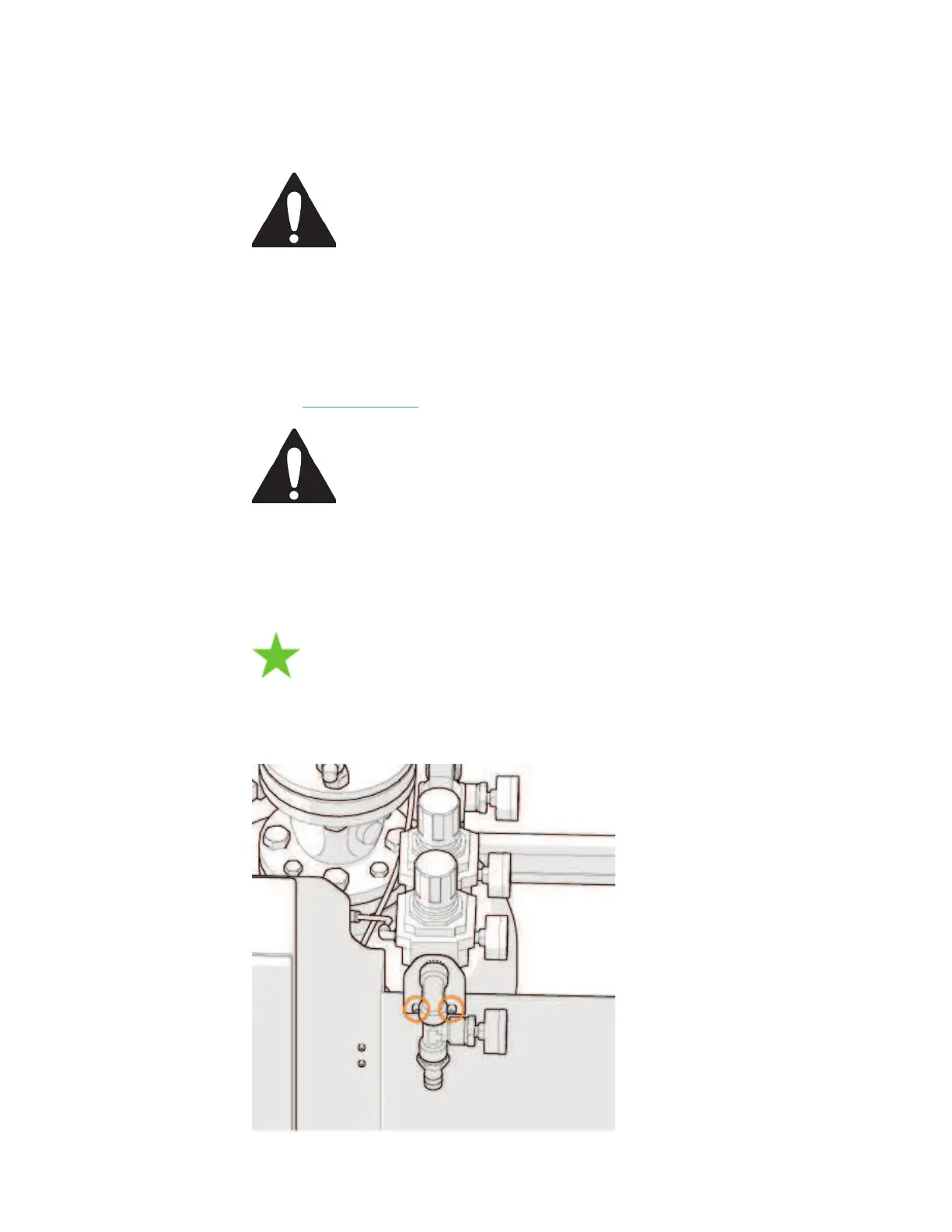
7. Remove the two bolts that attach the tubing support to the sheet metal.
© 2016–2017 Flow International Corporation



 To Next Page