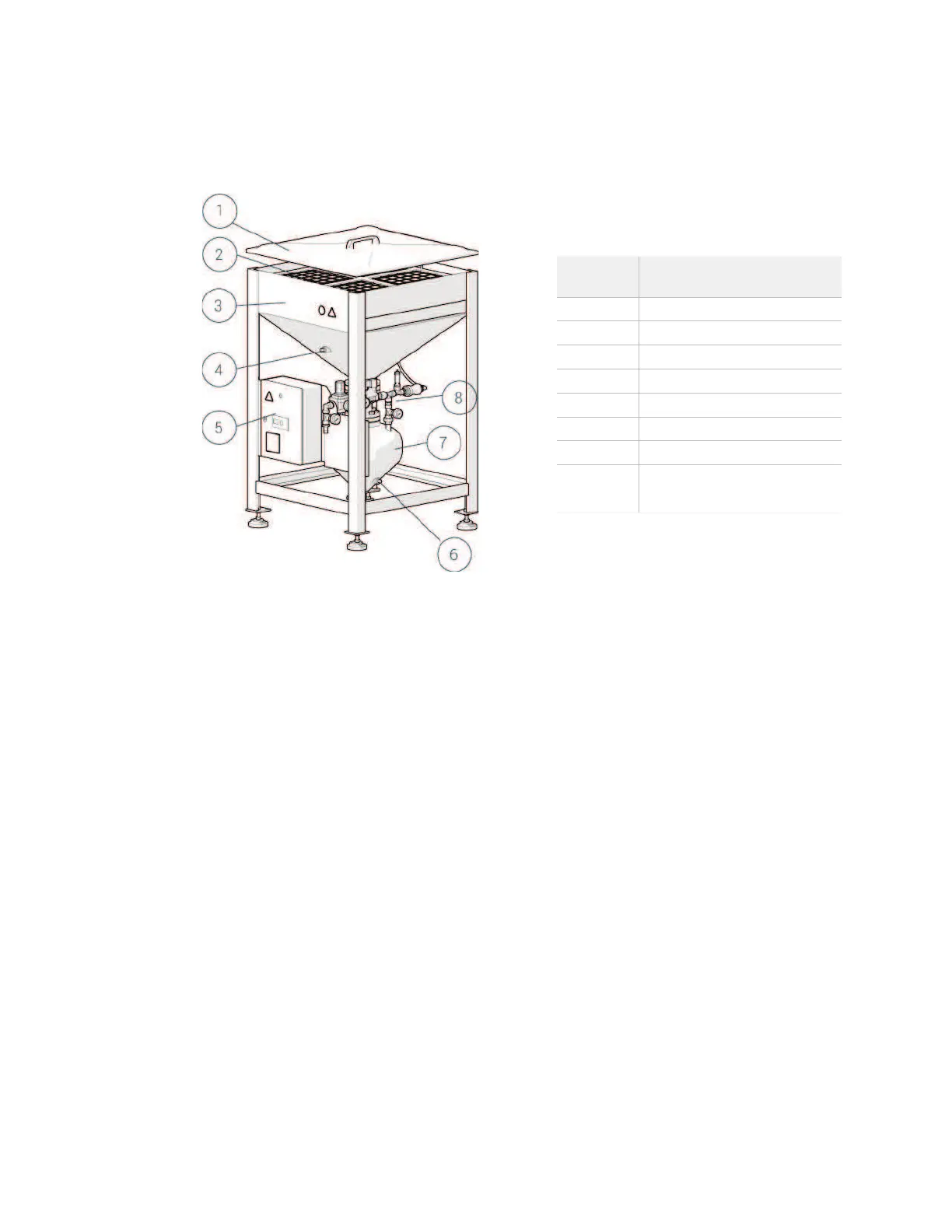
Components
The abrasive material is loaded through the sieve and temporarily s
tored in the silo. You
can fill the silo without stopping the ADS. Abrasive moves from the silo through a pinch
valve, and then to the vessel. The abrasive flows through a hose to the cutting system.
Visual and audio signals provide operating condition and warning notices. The control
cabinet display shows status messages.
There are two low abrasive switches:
Silo low abrasive switch. When this switch does not sense abrasive, it signals the
PLC to start the flashing warning indicator and rhythmic audio signal. The display
panel shows the “Silo Empty” message.
Vessel low abrasive switch. When this switch does not sense abrasive, it signals
the PLC to start the continuous warning indicator and continuous audio signal.
The display panel shows the “Vessel Empty” message. If you are using FlowCUT™,
the program stops.
Number Description
3 Silo
Vessel low abrasive switch
8
Pinch valve pneumatic
controls
© 2016–2017 Flow International Corporation



 To Next Page