Fluance Stylus Replacement/Upgrade Guide
A. Removing the Installed Cartridge
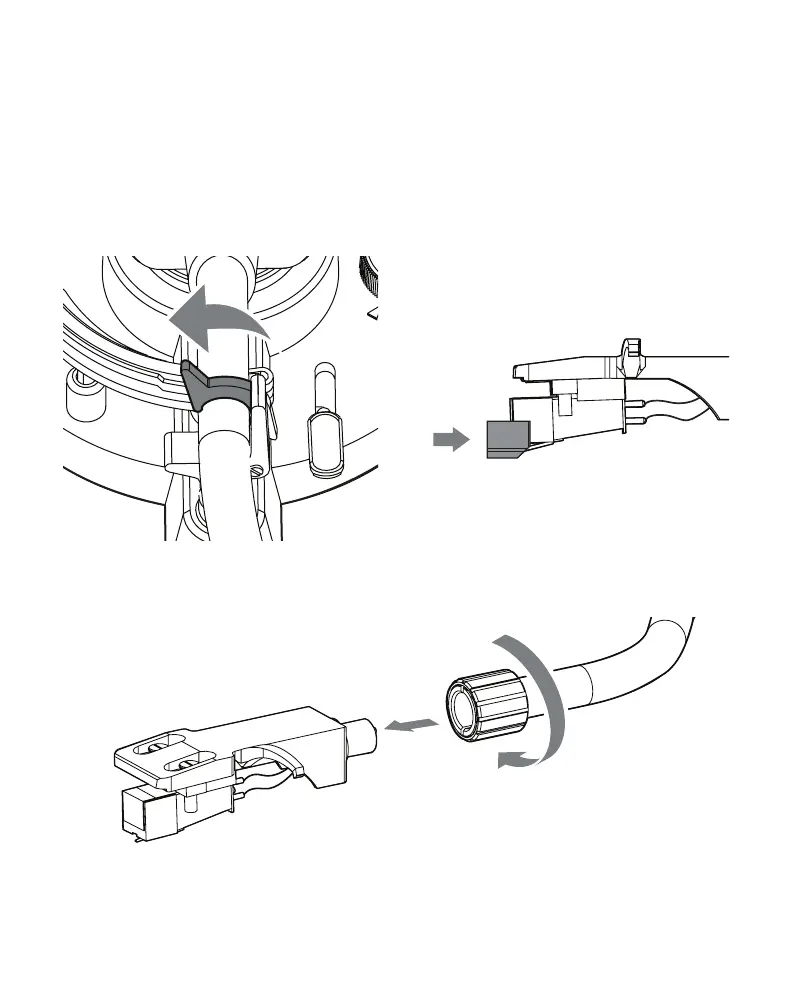
1. Secure the tonearm and install the stylus protector to prevent
accidental damage to the stylus.
2. Loosen the locking nut and remove the headshell from tonearm
Note: Step 3 and 4 can be skipped if using a spare headshell for the new
cartridge. Fluance headshells are available at: www.uance.com/turntables.


 To Next Page