Fluance Stylus Replacement/Upgrade Guide
E. Aligning the Cartridge
Correct cartridge alignment ensures the stylus is positioned properly
relative to the grooves on the record. Incorrect alignment can cause
distortion and can also cause unwanted wear and tear on your stylus.
To properly align your cartridge, use the Fluance Stylus Alignment
Protractor available on: www.uance.com
D. Setting the Tracking Weight
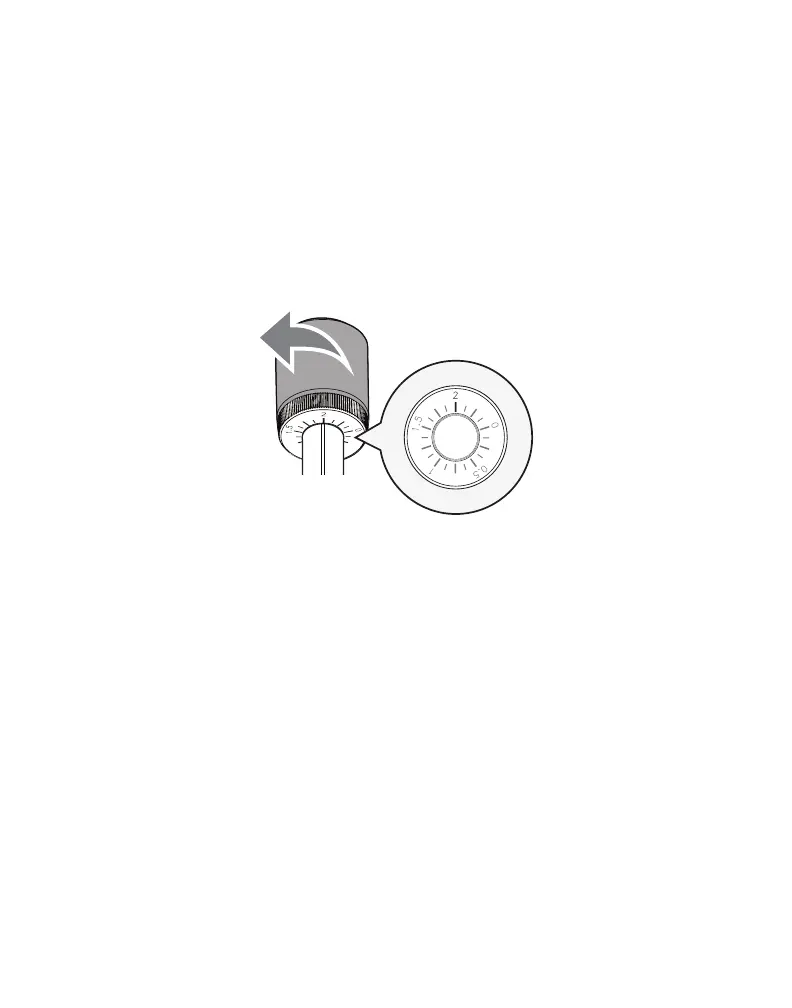
1. Rotate the entire counterweight counterclockwise until the indicator
ring is set to the recommended tracking force of the new cartridge.
Example: The ATN95E uses 2.0 gram tracking force.
Tip: When setting the counterweight make sure you are turning the entire
weight and not just the counterweight indicator ring.


 To Next Page