Fluke 433, 434, 435
Service Manual
4-4
4.1.3 General instructions
Follow these general instructions for all
calibration steps:
• Allow the Calibrator to satisfy its specified warm-up period. After each change of
output conditions, wait for the Calibrator to settle
. It may take a couple of seconds for
the output voltage to stabilize!
• The required warm up period for the Analyzer is included in the Warming Up period
(Calibration step CL 0200).
• Ensure that the Analyzer battery is charged sufficiently.
• Power the Analyzer via the BC430 Battery Charger/Power Adapter
4.1.4 Equipment required for calibration
The primary source instrument used in the calibration procedures for Fluke 433/434 is the
Fluke 5500A; for Fluke 435 you must use the Fluke 5700A Calibrator because of its
higher accuracy. If the required type is not available, you can substitute another
Calibrator as long as it meets the minimum test requirements.
• Fluke 433/434: Fluke 5500A Multi Product Calibrator.
Fluke 435: Fluke 5700A Calibrator.
• Test Leads (4x), as supplied with the Calibrator.
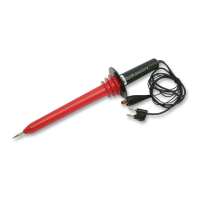
• Extra set of test leads capable to withstand 1000 V rms.
Note: for good recognition it is advised to use a black lead between the Calibrator’s
LO output and the Analyzer’s Ground banana input.
• 50Ω Coax Cables (3 pieces required): Fluke PM9092 (0.5m, set of 3, 1 set required).
• Male BNC to Dual Female BNC adapter: Fluke PM9093 (3 pieces required).
• Dual Banana Jack to female to male BNC: Fluke PM9082 (1 piece required).
• Battery Charger / Power Adapter: BC430.
4.2 Calibration Procedure Steps
To do a complete calibration adjustment you must do all following steps:
1. Select the Calibration Mode, section 4.3
2. Do the Contrast Calibration Adjustment, section 4.4
3. Do the Warming Up, section 4.5
4. Do the Final Calibration, section 4.6
5. Save the Calibration Data and Exit the calibration mode, section 4.7
The following partial calibration is allowed:
• Contrast calibration, do the above-mentioned steps 1, 2, and 5.
If during normal operation the display cannot be made dark or light enough, or if the
display after a Analyzer reset is too light or too dark, you can do this calibration.



 To Next Page