EasyManua.ls Logo

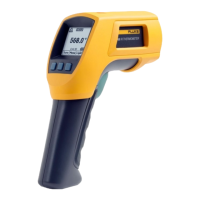
Fluke 566 - User Manual

Fluke 566
30 pages
Print Icon
To Next Page IconTo Next Page
Loading...
®
566/568
Infrared Thermometers
Users Manual
August 2007 Rev. 2, 4/08
© 2007-2008 Fluke Corporation, All rights reserved. Product specifications are subject to change without notice.
All product names are trademarks of their respective companies.

Other manuals for Fluke 566

Questions and Answers

  • A
    ann54Jul 25, 2025
    What to do if my Fluke 566 Thermometer display is blank?
    • D
      David AndersonJul 25, 2025
      If the display on your Fluke Thermometer is blank, it could be that the thermometer is in sleep mode or the batteries may be dead. Try pulling the trigger and replacing the batteries.
  • K
    kjacobsJul 31, 2025
    What to do if my Fluke 566 shows '---' on the display?
    • R
      robertbryantJul 31, 2025
      The '---' on the display of your Fluke Thermometer indicates that the target temperature is either over or under the specified range. Make sure to select a target within the thermometer's specifications.
  • A
    Adam ReyesAug 4, 2025
    Why is my Fluke Thermometer inaccurate?
    • E
      Eric JohnsonAug 4, 2025
      Inaccuracy in your Fluke Thermometer readings may be due to an incorrect emissivity setting, field of view, or spot size.
  • S
    stacystewartAug 9, 2025
    Why laser does not work on my Fluke 566?
    • P
      Paul GreenAug 10, 2025
      The laser on your Fluke Thermometer might not be working due to low or dead batteries; in this case, replace the batteries. Alternatively, the ambient temperature might be above 40 °C (104 °F). Try using the thermometer in an area with a lower ambient temperature.
  • K
    Kari JonesAug 14, 2025
    What does 'J' mean on my Fluke Thermometer?
    • C
      Christopher HardingAug 14, 2025
      The 'J' displayed on your Fluke Thermometer indicates low batteries. Replace the batteries to resolve this issue.
  • T
    Thomas BautistaAug 19, 2025
    What to do if failed communication via USB with my Fluke Thermometer?
    • L
      Lauren MartinezAug 19, 2025
      If you are experiencing failed communication via USB with your Fluke Thermometer, ensure that the unit is on by pulling the trigger. Also, verify that FlukeView Forms is running; if not, start the application.

Summary

LIMITED WARRANTY AND LIMITATION OF LIABILITY

Introduction, Safety, and Symbols

Contacting Fluke

Provides contact information for Fluke customer support via phone and web.

Safety Information

Important warnings and cautions to prevent personal injury and equipment damage.

Symbols and Markings

Explains symbols and safety markings used in the manual and on the thermometer.

Features, Operation, and Setup

Product Features Overview

Lists the key capabilities and components of the infrared thermometers.

Display Language and Menu Navigation

Details on display language, menu structure, and softkey navigation.

Core Measurement Settings and Controls

Covers temperature units, Min/Max/Avg/Differential, alarms, trigger lock, and laser.

Setup Options and Data Deletion

How to configure backlight, time, date, language, and delete data.

Measurement Techniques

Guides on how the thermometer works, temperature measurement, finding spots, distance/spot size, field of view, and emissivity.

Data Handling and HOLD Function

Details on HOLD function, data storage, and downloading.

Probes, Troubleshooting, Maintenance, and Specifications

External Contact Probe

Information on using the K-type thermocouple probe and safety precautions.

Troubleshooting Guide

Table of common problems, their causes, and suggested solutions.

Maintenance Procedures

Guidance on battery management, cleaning the lens and housing.

User Replaceable Parts

List of parts that can be replaced by the user and their part numbers.

Recommended Temperature Probes

Details on compatible K-type thermocouple probes and their usage.

Technical Specifications

Detailed technical specifications for the 566 and 568 infrared thermometers.

Fluke 566 Specifications

General IconGeneral
Accuracy1 °C
Product colorBlack, Yellow
Response time500 ms
Minimum spot size19 mm
Spectral response8 - 14 µm
Data storage (points)20
Min/Max temperature memoryYes
Temperature measurement range-40 - 650 °C
Temperature measurement unitsF, °C
Battery typeAA
Number of batteries supported2
Storage temperature (T-T)-20 - 60 °C
Operating temperature (T-T)0 - 50 °C

Related product manuals