EasyManua.ls Logo

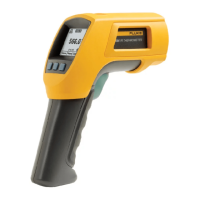
Fluke 568 - User Manual

Fluke 568
34 pages
Print Icon
To Next Page IconTo Next Page
Loading...
56x
Infrared Thermometers
Users Manual
August 2010
©2010 Fluke Corporation, All rights reserved. Specifications are subject to change without notice.
All product names are trademarks of their respective companies.
Shop for Fluke products online at:
1.877.766.5412
www.MyFlukeStore.com

Questions and Answers

  • K
    Kevin StoneJul 26, 2025
    Why does the laser on my Fluke 568 not work?
    • J
      judy97Jul 26, 2025
      If your Fluke Thermometer's laser isn't working, the batteries might be low or dead, so try replacing them. Also, the laser may not function if the ambient temperature is above 40 °C (104 °F). Try using the thermometer in an area with a lower ambient temperature.
  • S
    Samantha MelendezAug 1, 2025
    What to do if my Fluke 568 Thermometer display is blank?
    • T
      Terry JohnsonAug 1, 2025
      A blank display on your Fluke Thermometer could mean the device is in sleep mode or has dead batteries. Try pulling the trigger or replacing the batteries.
  • A
    Amanda ParkerAug 7, 2025
    Why is the USB communication failing on my Fluke 568 Thermometer?
    • P
      Pamela GrossAug 7, 2025
      Failed communication via USB with your Fluke Thermometer can occur if the unit is off. Try pulling the trigger to turn it on. Also, make sure that FlukeView Forms is running; if not, start the application.
  • T
    Tabitha BakerAug 13, 2025
    What does '---' on the display of my Fluke 568 Thermometer mean?
    • P
      Peter ThompsonAug 13, 2025
      If your Fluke Thermometer displays '---', it means the target temperature is either over or under the specified range. Ensure you select a target within the thermometer's specifications.
  • A
    Amy BeltranAug 19, 2025
    Why does my Fluke Thermometer show a question mark?
    • D
      Dawn WrightSep 12, 2025
      If your Fluke Thermometer is showing a question mark, it probably means that the batteries are low. Replace the batteries to resolve this.

Summary

Maintenance

Specifications Overview

Safety Information

User Safety Warnings

Identifies conditions that pose hazards to the user.

Product Damage Cautions

Identifies conditions that could cause product damage or data loss.

Equipment Protection Cautions

How to avoid damaging the thermometer or equipment under test.

Product Features

561 Display Explanation

566;568 Display and Menu

Emissivity Menu

Min, Max, Avg, Differential Readings

Alarm Settings

Laser Operation

Laser Safety Warning

Safety warning regarding laser exposure.

How the Thermometers Work

Operating the Thermometer

Temperature Measurement

Steps for taking temperature readings with the thermometer.

Distance and Spot Size

Field of View

Emissivity Adjustment

Downloading Data to PC

External Contact Probe Usage

Probe Connection Safety

Safety warning about connecting probes to live circuits.

Troubleshooting Guide

Maintenance Procedures

Product Specifications

Fluke 568 Specifications

General IconGeneral
Product colorBlack, Yellow
Response time500 ms
Minimum spot size19 mm
Spectral response8 - 14 µm
Data storage (points)99
USB 2.0 ports quantity1
Min/Max temperature memoryYes
Temperature measurement range-40 - 800 °C
Temperature measurement unitsF, °C
Battery typeAA
Number of batteries supported2
Storage temperature (T-T)-20 - 60 °C
Operating temperature (T-T)0 - 50 °C

Related product manuals