OVEN TRACKER XL2 Insight Setup 15
Typical sources of problems with establishing communication
• Communications lead not fully inserted – Check correct sockets
are being used.
• Damaged communications lead or connectors – Check for breaks
and other damage. Replace the lead.
• Battery not charged – Recharge the battery (p. 23), ensuring the
charging LED is illuminated.
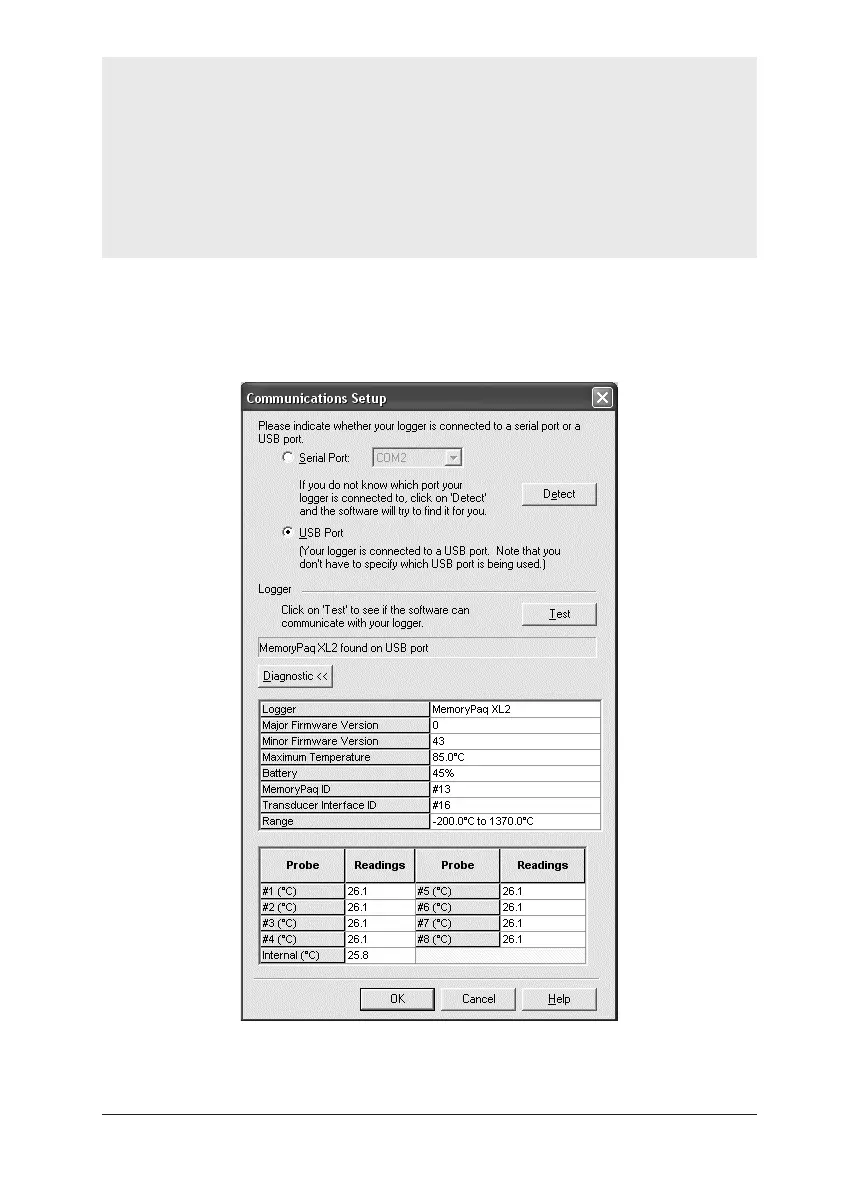
2. On the Insight software’s menu bar, select Logger > Setup to open the
Communications Setup dialog.
3. Click Test.
The Communications Setup dialog for the XL2 logger, with Diagnostic
section expanded.


 To Next Page