
 Need help?
Do you have a question about the Fluke DATAPAQ Tracker XL2 and is the answer not in the manual?
Lists the essential parts of a typical Oven Tracker XL2 system.
Covers minimum computer specifications and the installation process for Datapaq Insight software.
Details on upgrading, removing, and using the Insight software features and help system.
Steps to establish communication between the data logger and the PC using the Insight software.
How to set the local electricity supply frequency for improved logger noise rejection and measurement stability.
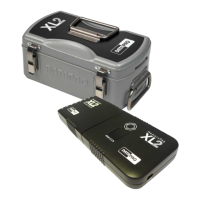
Describes the XL2 logger's main units, optional block, and key operational features.
Detailed technical specifications for the XL2 logger, including dimensions, accuracy, and operating ranges.
Explains the function of the SmartPaq LED, logger status LEDs, and alphanumeric display.
Information on the logger's memory, battery life, charging, and low battery status.
Explains the logger's protection against high temperatures and procedures for hardware reset.
Procedures for testing, calibrating, and safely disposing of the data loggers.
Describes the function of thermal barriers and key features of aluminum barriers.
Details specifications and applications for different Datapaq thermal barrier models.
Guidance on choosing the correct thermal barrier based on process temperature and duration characteristics.
Information on cases designed for convenient transport of the Oven Tracker XL2 system.
Details on type K thermocouple specifications, probe construction, and cable insulation temperature limits.
Overview of various thermocouple probe types and accessories for different measurement needs.
Guidance on selecting, positioning, and attaching thermocouple probes for accurate measurements.
Procedures for testing thermocouple probe functionality and proper maintenance for longevity.
Introduction to temperature profiling and essential setup steps before running the logger.
Detailed steps for resetting the logger to prepare it for a new temperature profile run.
Configuration options for sample interval, run mode (single/multiple), and telemetry settings.
How to check battery status and select the trigger mode for starting data recording.
Guide on setting up and using the SmartPaq feature for instant pass/fail quality assessment.
Details on defining parameters and limits for SmartPaq analysis, including Datapaq Value, Time at Temp, and Max Temp.
Steps for correctly installing the logger into its thermal barrier and initiating data collection.
Procedures for safely placing the system into the oven and removing it after the run.
Instructions for downloading collected temperature profile data from the logger to the PC.
Steps for preparing downloaded data, including setting oven start, applying correction factors, and adding notes.
Setting default logger variables, viewing model/ID, and managing calibration information.
How to run a temperature profile using real-time data transmission via hardwired telemetry.
Managing the real-time data display and stopping/pausing the telemetry run.
Common issues and solutions related to logger-PC communication and download errors.
Guidance on identifying and resolving data inaccuracies, open circuits, and short circuits with logger diagnostics.
Information on contacting Datapaq Service Department for unresolved technical issues.

 To Next Page
 General