Attachment FLUXTRONIC Automatic Mode 39 / 84
START
Pulse monitoring time [Err]
External Start/Stop [Ext]
Signal: Filling process OK
[OK]
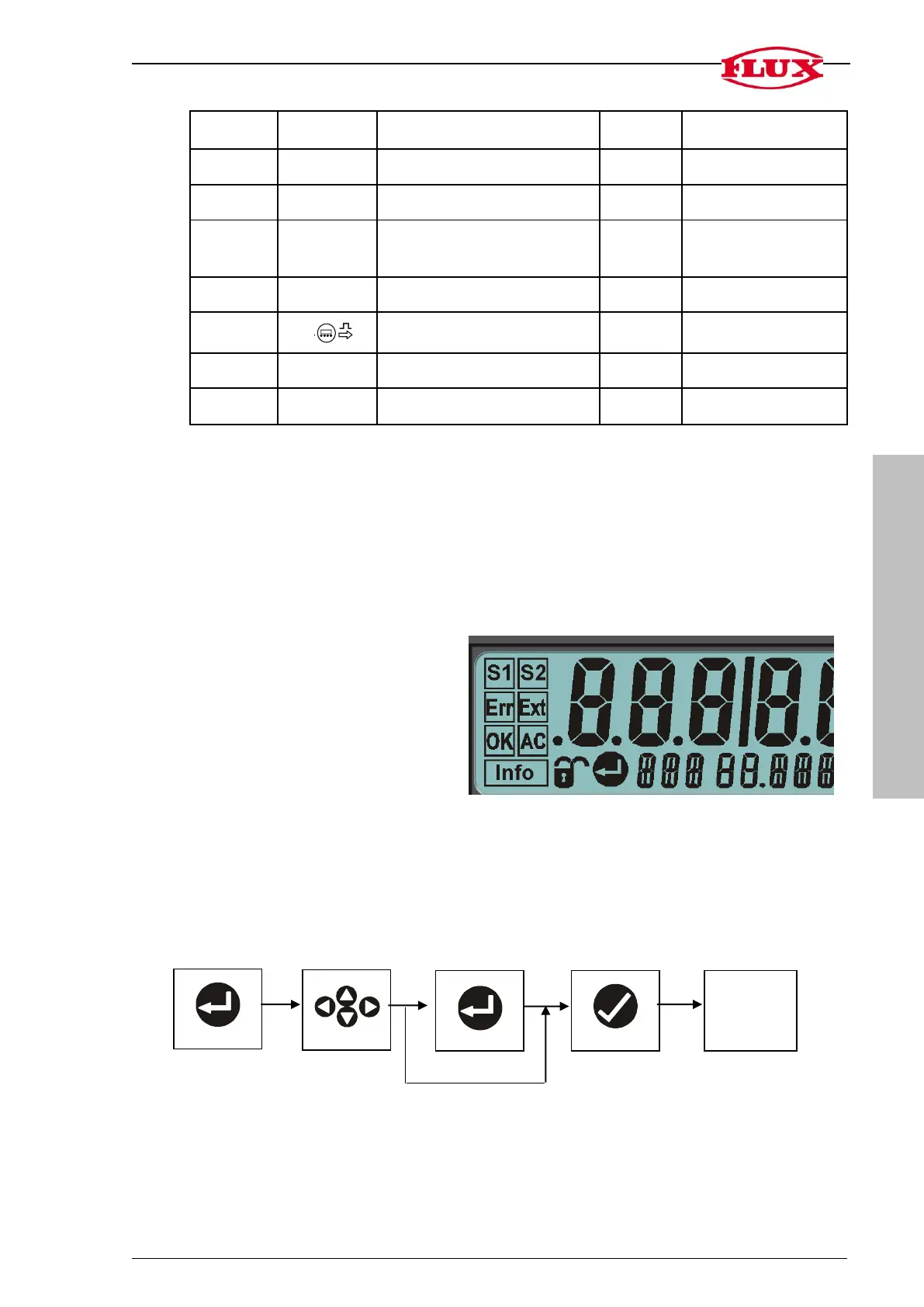
3.2 Display of active functions on the display
The respective symbol is shown when the function is in use.
The respective symbol flashes when the function is actively being actuated at that time.
The respective symbols are not visible when the corresponding functions are not in use
(OFF).
Volume to be filled [S1] (valve1)
Volume [S2] (valve2)
Pulse monitoring [Err]
External Start/Stop [Ext]
Filling process OK [OK]
Auto correction [AC]
3.3 The Operating Concept
All of the settings are inputted using the following operating concept.
Process Select Process Operate Default display
(left/right
up/down)


 To Next Page