2. Turn on helicopter power
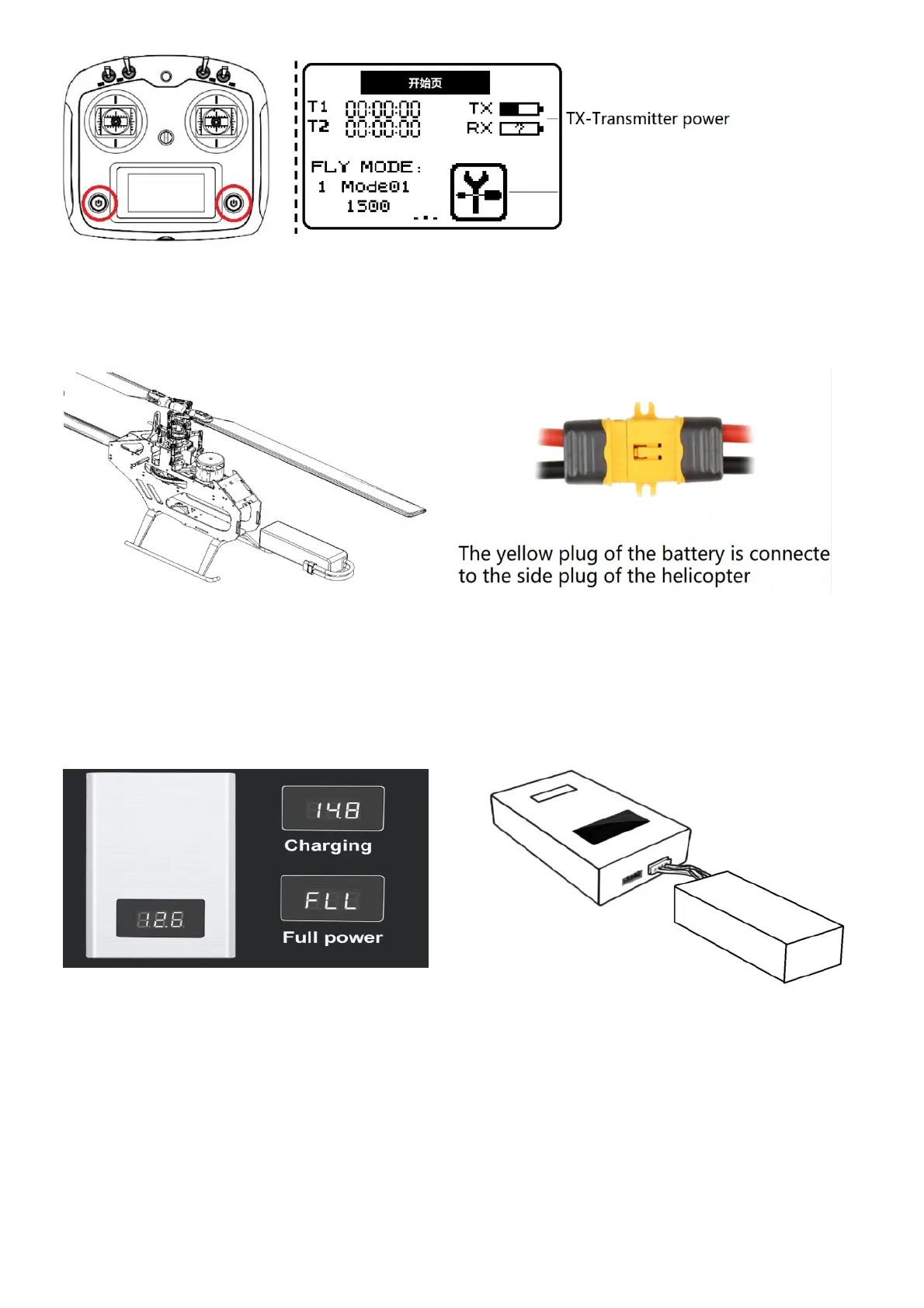
Please insert the battery into the abdomen of the helicopter to ensure that the battery strap is securely fastened.
Connect the yellow plug of the battery to the Helicopter to keep the helicopter stationary. After the regular movement
of the rotor head is completed, installed the canopy correctly.
3. Charging
● Please use the official charger to charge. Take out flight battery before charging
● Connect the charger to an AC power source (100~240 V, 50/60 Hz; use a power adapter if necessary).
● Before charging, make sure the battery temperature is normal and connect the battery white balance head to the
charger. (yellow plug is not inserted)
● When the charger is connected, the charger screen will display the voltage and when full, the FLL will be displayed.
4. Ready to fly
Manual takeoff/landing
Take off:
Move the left stick outward with your left hand and release the rocker after 5 seconds green flash at this time. Turn
the start safety switch from the flameout to start, slowly push the throttle stick up (default left stick) and the helicopter
takes off.


 To Next Page