6
Holding Your FLYCAM stabilizer
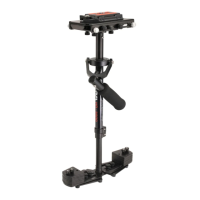
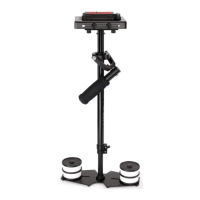
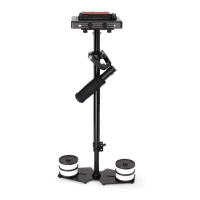
When handling your Redking Video Camera Stabilizer one hand holds onto the handle while the other is
used to gently guide the camera in the direcon you wish to shoot and frame the shot. For normal
shoong, hold the handle in the middle.
NOTE: Make sure that your “GUIDING HAND” and “HOLDING HAND” do not touch either the bearing
assembly or the “YOKE” during shoong. For unconvenonal shots, like ones that require aiming the
camera either straight up or down, or sideways, hold onto the Stabilizer on the lower part of the post, or
down near the weight. This will allow your “GUIDING HAND” to have a greater degree of control over the
Stabilizer while shoong errac shots.
For shots that require framing the camera up,
down or sideways, hold the handle rmly at
the boom.
When operang Redking Stabilizer in
Low-Mode, you will not be able to put your
eye right up to the eyecup on viewnder. For
doing so will cause the unit to be restricted in
its ability to stabilize and eliminate camera
shake. You can either use camera’s built-in
LCD Monitor or aach an external LCD
Monitor (Not Included) directly to the base
plaorm of stabilizer. A 1/4”-20 monitor
mounng hole is located at both the front and
back edges of Base Plaorm.
Low-Mode Operaon
NOTE: You can also aach an external LCD Monitor (Not Included) to
the accessory shoe on top of your Camcorder. We believe that beer
results are obtained when you aach monitor to Flycam Redking
Stabilizer’s base, because this way you have to look slightly down to see
the monitor and so, your feet are more visible to your peripheral vision.
This makes negoang obstacles with the Stabilizer safer.


 To Next Page