ENG
STEP 5 - Register your instrument in your Flymaster cloud account
5.1 - Run the Designer software
5.2 - Turn ON your instrument
5.3 - Connect it to the computer using the supplied USB cable
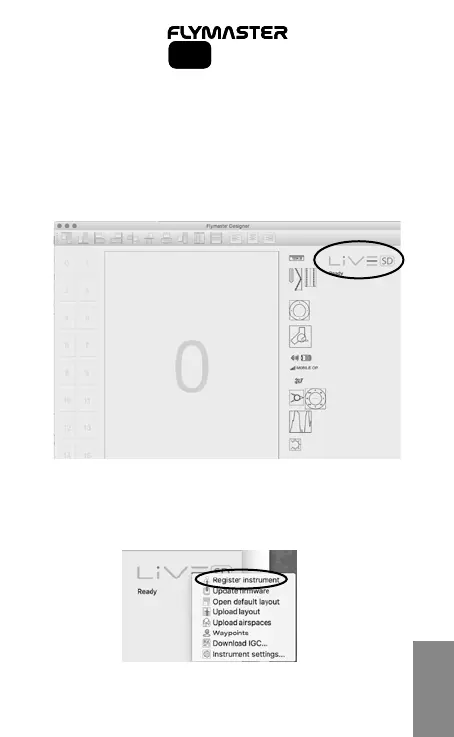
5.4 - The instrument should appear on the Designer software
5.5 - Click on the instrument’s logo and a pop-up menu shoud appear.
5.6. - Click on “register instrument” using the Cloud User email and
password created in step 2.
5
SD SeriesSD Series



 To Next Page