ENG
STEP 6 - Basics of your instrument
1. Reset: Press both Menu + F2 Key for 5 seconds.
2. Power ON: Press Menu -> After press Enter to confirm
3. Power OFF: Press Menu -> Scroll Down to “shutdown” -> Press Enter
to confirm.
4. Test the vario sound: Press Menu -> settings -> Advanced features
-> Auto Silent -> choose OFF using up or down keys -> Press Enter to
accept and exit from this menu.
5. Volume: In any flight page, LONG PRESS F1 key to change the vol-
ume level. LONG PRESS it how many times needed to set your desired
volume level.
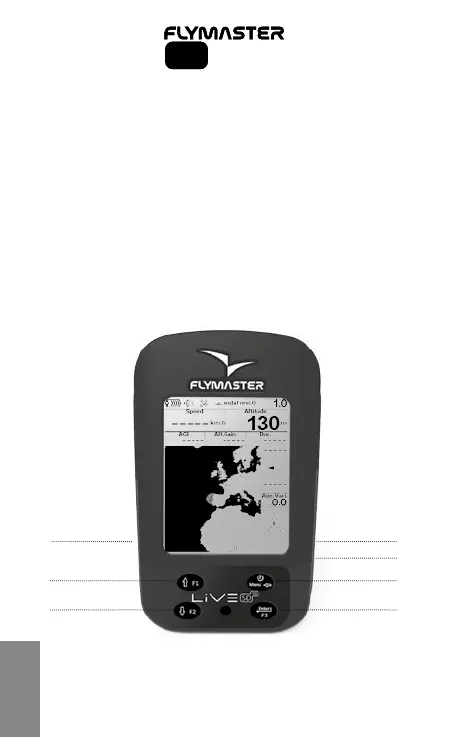
6
Long Press - Volume set
Short Press - Up Key
Long Press - Page change
Short Press - Enter/Select
Short Press - Power/Menu
Mini-Usb receptacle
Micro SD card slotSIM card
Short Press - Down Key
SD SeriesSD Series



 To Next Page