ENG
STEP 7 - AFTER FLIGHT
Upload your flights to Flymaster Cloud
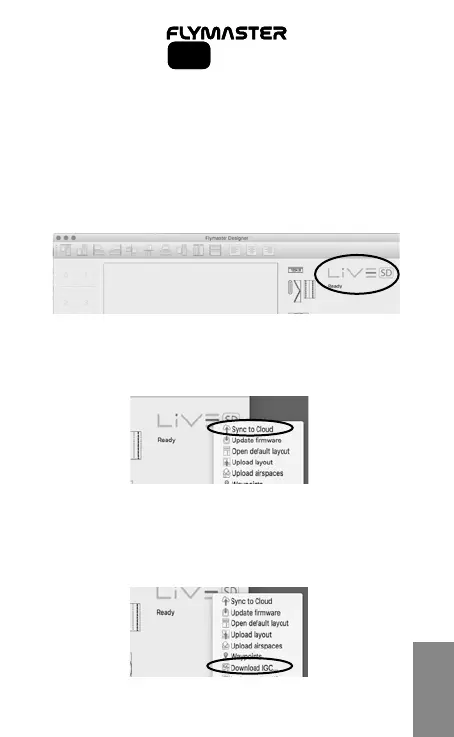
7.1 - Run the Designer software
7.2 - Turn ON your instrument
7.3 - Connect it to the computer using the supplied USB cable
7.4 - The instrument should appear on the Designer software
7.5 - Click on the instrument’s logo and a pop-up menu shoud appear.
7.6 - Click on “Sync to Cloud” to upload your flights
7.7 - Alternatively you can download your IGC file directly to your com-
puter.
Select “Download IGC...” and choose the flight you wish to download.
7
SD SeriesSD Series



 To Next Page