Dowloading flights from the Vario LS:
1. Be sure you have a Flymaster account and you intrument is
registered in your account. (Chapter 3)
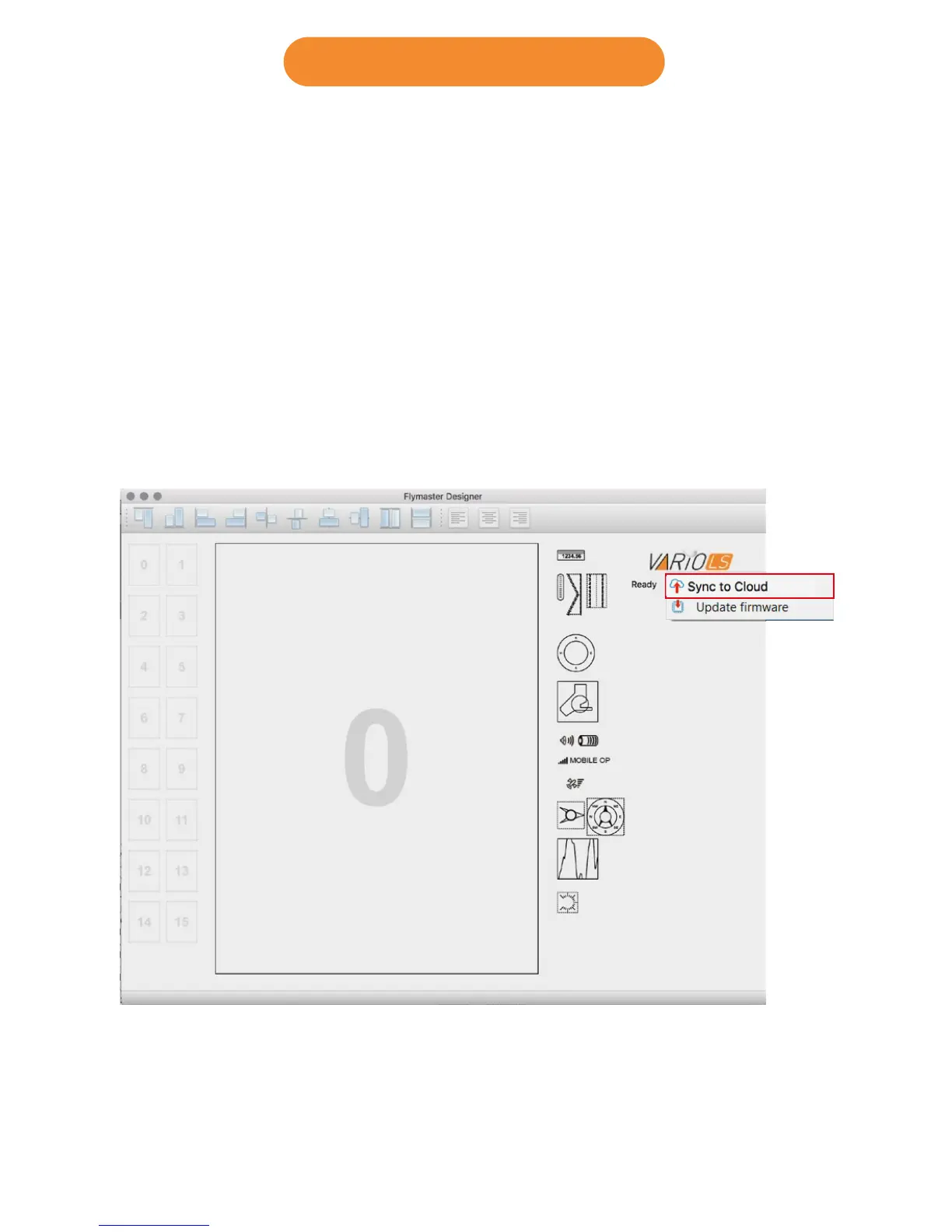
2. Turn ON you Vario LS, and connect it to the Designer software.
3. Click on Vario Ls logo and “Sync to Cloud”
4. If there is a new flight not yet sync’d with your account the Designer
will send it to Cloud Flights.
12 Downloading flights



 To Next Page