EasyManua.ls Logo

Flymo EasiLife 350 - User Manual

Flymo EasiLife 350
56 pages
Print Icon
To Next Page IconTo Next Page
Loading...
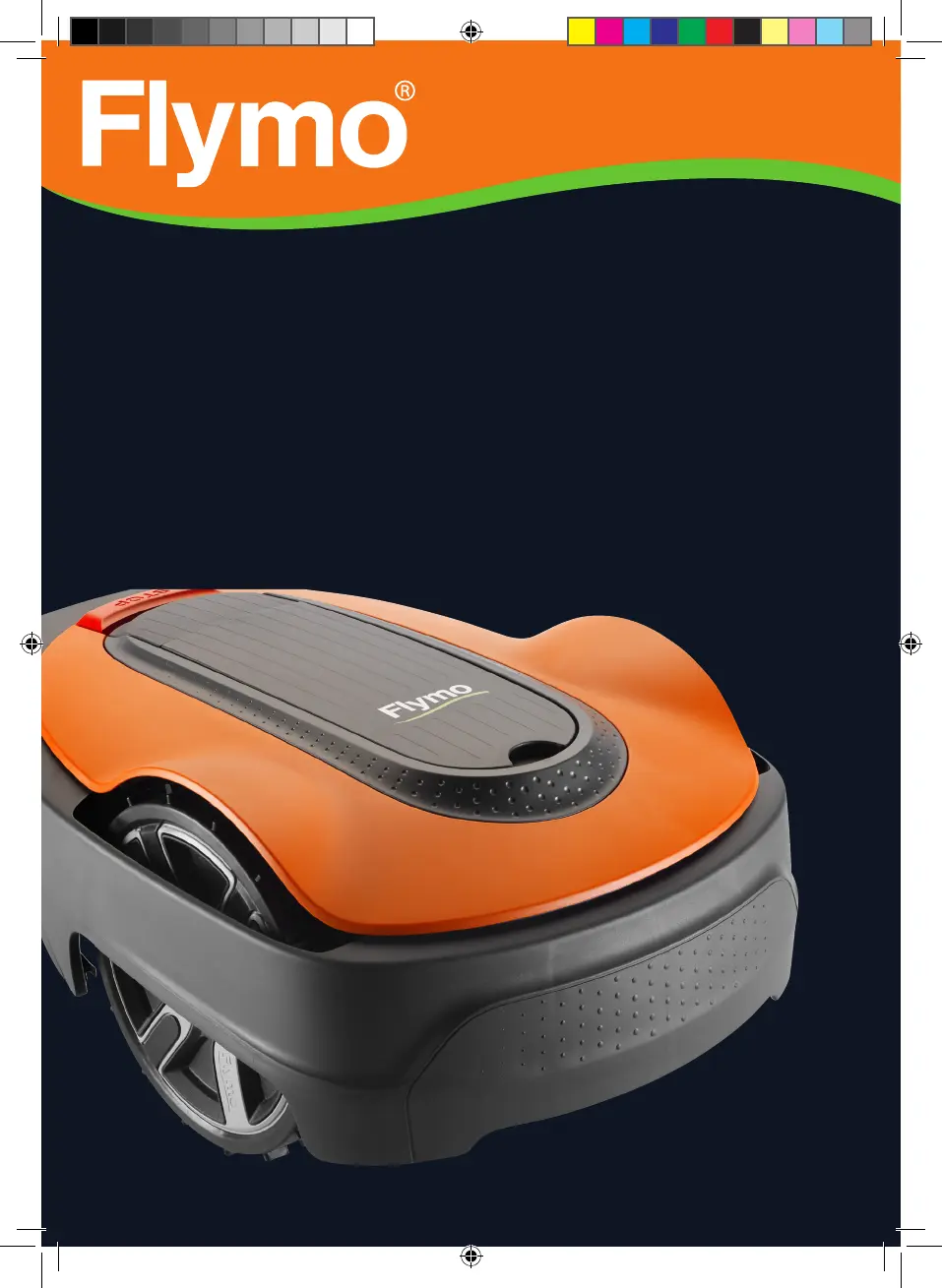
Operator‘s manual
Robotic Lawn mower
EasiLife 200
EasiLife 350
EasiLife 500
Easier by Design
www.flymo.com/uk
FRONTCOVER_P01_Flymo.indd 1FRONTCOVER_P01_Flymo.indd 1 2019-11-18 14:54:442019-11-18 14:54:44

Other manuals for Flymo EasiLife 350

Questions and Answers

  • K
    Kristen FergusonSep 8, 2025
    What should I do if the wheel motor is blocked on my Flymo Lawn Mower?
    • P
      Paul Allen DDSSep 8, 2025
      If the wheel motor is blocked, check the drive wheel and remove any grass or other object that may have wrapped around it.
  • B
    Bruce ElliottSep 7, 2025
    What happens if I enter the wrong PIN code on my Flymo EasiLife 350?
    • M
      Mariah YorkSep 7, 2025
      If you enter the wrong PIN code, you are permitted five attempts before the keypad is blocked for five minutes. Enter the correct PIN code. Contact Flymo customer service if you forget the PIN code.
  • A
    Amber GarrettAug 22, 2025
    Why does my Flymo Lawn Mower say no loop signal?
    • O
      oconnellarthurAug 22, 2025
      If your Flymo Lawn Mower displays a 'no loop signal' message, several factors could be the cause. First, verify that the power supply is properly connected and that an earth-fault breaker hasn't tripped. Also, inspect the low voltage cable for any damage or disconnection. Ensure the boundary wire is securely connected to the charging station. Finally, if ECO mode is enabled, place the product in the charging station and press the STOP button.
  • D
    Dr. Keith AdamsSep 4, 2025
    What to do if my Flymo Lawn Mower is trapped?
    • N
      nreedSep 4, 2025
      If your Flymo Lawn Mower is trapped, free the product and rectify the reason for it becoming trapped. Check if there are any obstacles which make it hard for the product to move on from this location.
  • D
    dudleykyleSep 3, 2025
    Why does my Flymo EasiLife 350 have no drive?
    • V
      Virginia HernandezSep 3, 2025
      If your Flymo Lawn Mower has no drive, it may be caught on something; free the product and rectify the reason for the lack of drive. If the work area includes a steep slope, these slopes should be isolated. If the guide wire is laid on a slope, it must be laid at an angle across the slope.
  • P
    Pamela RobinsonSep 1, 2025
    Why does my Flymo EasiLife 350 Lawn Mower mow for shorter periods?
    • R
      russellreneeSep 1, 2025
      If your Flymo Lawn Mower is mowing for shorter periods than usual, grass or other foreign objects may be blocking the blade disc; remove and clean the blade disc. The battery may be spent, requiring replacement. Dull blades can also cause this issue because more energy is needed when cutting the grass; replace the blades.
  • K
    Karen WrightAug 31, 2025
    Why is my Flymo EasiLife 350 Lawn Mower having difficulty docking?
    • T
      taylor16Aug 31, 2025
      If your Flymo Lawn Mower is having trouble docking, check that the charging station has been installed according to the instructions, ensuring the guide wire is laid in a long straight line far enough from the charging station. Make sure the guide wire is always in its slot in the charging station. Place the charging station on a surface that is entirely level.
  • A
    Adrian HowardAug 30, 2025
    What to do if Flymo EasiLife 350 charging station is blocked?
    • C
      Cheryl LewisAug 30, 2025
      If the charging station is blocked, ensure that the charging plates and contact plates make good contact by placing the product in the charging station. Remove any object obstructing the product. Ensure the charging station is placed on a fully flat and horizontal ground. Check if the guide wire is installed according to the instructions.
  • M
    Mallory HarmonAug 28, 2025
    Why does my Flymo Lawn Mower vibrate so much?
    • W
      wdouglasAug 29, 2025
      If your Flymo Lawn Mower is vibrating, inspect the blades and screws and replace them if necessary, as damaged blades can lead to imbalance. Check that only one blade is fitted at each screw, as too many blades in the same position can cause imbalance. Also, verify if the blades are of different versions (thickness).
  • E
    Erica LesterAug 27, 2025
    Why does my Flymo EasiLife 350 Lawn Mower run at the wrong time?
    • K
      Kelsey AnthonyAug 27, 2025
      If your Flymo Lawn Mower is running at the wrong time, the clock or date in the product may be incorrect; set the clock or date. Alternatively, the start and stop times for mowing might be incorrect; in that case, change the schedule settings.

Summary

Safety Information and Guidelines

2.1 Important Safety Information

Crucial safety information that must be read and understood before operating the product.

2.3 Safety Instructions for Operation

Guidelines for safe operation, including handling, usage, and environmental considerations.

Installation and Setup Guide

3.10 Product Settings Configuration

Guide to configuring product settings via the control panel for optimal performance.

3.10.3 Schedule Settings

Instructions for setting up the automatic mowing schedule based on lawn needs.

Product Operation Guide

Maintenance and Troubleshooting

5.3 Replace the Blades

Detailed steps for safely replacing the cutting blades for optimal performance.

6.2 Fault Messages

Table listing product error messages, their causes, and recommended actions.

6.6 Find Breaks in Loop Wire

Methods for locating and repairing breaks in the boundary or guide wire.

Flymo EasiLife 350 Specifications

General IconGeneral
TypeRobotic lawn mower
Noise level58 dB
Display typeLCD
Cutting width150 mm
Grass catcher-
Product colorBlack, Orange
Number of blades3
Number of wheels3 wheel(s)
Maximum lawn area350 m²
Maximum cutting height50 mm
Minimum cutting height20 mm
Cutting clearance adjustmentYes
Power sourceBattery
Weight and Dimensions IconWeight and Dimensions
Depth550 mm
Width380 mm
Height230 mm
Weight7300 g

Related product manuals