EasyManua.ls Logo

Flymo EasiLife GO - User Manual

Flymo EasiLife GO
48 pages
Print Icon
To Next Page IconTo Next Page
Loading...
Operators manual
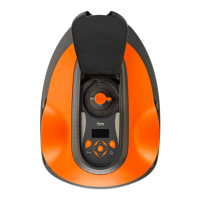
Robotic Lawn mower
EasiLife GO
Easier by Design
www.flymo.com/uk
FRONTCOVER_Flymo_EasiLife.indd 1

Other manuals for Flymo EasiLife GO

Questions and Answers

  • K
    Kayla ChavezNov 21, 2025
    Why does my Flymo EasiLife GO say 'No loop signal'?
    • J
      Joseph HarringtonNov 22, 2025
      If your Flymo Lawn Mower displays 'No loop signal', several factors could be at play. First, check that the power supply and low-voltage cable are correctly connected and undamaged. If the LED status indicator on the charging station isn't lit, it indicates a power issue. Examine the power outlet and residual-current device, ensuring the low-voltage cable is securely connected to the charging station. Also, verify the boundary wire connections to the charging station, replacing damaged connectors if necessary. If the LED status indicator shows boundary wire damage, replace the affected section. Other causes could include the product attempting to start outside the charging station with ECO mode enabled (place it in the charging station to resolve), incorrect boundary wire installation arou...
  • A
    Amber FloresAug 25, 2025
    Why is my Flymo EasiLife GO Lawn Mower going 'Outside working area'?
    • A
      atkinsonalexandraAug 26, 2025
      If your Flymo Lawn Mower is 'Outside working area', it could be due to a few reasons. One possibility is that a section of the boundary wire is crossing another section near the charging station; ensure the boundary wire is correctly connected. Another cause might be the boundary wire being too close to the work area's edge; make sure it's properly installed. Interference from nearby metal objects like fences or buried cables can also lead to this problem, so try moving the boundary wire. Finally, interference with a loop signal from another product installation nearby could be the cause; try putting the product in the charging station and generating a new loop signal.
  • P
    Patty LynnAug 27, 2025
    What to do if the Flymo EasiLife GO cutting system is blocked?
    • S
      Stephanie JacobsonAug 27, 2025
      If your Flymo Lawn Mower cutting system is blocked, it's likely due to grass or another object obstructing the blade disc. Remove any obstructions you find. If the blade disc is submerged in water, relocate the product and prevent water accumulation in the work area. Also, if the grass is too high, cut it before using the product, ensuring it is no more than 4 cm / 1.6 in.
  • T
    Timothy HernandezAug 27, 2025
    How to fix 'Wheel motor blocked' on my Flymo EasiLife GO?
    • M
      Mary SantiagoAug 27, 2025
      If your Flymo Lawn Mower displays 'Wheel motor blocked, left/right', it's likely due to grass or another object obstructing the drive wheel. Remove any grass or objects you find.
  • R
    Robert LewisAug 28, 2025
    What causes 'Wheel motor overloaded' on my Flymo EasiLife GO Lawn Mower and how to fix it?
    • D
      Dan MendozaAug 28, 2025
      If your Flymo Lawn Mower displays 'Wheel motor overloaded, left/right', it's likely due to grass or another object obstructing the drive wheel. Remove any grass or object from the drive wheel.
  • N
    Nicole TuckerSep 14, 2025
    What to do if my Flymo Lawn Mower is 'Mower tilted'?
    • G
      Gabriel StewartSep 15, 2025
      If your Flymo Lawn Mower is 'Mower tilted', it indicates that the product is tilted beyond its maximum angle. Move the product to a level surface.
  • J
    Jennifer WalshSep 12, 2025
    What does 'Battery problem' mean on my Flymo EasiLife GO Lawn Mower?
    • J
      jeremy64Sep 12, 2025
      If your Flymo Lawn Mower is showing a 'Battery problem', it could be due to a temporary battery or firmware-related issue. Try restarting the product. If the problem persists, further assistance from Flymo service may be needed. It could also be due to using an incorrect type of battery. Ensure you are using original batteries recommended by the manufacturer.
  • J
    Jerry BennettSep 13, 2025
    What to do if Flymo Lawn Mower displays 'Charging current too high'?
    • A
      andrew05Sep 13, 2025
      If your Flymo Lawn Mower is showing 'Charging current too high', it suggests an incorrect or defective power supply unit. Try restarting the product. If the problem persists, further assistance from Flymo service may be necessary.
  • T
    Tammy GraySep 5, 2025
    What does it mean when my Flymo EasiLife GO Lawn Mower is 'Upside down'?
    • M
      Michael ParksSep 6, 2025
      If your Flymo Lawn Mower is 'Upside down', it means it's in an incorrect position or tilting too much. Put the product in the correct position.
  • A
    Ashley MooreSep 3, 2025
    Why is my Flymo EasiLife GO 'Charging station blocked'?
    • S
      Steve WalkerSep 3, 2025
      If your Flymo Lawn Mower is showing 'Charging station blocked', there could be several reasons. Poor contact between the charging plates on the product and the contact plates on the charging station could be the issue; ensure these are connected properly. An object might be obstructing the product's entry into the charging station; remove any obstructions. The charging station could be tilted or bent; place the baseplate on level ground. Finally, the guide wire may not be correctly installed.

Summary

Introduction to Flymo EasiLife GO

Product Overview and Support

Details on product description, support, charging station, and Flymo app usage.

Mowing Technique and App Control

Explains the robotic mower's mowing technique and control via the Flymo EasiLife app.

Product Components Overview

Diagram and identification of all parts of the robotic lawn mower.

Manual Symbols and Keypad Functions

Explanation of manual symbols, battery symbols, and keypad button functions.

Keypad LED Status Indicators

Illustrates and explains the meaning of LED status lights on the mower's keypad.

Safety Precautions and Guidelines

General Safety Information

Essential safety precautions for operating the robotic lawn mower.

Safety Definitions and Operation Instructions

Explains safety symbols and provides instructions for safe operation.

Battery Safety and Handling

Warnings and precautions regarding the product's battery.

Safe Lifting and Thunderstorm Precautions

Guidance on safely lifting the product and precautions during thunderstorms.

Maintenance Safety and Electrical Precautions

Safety warnings for maintenance and thunderstorm-related electrical safety.

Installation Procedures

Installation Introduction and Preparations

Overview of installation, components, and general preparations.

Charging Station and Power Supply Placement

Guidelines for positioning the charging station and power supply.

Boundary Wire Installation Guidelines

Instructions and considerations for installing the boundary wire.

Slopes, Passages, and Island Creation

Specific instructions for wire placement on slopes, in passages, and for islands.

Secondary Areas and Guide Wire Placement

Setting up secondary areas and positioning the guide wire.

Installation Tools and Charging Station Setup

Tools needed for installation and steps to install the charging station.

Boundary and Guide Wire Connection

Detailed steps for connecting boundary and guide wires to the charging station.

Wire Positioning and Extension Methods

Methods for fixing wires with stakes, burying them, or extending them.

Post-Installation Checks and Product Settings

Visual check of charging station and initial product settings.

App Pairing and Schedule Configuration

Connecting the Flymo app and setting up mowing schedules.

Advanced Mowing Settings and Features

Features like Lawn Coverage, PassageSense, and LawnSense.

Collision Avoidance, ECO Mode, and PIN

Settings for collision avoidance, ECO mode, frost detection, loop signal, and PIN code.

Operating the Robotic Lawn Mower

Using the ON;OFF Button and Indicator Lamp

Instructions for turning the mower on/off and understanding indicator lights.

Starting the Product and Operating Modes

Steps to start the mower and overview of available operating modes.

Main Area Operation and Scheduling

Setting the mower to operate in the main area with or without a daily schedule.

Secondary Area and Park Modes

How to operate in secondary areas and use the park mode.

Park;Schedule, Override, and Spot Cutting

Using park/schedule, overriding schedules, and spot cutting functions.

Stopping, Switching Off, and Charging

Procedures for stopping, switching off, and charging the product.

Adjusting the Cutting Height

Instructions on how to adjust the grass cutting height.

Detailed Cutting Height Adjustment

Step-by-step guide for adjusting the cutting height, including safety.

Product Maintenance and Care

General Maintenance and Cleaning

Overview of maintenance, cleaning the product, wheels, body, and charging station.

Chassis and Blade Disc Cleaning

Instructions for cleaning the chassis and inspecting the blade disc.

Blade Replacement Procedure

Step-by-step guide for replacing the mower blades safely.

Firmware Update Process

Instructions on how to update the product's firmware.

App Update and Battery Information

Updating the Flymo EasiLife app and important battery information.

Battery Replacement and Winter Service

Steps to replace the battery and recommendations for winter service.

Troubleshooting Common Issues

Introduction to Troubleshooting

Guide to finding information and help for product faults and symptoms.

Fault Messages and Causes

Table detailing fault messages, their causes, and recommended actions.

Information and Warning Messages

Explanation of informational and warning messages displayed via the app.

Charging Station Indicator Lamp Status

Interpreting the indicator lamp signals on the charging station for troubleshooting.

Product Symptoms and Solutions

Common product symptoms, their causes, and suggested solutions.

Finding and Fixing Loop Wire Breaks

Steps to locate and repair breaks in the boundary loop wire.

Transportation, Storage, and Disposal

Transportation Guidelines

Regulations and requirements for transporting the product, especially the battery.

Product Storage Instructions

Recommendations for storing the product and charging station.

Proper Disposal Procedures

Guidelines for the correct disposal of the product and battery.

Technical Specifications and Compliance

Product Technical Data

Detailed specifications including dimensions, electrical system, and sound data.

Mowing Specifications and IP Ratings

Data on mowing system, cutting, passages, slopes, and IP classification.

Registered Trademarks Information

Information on registered trademarks associated with the product.

Warranty Terms and Conditions

Details on the product's warranty coverage, duration, and exclusions.

EC Declaration of Conformity

Manufacturer's declaration of compliance with relevant EU directives and standards.

Flymo EasiLife GO Specifications

General IconGeneral
ModelEasiLife GO
CategoryLawn Mower
TypeRobotic
Cutting Width16 cm
Cutting Height Range20-50 mm
Battery TypeLithium-Ion
Battery Voltage18 V
Battery Capacity2.0 Ah
Area Capacity400 m²

Related product manuals