E-mail: info@flyrontech.com
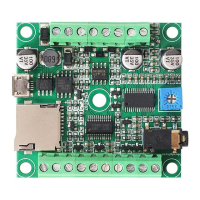
Flyron Technology Co., Ltd. FN-BC07 MP3 Sound Module with 15W Amplifier
The available selectable tracks are from 1
st
to 3000th in the root directory of the storage device. Actually it can support more, but if
we make it support more, the operation speed will become slow. Usually most of applications do not need to support much more
files. Normally if the total track quantity is less than 1,000 in the storage device the response speed of the module is quicker than
50ms. If the total track quantity is more than 1000 the response speed is a little slower than 100ms.
1) For example, if set the first track to be played, send the command 7E FF 06 03 00 00 01 FE F7 EF
7E --- Start byte
FF --- Version Information
06 --- Number of bytes
03 --- Actual command (specify playback of a track)
00 --- 0 x01 : need feedback ; 0 x00 : no need feedback
00 --- Most significant byte of the track (MSB of Parameter)
01 --- Least significant byte of the track (LSB of Parameter)
FE --- Most significant byte of checksum (MSB of checksum)
F7 --- Least significant byte of checksum (LSB of checksum )
EF --- End byte 0xEF
2) Regarding track selection, if the 100th song (track) is selected to be played, firstly convert 100 to
hexadecimal. It is double-byte by default, i.e. 0 x0064. MS B=0x00 ; LS B=0x64
3.4.2. Specify volume (0x06)
1) Our system power-on default volume is level 30 (max.), if you want to set the volume, then directly send the
corresponding command.
2) For example, if you specify the volume to level 15, send the command 7E FF 06 06 00 00 0F FF D5 EF.
3) MSB=0x00; LSB=0x0F, 15 is converted to hexadecimal “0x000F”.
4) The volume set by the command will be reset when the device is restarted. If you need the power-off memory,
you can set the volume through a config file.
3.4.3. Specify single repeat playback in the root directory of the storage device (0x08)
7E FF 06 08 00 00 01 xx xx EF
7E FF 06 08 00 00 02 xx xx EF
Repeatedly play 3rd track
7E FF 06 08 00 00 03 xx xx EF
During single repeat playback, you can still normally execute the operations Play/Pause, Previous, Next, Volume +/-
and repeat playback. Users can specify single track playback or send the stop command to turn off single repeat
playback status.
3.4.4 Specify playback of a device (0x09)
Specify playback of SD card
7E FF 06 09 00 00 02 FE F0 EF


 To Next Page