E-mail: info@flyrontech.com
Flyron Technology Co., Ltd. FN-BC07 MP3 Sound Module with 15W Amplifier
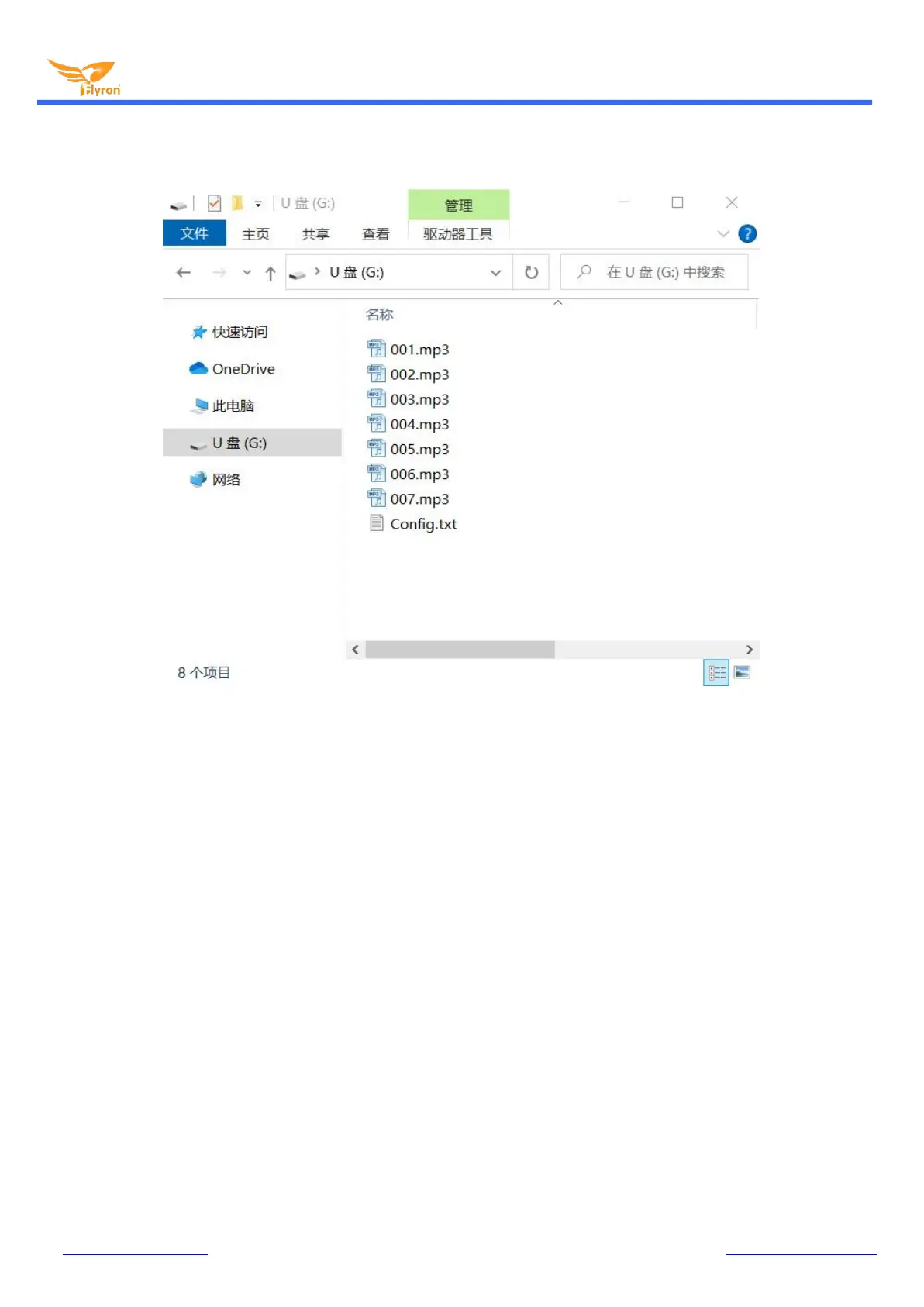
8). Move the prepared config file with the trigger mode needed onto the root directory together with the audio files as below
then refresh.
9). Safely remove the USB connection from computer.
Notes: 1). When you use the trigger mode “3”, you can definitely place more than 7 audio files.
2). When a micro SD card is plugged into the module, only audio files from the SD card will be played.
2.3.2. For Trigger Mode 4
Like the first four trigger modes, the audio files need to be placed on the root directory of the storage device (built-in flash
memory or micro SD card). In this mode, the module recognizes the files by name instead of physical index order, so it’ll be
alright to directly copy your audio files onto the storage device and rename the files 000.mp3-007.mp3 according to your actual
needs. Please refer to the screenshot below.


 To Next Page