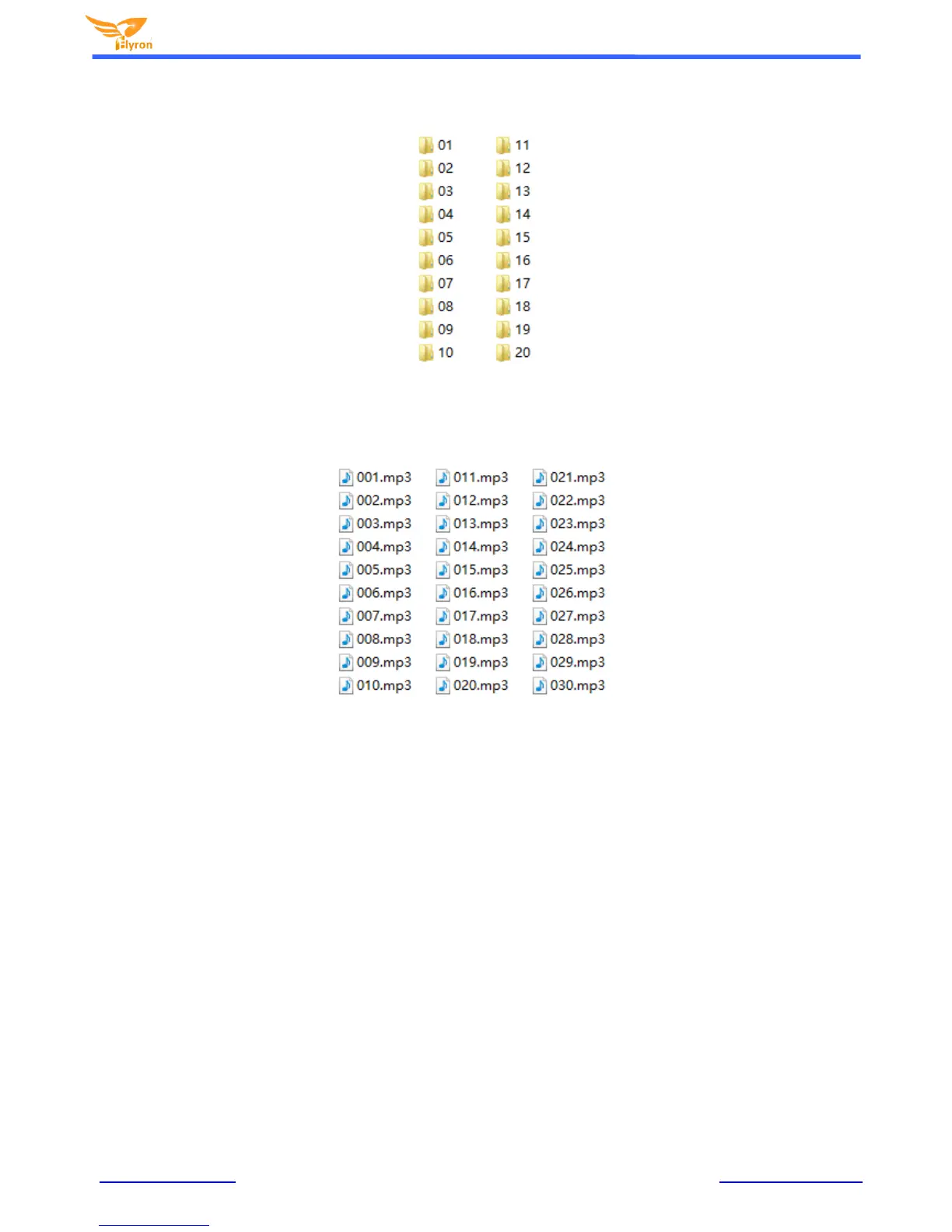
Put the sound files in each folder, which can contain maximum 255 sound files. Each folder must contain all Mp3 OR Wav audio
files. Mp3 and Wav cannot co-exist within each folder. Rename them “001.mp3/wav” to “255.mp3/wav” as shown below. For the
quickest timely response once triggered; we suggest that no more than 100 sound files in each folder.
After everything is done as above, remove the SD card or USB flash drive from computer and insert it in to the board. Power it on
and push any of the 20 buttons to play a sound randomly in the associated folder. For example, by pushing the button associated
with input “K7”. It will randomly play a sound file from the associated folder “07” and stop; push it again, it will randomly play
another sound file from the associated folder “07” and stop, etc.
Note: When both the SD card and USB drive is plugged/inserted into the sound board. Only audio files from the SD card will be
played.


 To Next Page