3.2. ‘One-on-one’ sound file triggering control (for direct playback of the associated sound file)
The 20 sound files need to be directly stored in the root directory of the SD card or USB flash drive being used. No other folders
can be in the „root directory‟. The arrangements of the sound files are managed by a physical indexing sequence. In other words,
the file that is to be loaded first in the storage device will be associated with input “K1”. The last file to be loaded in the storage
device will be associated with input “K20”. In order to guarantee a correct „one -on-one‟ order, please refer to the following steps.
1) Build a new folder on the computer and put 20 sound files in this new folder.
2) Rename the audio files from 001.mp3/wav to “020.mp3/wav”, and make sure they are ranked from “001.mp3/wav” to
“020.mp3/wav” in order.
3) Plug in your SD card or USB flash drive on computer (make sure i t is empty).
4) Format SD card or USB drive into „FAT32‟.
5) Select all the sound files in the folder.
6) Right click on the first file (001.mp3/wav) and choose "Send to removable disk".
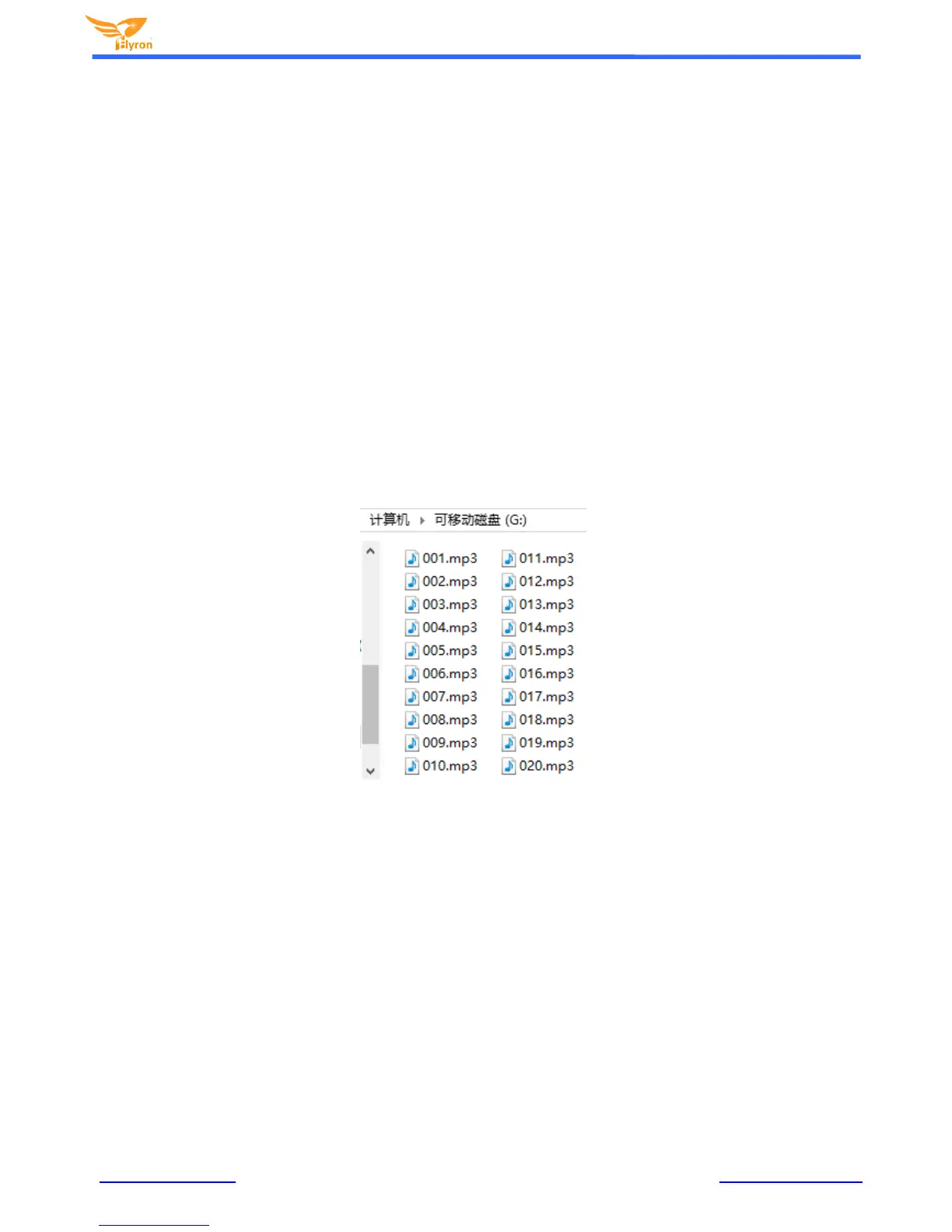
7) This should send the 20 sound files to the SD card or USB flash drive in a correct sequence as below.
8) Once the files transfer is complete, safely remove the SD card or USB flash drive from computer and insert it onto the
sound board.
9) Apply power to the sound board and push any of 20 buttons to play a corresponding sound.
10) For example, push button “K1”, it will play the sound file “001.m p3/wav” and stop; push button “K7”, it will play the sound
file “007.mp3 /wav” and stop, etc.


 To Next Page