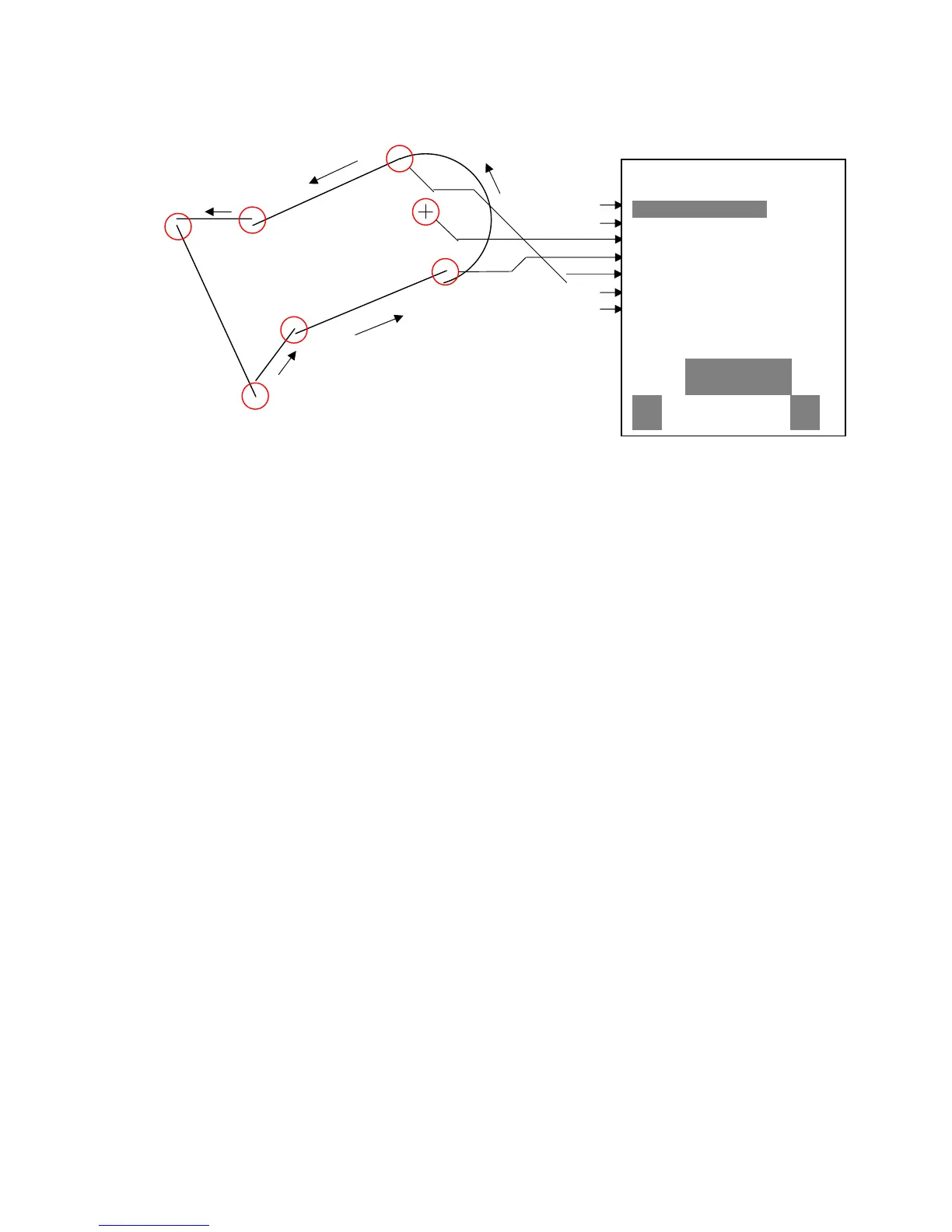
6 Point
2 Point
1 Point
To enter segments it is necessary to obey the following order.
Long, Lat center;
Long, Lat start point of the segment;
Long, Lat end point of the segment;
Direction (+clockwise, - counterclockwise)
In case of circles the center and the radius must be entered
Long, Lat of the center;
Radius in km
3.7 Simulation
After choosing the Simulation mode in the Setup menu and pressing the Enter button, you
reach this very interesting function. With the arrow keys and Enter you turn the Simulation to
Yes. Now the simulation starts at the last known GPS position. With the and arrow keys
you can adjust the air and ground speed; the and arrow keys change the sink or the
climb. If the stall alarm sounds, please increase the airspeed by a few Km/h. Depending
upon the polar entered, you will now recognize the relationships between required speed,
McCready indicator and acoustics.
The softkey F1 is used to change different functions:
Next Func. var Spd to change Climb / Sink air- + Groundspeed
Next Func. wind Trk Change of groundspeed and flight direction
Next Func. blank or other info Press to change user defined pages
Next Func. Mod Alt1 Modify Alt1
Next Func. Mod Alt2 Modify Alt2
Likewise, the Goto function can be called up to select a waypoint. If the direction arrow in
the middle of the compass points upwards, the pilot is moving towards his goal and the
distance to WP becomes smaller while at the same time the altitude naturally decreases. If
you now initiate a climb with the key, the Flytec 5030 GPS simulates circling up in a
thermal; the compass rose turns and the distance to goal continuously changes between
somewhat closer and somewhat farther away.
Under simulation you also can test the different acoustic adjustments as frequency, pitch
and modulation during a virtual climbing. ( Basic Settings/Vario tone )
38/53



 To Next Page