10
5. System Assembly
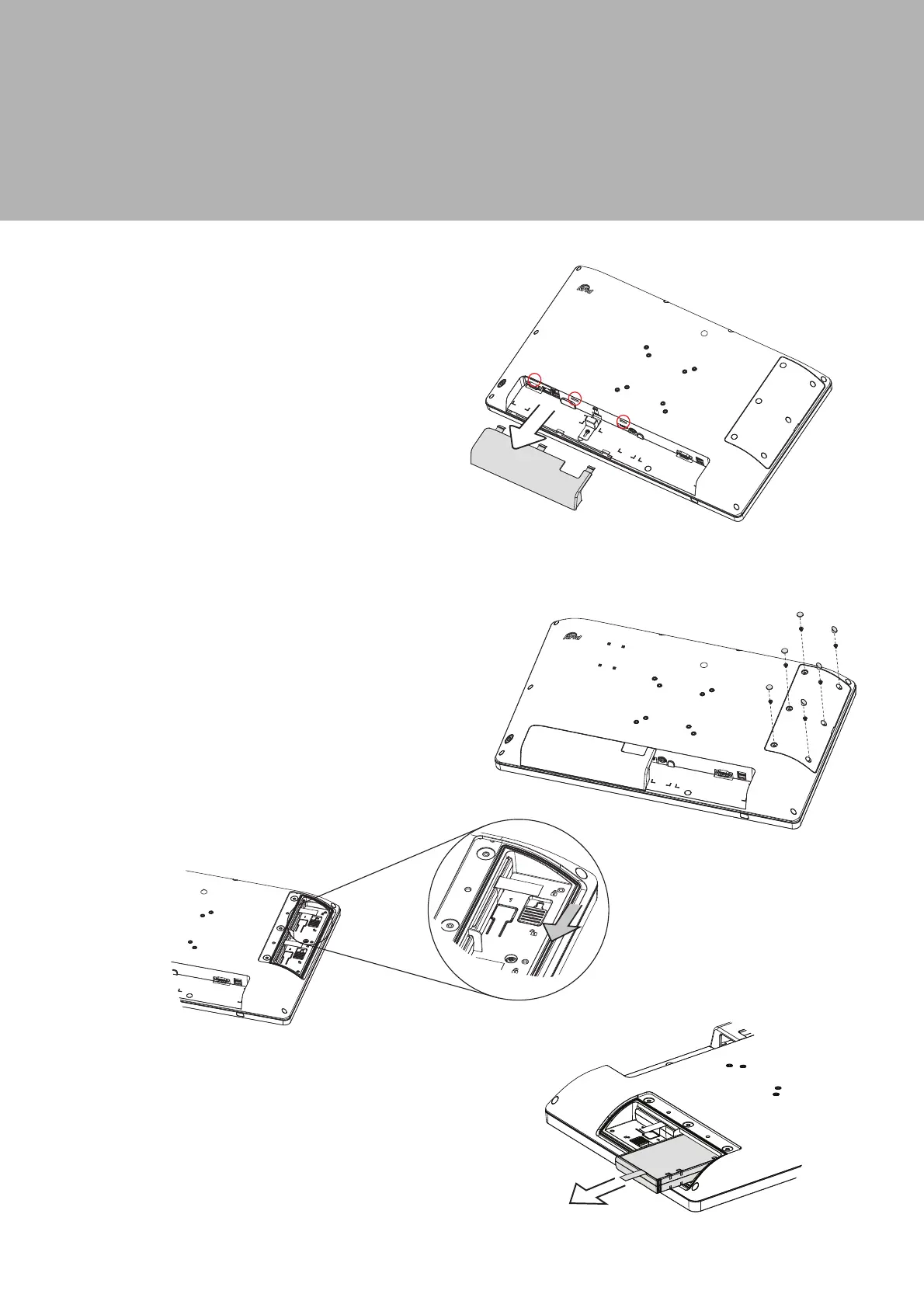
1. Place the system face down, make
sure not to scrath the screen.
2. Remove the rubber pads (x6) and
screws (x6) to relesae the battery door.
3. Slide the latch down as shown to unlock.
4. Pull the plastic puller (see picture) to
release the battery out of the system.
1. Place the system face down, make
sure not to scrath the screen.
2. Press and pull the cable cover
outwards to release it from the
system.
5-1. Removing the Cable Cover
5-2. Replacing the Battery


 To Next Page