12
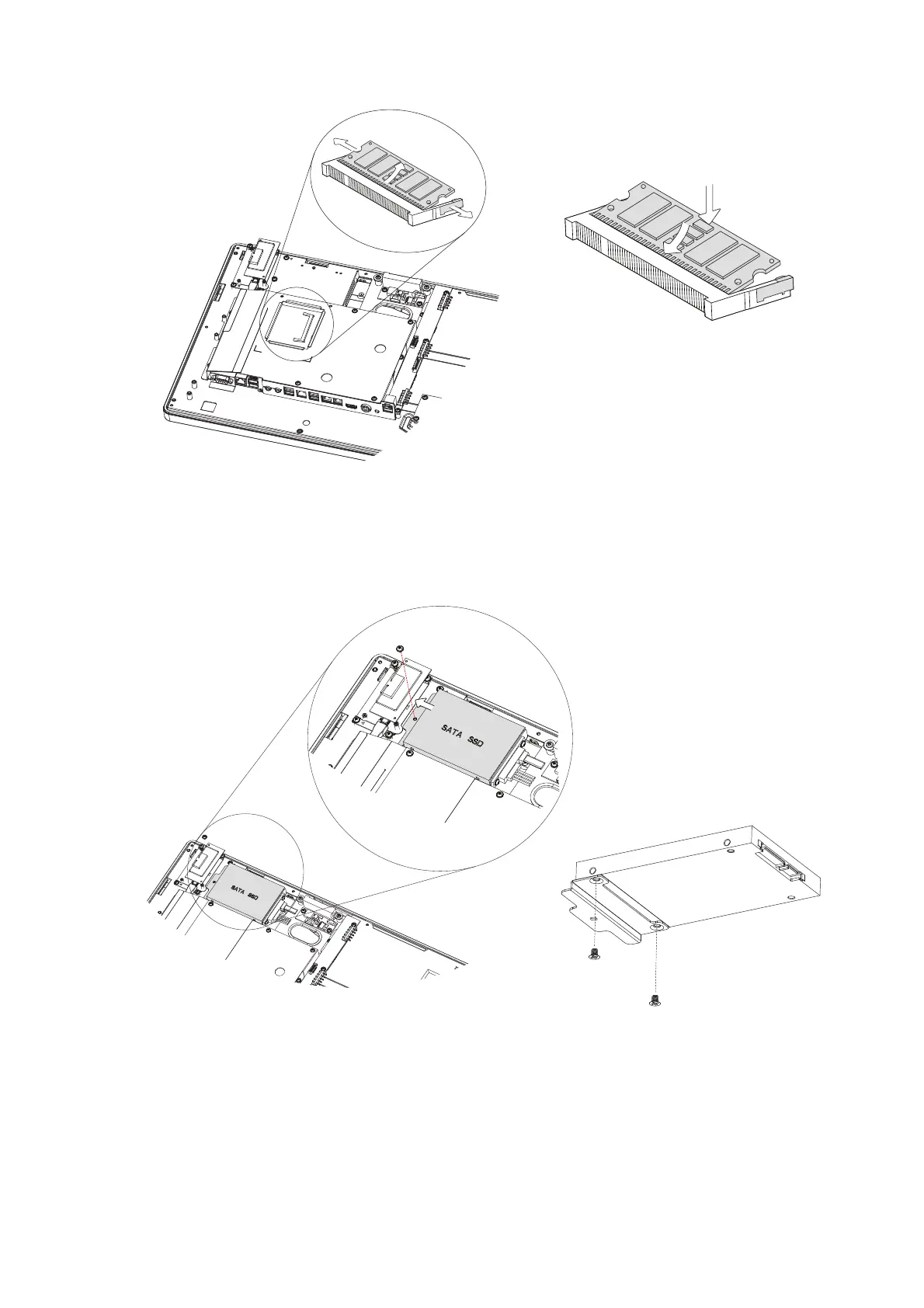
3. Find the RAM module and flip the ejector clips outwards to remove the memory
module from the memory slot.
Installing a RAM moudle
Slide the memory module into the
memory slot anvd press down until the
ejector clips snaps in place.
1. Remove the cable cover, batteries, and rear cover first (see Chapter 5-1, 5-2 and
5-3).
2. Remove the screw (x1) and slide the SSD module outwards to release it from the
SATA cable.
3. Remove the screws (x2) that fix the SSD to the bracket.
5-5. Replacing the SSD


 To Next Page