7
Check the C.G. (Center of Gravity)
Before checking the C.G. the propeller must be mounted…
❑
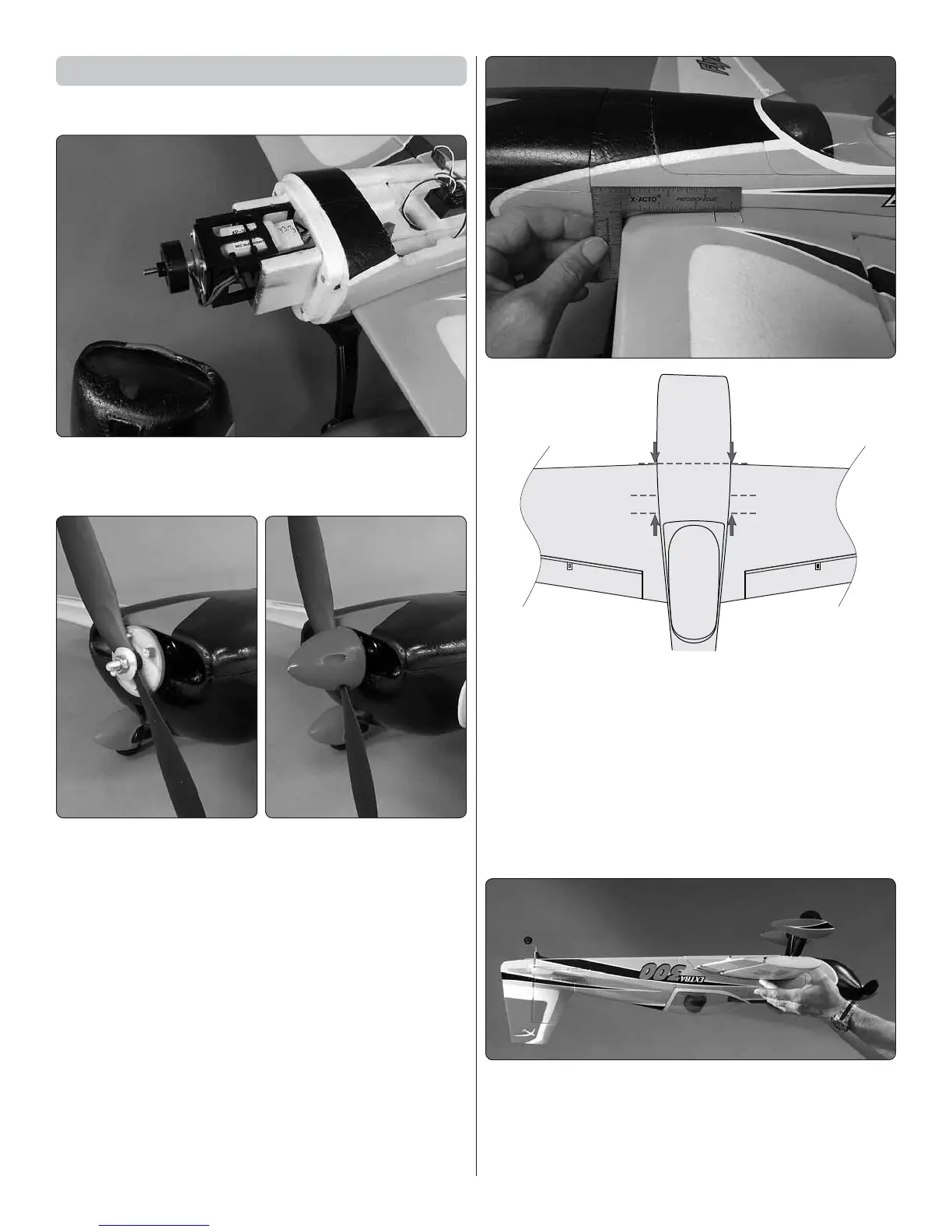
1. Temporarily pop the cowl off the fuselage just to see
how the motor and ESC are mounted and to make sure
everything is connected properly. Reinstall the cowl.
❑
2. We’ve found it unnecessary to balance the included
propeller, but detail-minded pilots who demand ultimate
performance may balance the propeller on a precision
balancer such as the Top Flite Power Point Propeller
Balancer (TOPQ5700). In any case, if unusual noise or
vibration from the prop or motor is ever detected land the
plane immediately and nd the source of the problem.
❑
3. The Extra is balanced upside-down suspended
by the wing with your ngertips. This procedure will be
easiest and most accurate if you can feel the C.G. range
with your ngertips. A quick way is to temporarily insert
T-pins (or regular pins) directly into the wing at the front
and back of the C.G. range which is between 2-1/2” and
3-1/4” [64mm and 83mm] back from leading edge of the
wing at the fuselage. If you’d rather not insert pins into the
wing you can draw lines or use tape to mark the C.G, but
if you remove the tape later it will probably pull the paint
off the wing under the tape.
❑
4. With the model in ready-to- y condition and the
battery and propeller installed, lift the model by the wing
with your ngertips between the balance range. As long
as the Extra balances anywhere within the range the C.G.
is okay. If the model doesn’t balance, move the battery
forward or aft until you can get it to balance.




 To Next Page