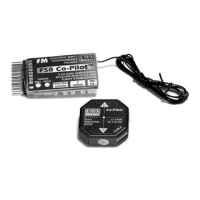
FMA Direct 3 FS8 Co-Pilot™ user guide
About flight stabilization
FS8 Co-Pilot™ “looks” at the horizon with infrared heat sensors
(this same technology is used in thermal imaging cameras). The
Earth is warm (even when covered with snow) below the hori-
zon, while the sky is cold above the horizon. FS8 Co-Pilot™
“sees” this temperature difference. When FS8 Co-Pilot™ senses
changes in aircraft attitude relative to the infrared horizon, it
sends corrective signals to keep the aircraft level.
Flying with FS8 Co-Pilot™ is easy. When you center the control
stick, FS8 Co-Pilot™ automatically returns the aircraft to level
flight. FS8 Co-Pilot™ works over a wide range of weather con-
ditions. A simple calibration adjusts FS8 Co-Pilot™ to the local
environment, and sensitivity controls change FS8 Co-Pilot’s re-
sponses to match pilot skills.
FS8 Co-Pilot™ is an excellent teaching aid because it maintains
stable flight while the student develops flying skills (the key is to
center the sticks to regain control). Advanced pilots find FS8
Co-Pilot™ is useful for flying—and landing—under windy con-
ditions. Because it responds much faster than you can, FS8 Co-
Pilot™ can help tame an unstable aircraft, and is ideal for main-
taining control during your first flights with a new model.
If your transmitter has an unused channel, you can control FS8
Co-Pilot™ from the ground. Turn it on when it’s needed, and
turn it off when it isn’t needed. If the channel has proportional
control, you can also remotely adjust FS8 Co-Pilot’s Pitch and
Roll Throw controls.
FS8 Co-Pilot™ uses patented technology to sense the difference
in infrared temperature (heat) between the Earth and sky. The
sky is always at a relatively lower infrared temperature, while the
infrared signature of the Earth is always relatively warmer. FS8
Co-Pilot™ uses two pairs of infrared sensors: one pair points
fore and aft, and the other points left and right. When one pair
of sensors sees a change in an aircraft’s orientation relative to
the earth’s infrared horizon, FS8 Co-Pilot™ issues signals to the
control system to bring the aircraft back into level flight.
When the model is flying above the Earth (even a few feet), each
sensor surveys several square miles, all the way to the Earth’s in-
frared horizon. The infrared temperature seen for the Earth is an
average of infrared generated from all terrain features. FS8 Co-
Pilot™ interprets input from the sensors and applies compensa-
tion to the servos controlling roll and pitch.
Other optical flight stabilization systems work with visible light,
not infrared. Those systems are strongly affected by changes in
cloud cover and other weather conditions, and don’t operate well
at sunrise, dusk or in the dark. The heat (infrared) radiating
from the Earth measured by FS8 Co-Pilot™ provides a more
stable and precise reference than light or other phenomena. This
gives FS8 Co-Pilot™ much more precision than visible light sta-
bilization systems. For example, FS8 Co-Pilot™ won’t cause
the aircraft to wander when a cloud comes into view.
Since the infrared environment is not affected by variations in
visible light levels, an airplane equipped with FS8 Co-Pilot™
could be flown at night (but we don’t recommend this!). Only
substantial changes in weather cause gradual variations in infra-
red temperature throughout a day. Heavy fog, flying through
clouds, or snow on the ground cause the infrared signature to
vary. Also, as a model flies over the terrain, there is some varia-
tion in the average infrared temperature. For this reason, FS8
Co-Pilot™ incorporates a simple calibration procedure (not
available in other flight stabilizers) that fine-tunes performance
for near-perfect stabilization under all conditions.
Options for controlling flight stabilization
FS8 Co-Pilot™ can be controlled in three different ways. The
methods available to you depend on the capabilities of your ra-
dio control system.
n Proportional control. If your radio system has an unused
proportional control channel (usually a knob or lever on the
transmitter), it can be assigned to turn FS8 Co-Pilot™ on and
off, and to adjust sensitivity during flight. You’ll be able to
set sensitivity between minimum and maximum—based on
flight conditions or desired performance—at any time.
Examples of proportional control:
l Adjust FS8 Co-Pilot™ sensitivity while the model is air-
borne to match a student’s skills. As the student gains con-
fidence, for instance, set FS8 Co-Pilot™ to provide less
stabilization.
l Turn FS8 Co-Pilot™ off for aerobatics, then turn it on for
landing.
l If a strong crosswind builds up after the aircraft takes off,
dial in more stabilization for better control during landing.
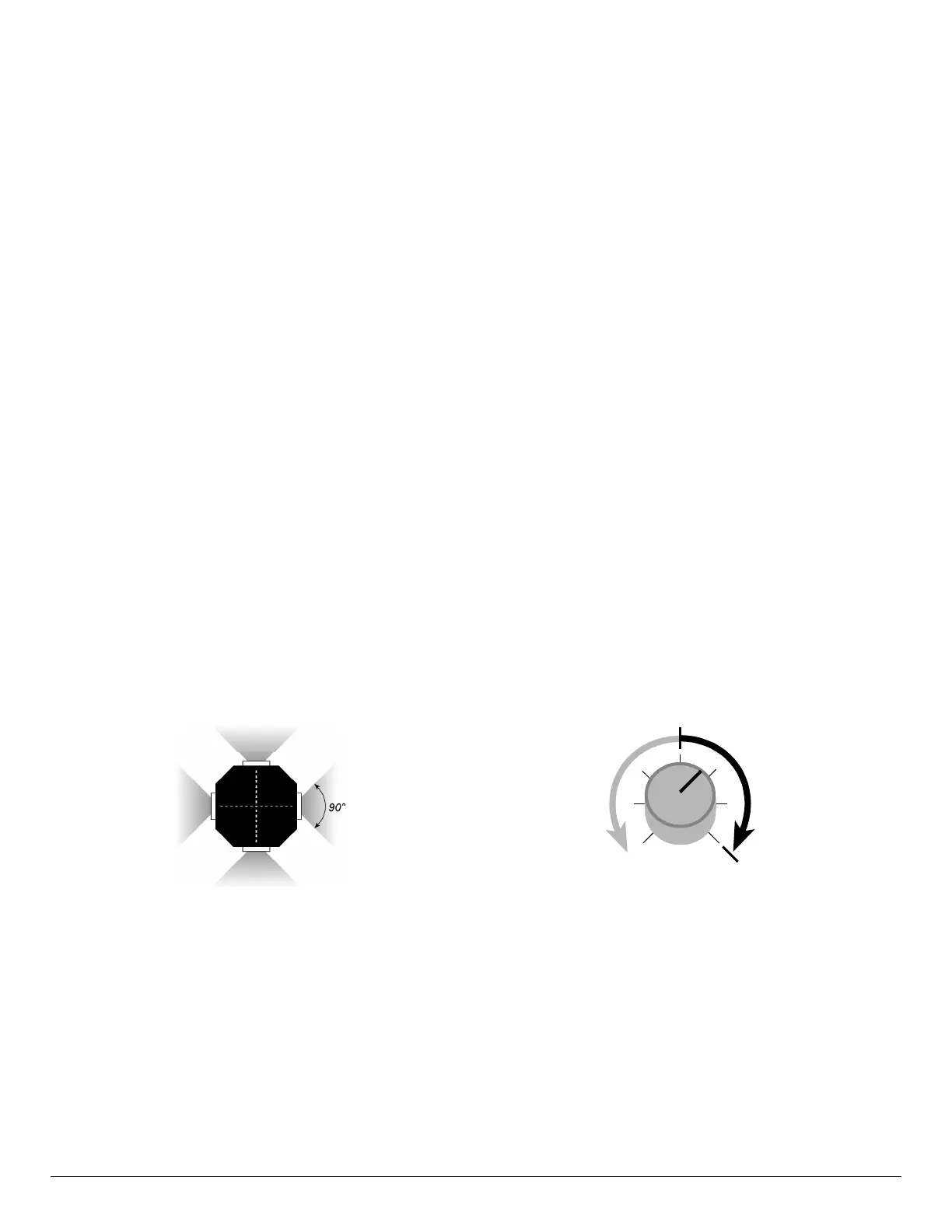
When configured according to instructions in “Setting up,”
the transmitter knob works like this:
Minimum
throw
Maximum
throw
Flight
stabilization
off
Flight
stabilization
on
n On/off control. If your radio system has an on/off channel
(usually a switch on the transmitter), you can turn FS8 Co-Pi-
lot™ on and off during flights. When FS8 Co-Pilot™ is on,
its flight stabilization characteristics are set by the Pitch and
Roll Throw controls on the receiver (you can only change this
setting when the aircraft is on the ground). When FS8 Co-Pi-
lot™ is off, the aircraft functions as it would without a flight
stabilization system (although FS8 Co-Pilot™ still trims the
aircraft).
With on/off control, it’s much easier and quicker to move a
switch (versus rotating a knob to the right spot with propor-
tional control). This makes it easier to move between aerobat-
ics (without FS8 Co-Pilot™) and straight/level flight (with
FS8 Co-Pilot™).
continued


 To Next Page
 Loading...