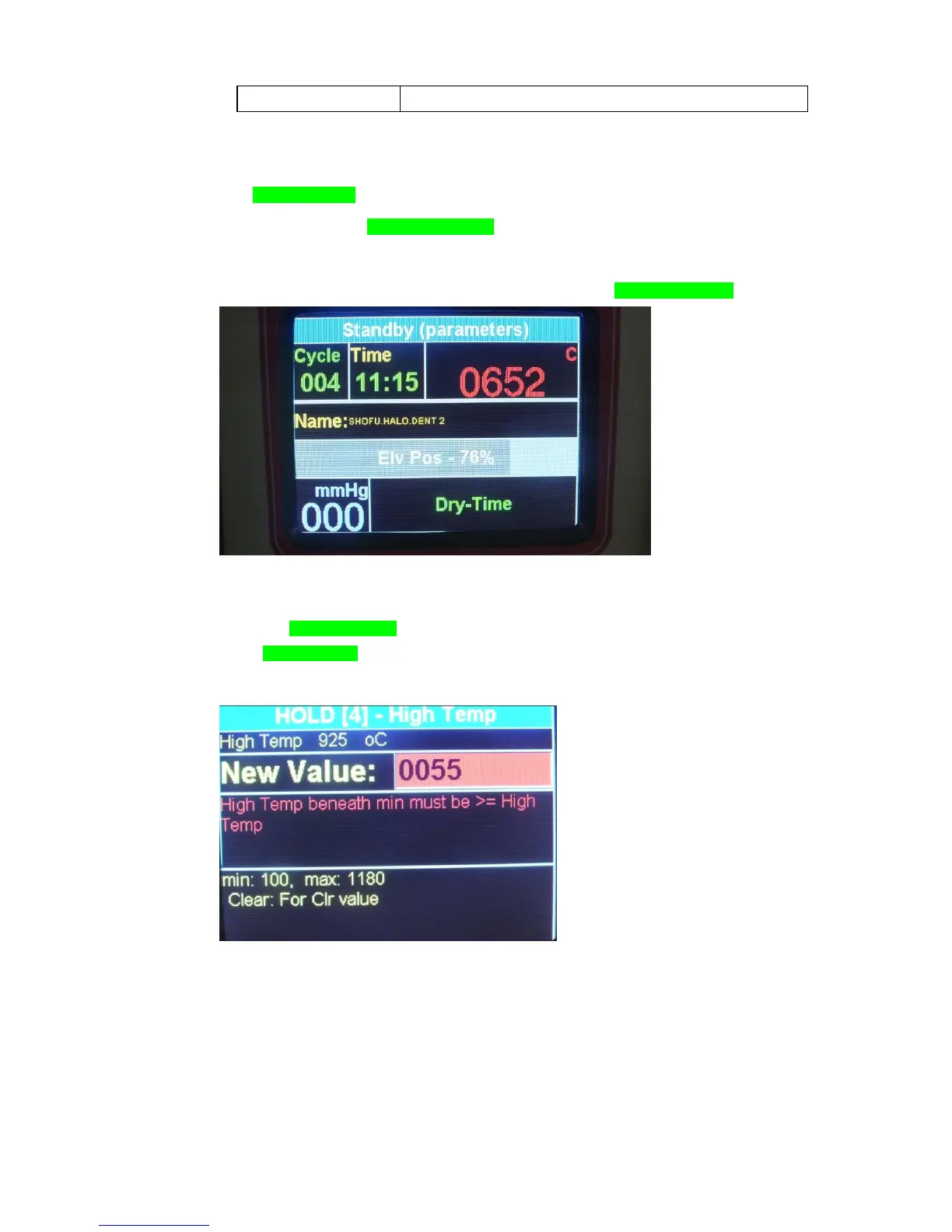
2.5 Displays :
The “ program Status” display shows the Status of the selected program. (start /Stop/
hold) left upper corner
The “program Time” screen displays either the selected program remaining time or
00:00 while not in cycle middle upper section
The “temperature and data” display screen displays the temperature during the Cycle,
The symbol C is displayed together with the temperature when degrees in Celsius are
defined, and the symbol °F when the degrees are in Fahrenheit. Right upper section
“Vacuum” display is used when keying in the vacuum parameters of the cycle.
During the cycle, the “vacuum” screen is displaying the actual vacuum level on the lower
left corner. Lower left section
On the right lower side appear the running parameter in reel time
While a selection is incorrect the field will be displayed in Red with Parameters
Limits.
In The Display mode all the status and parameters will appears in reel time.


 To Next Page