Introduction
VRMBoxcontainsauniquetechnologythatallowsyoutomonitoraudioonapairofheadphones,asifyouwereinarealenvironmentlisteningtoreal
speakers.Therearethreeenvironmentsand15pairsofspeakerstochoosefrom,creatingatotalof24listeningscenarios.
VRMBoxhasatactilevolumecontrolwithaclassleadingheadphoneamplierandexternalS/PDIFinput,completewithbuilt-insample-rate
conversion,inapocket-sizedpackagethattsneatlyonyourdesk.
What’s in the box
1 VRM Box
1InstallerCD(includesinstallationlesforMacintoshandWindowsPC,andthisUserGuide)
1USBcable
1 Register Me Online card
1GettingStartedGuide
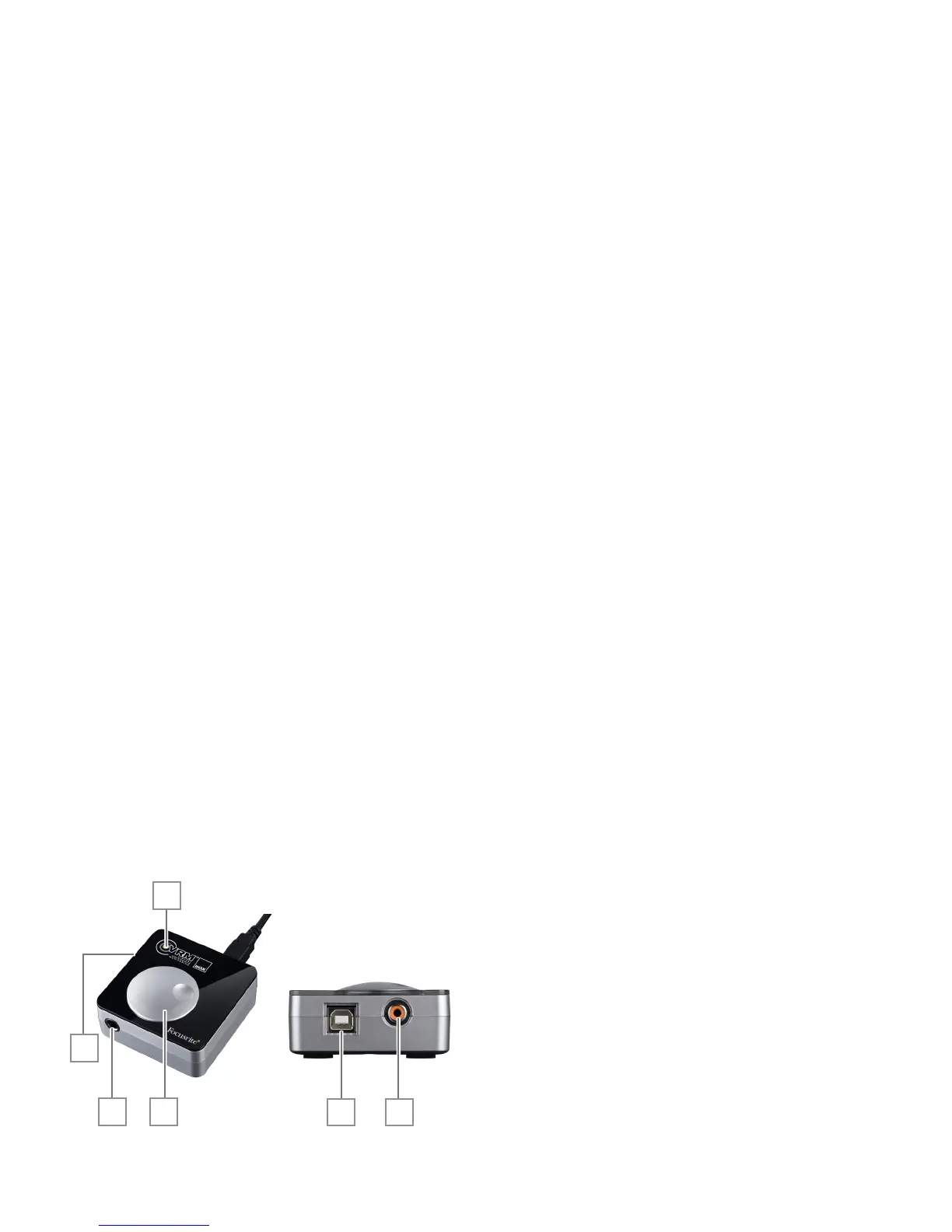
VRM Box hardware overview
1. Volumeknob
2. VRM “Active” LED
3. Headphonesocket
4. KensingtonLockport
5. USBsocket
6. S/PDIFinputsocket
1
2
3
4
5 6
Contents
Important Safety Instructions ............................................................ 2
Environmental Declaration ................................................................ 2
Contents ................................................................................................ 3
Introduction .......................................................................................... 3
What’s in the box .................................................................................. 3
VRM Box hardware overview .............................................................. 3
Operating system compatibility ......................................................... 4
Installing the software ......................................................................... 4
VRM Box hardware setup .................................................................... 4
VRM Box as the main audio interface ............................................... 4
VRM Box in conjunction with another audio interface .................... 5
VRM Box control panel software ........................................................ 5
What is Virtual Reference Monitoring? .............................................. 6
The problem .......................................................................................... 6
The solution .......................................................................................... 6
The method ........................................................................................... 6
VRM technical data .............................................................................. 6
Performance specications ................................................................ 8
Latency and CPU information ............................................................. 8
Copyright .............................................................................................. 8


 To Next Page