FONA XPan 3D Operating Instructions
69 683 70110 - 150831 9/28
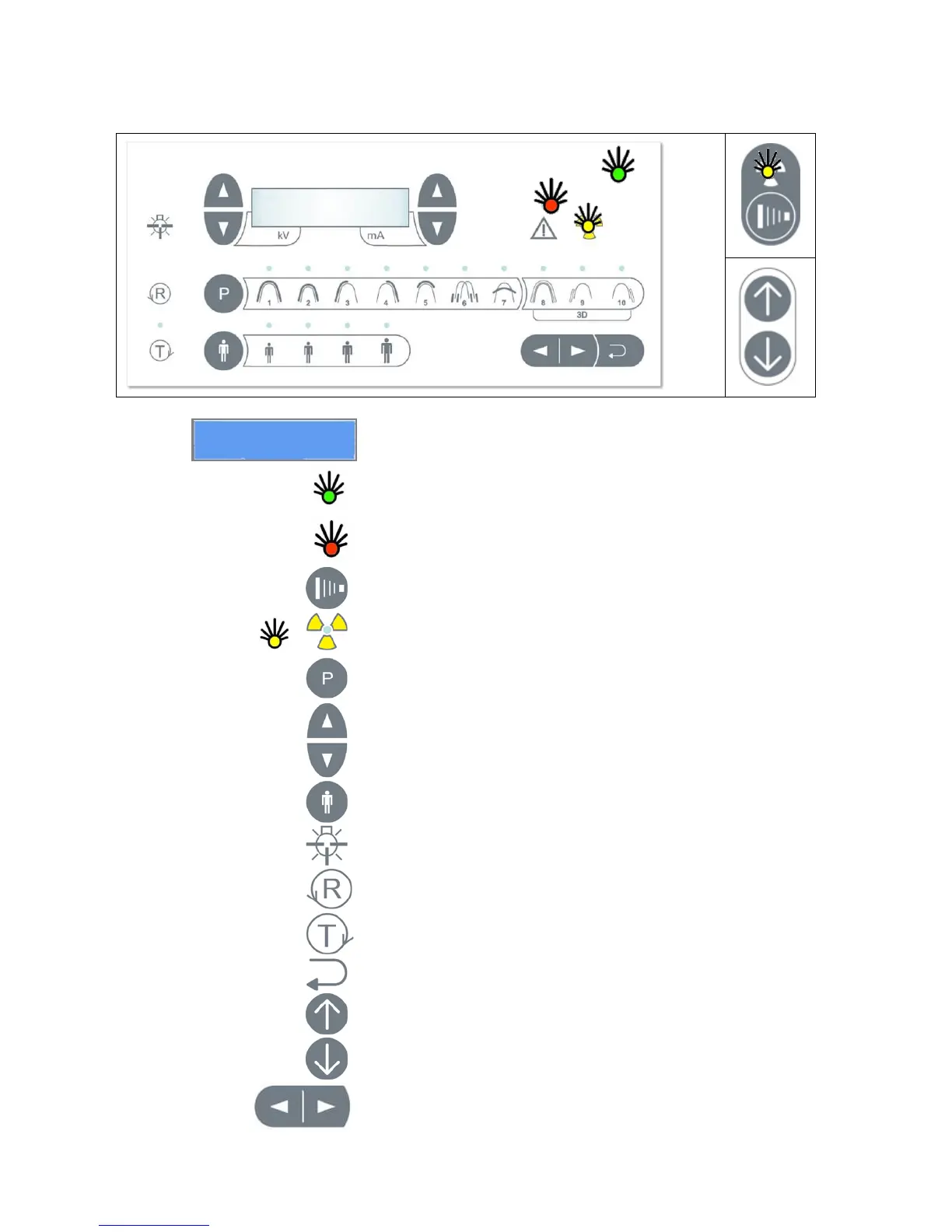
3.2 Control panels
Unit ON with light on display
READY green light ON when system ready
ALARM red light ON upon alarm message
EXPOSURE key on Hand Switch
X-ray Radiation – Orange Light ON
INCREASE kV (left side) mA (right side)
DECREASE kV (left side) mA (right side)
PATIENT build: Small, Medium, Large, Extra-Large
LIGHT for alignment ON for 60 s
TEST Mode without Radiation
BACK for backward movement and alarm reset
Arrows for the positioning of the canine laser


 To Next Page