Need help?
Do you have a question about the FONESTAR RDS-524HD and is the answer not in the manual?
The Fonestar RDS-524HD is an HD DVB-S2 satellite receiver designed to provide excellent reception and image quality for your favorite channels. It features two USB 2.0 ports, allowing for versatile media playback (MPEG-4/MPEG-2/MPEG-1), recording of programs, and Timeshift functionality to pause and resume live TV.
The receiver offers a multi-language, intuitive, and easy-to-use menu system. It supports high-definition video encoding (H.264/MPEG-4 AVC) and Dolby D+, Dolby Digital audio. Output resolutions include 1080p, 1080i, 720p, 576p, 576i, 480p, and 480i, with HD output up to 1080p via HDMI and standard definition over europlug (SCART). The device supports DiSeqC 1.0/1.1/1.2 (USALS) for antenna control.
Channel management features include saving, exporting, and editing channels (favourites, move, parental lock, delete, and sort). It comes with a pre-loaded channel list (German channels) that can be updated over the network (OTA) or via USB. The receiver also functions as a multimedia player for video, audio, and image files, supporting formats like MOV, MP4, MKV, AVI, FLV, VOB, MPG for video; MP3, AAC, M4A for music; and JPG, BMP, PNG for images.
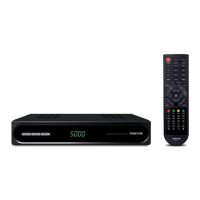
The front panel includes an information display, a USB port, power on/off button, volume adjustment buttons (+/-), a main menu button (M), channel switching and navigation buttons (< / >), and an OK confirmation key.
The rear panel features an LNB IN (F-connector) for the parabolic antenna, a second USB port for storage devices or a Wi-Fi adapter (compatible with RT5370N), a COAXIAL digital audio output (RCA), an HDMI output for HD audio/video, a TV output for standard definition audio/video, and a 100-240 V AC power input.
For first-time use or after a factory reset, the receiver guides you through an installation menu to select the OSD language and perform a channel search (SATELLITE LIST) or load a channel list from USB (IMPORT/EXPORT). The default PIN code is 0000.
Channels can be searched from the home screen or the INSTALLATION menu using the blue button on the remote. The IMPORT/EXPORT function allows saving the current or default channel list to a USB device (EXPORT) or loading a list from USB (IMPORT). Network updates are also available for channels via SYSTEM > NETWORK UPDATE if an internet connection is present.
The main menu is accessed via the MENU button. Navigation is done using the directional buttons, with OK for confirmation and MENU or EXIT to go back.
It is recommended to disconnect the equipment from the power supply when not in use for a long period. The device supports channel and software updates via OTA or USB.
FONESTAR SISTEMAS S.A. declares that the RDS-524HD satellite receiver complies with Directive 2014/53/EU. The full text of the declaration is available at fonestar.com/RDT-524HD.

 To Next Page
 General