EN
- 5 -
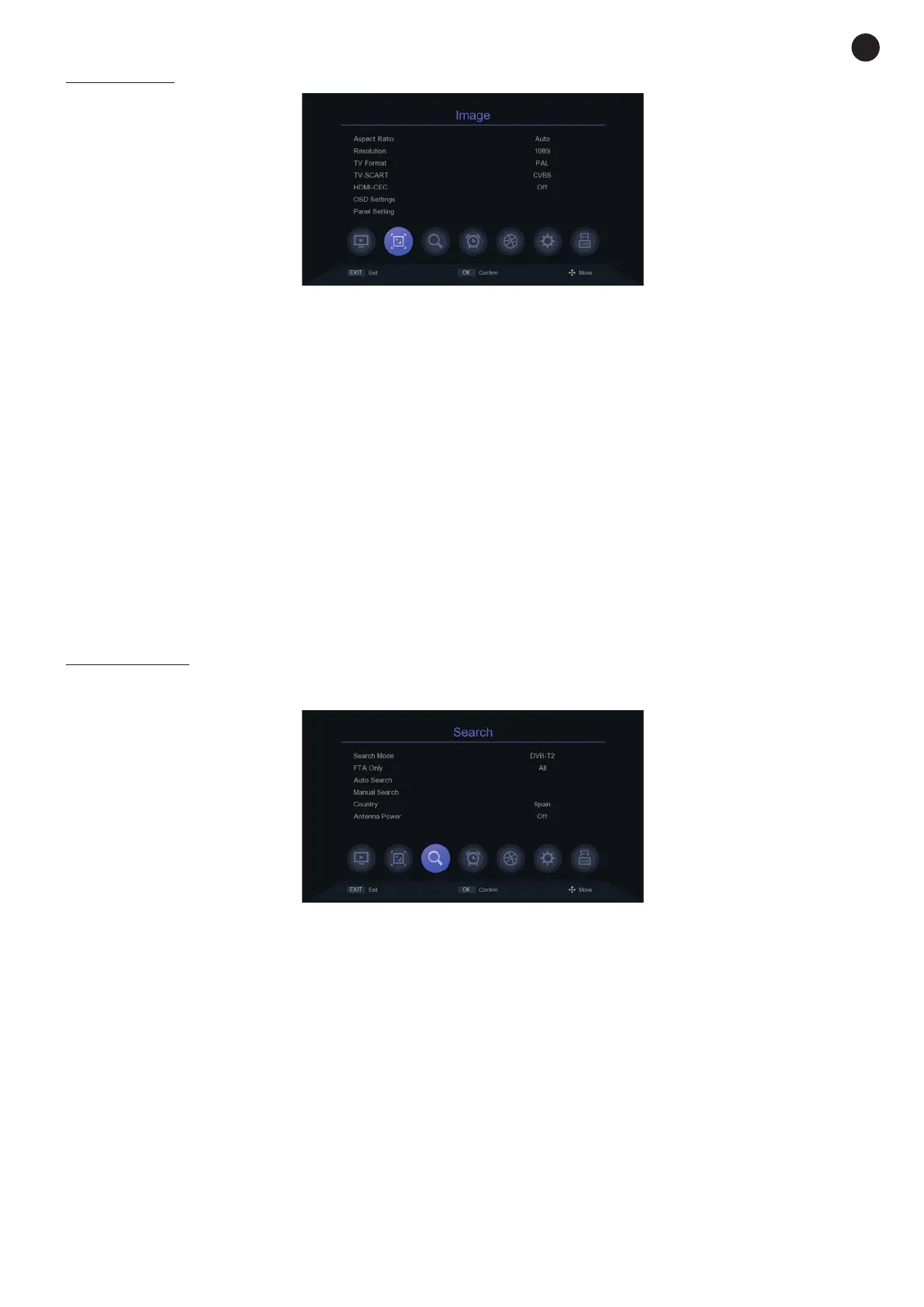
IMAGE MENU
- ASPECT RATIO: allows the aspect ratio to be changed.
- RESOLUTION: allows you select the screen resolution
- TV FORMAT: change the signal type between PAL or NTSC.
- TV-SCART: Colour adjustment for TV video output: RGB or CVBS.
- HDMI-CEC: allows you to activate the CEC signal on the HDMI connector.
- OSD SETTING: OSD graphics settings: TRANSPARENCY, BRIGHTNESS, COLOUR, CONTRAST and
OSD TIMEOUT.
- PANEL SETTING: setting of front panel LEDs:
- LED BRIGHTNESS: display brightness.
- INFO TO DISPLAY (ON): adjuts what the display will show when the receiver is on: CH NO (channel)
or TIME.
- DISPLAY TIME (STANDBY): turns on/off the option to display the time on screen with the receiver
in StandBy mode: ON or OFF.
SEARCH MENU
- SEARCH MODE: DVB-T2 or DVB-C2.
- FTA ONLY: type of channels to search for: ALL or TLC (The Learning Channel).
- AUTO SEARCH: performs an automatic search of channels according to the settings configured in this
SEARCH menu.
- MANUAL SEARCH: performs a manual search of the configured channel, frequency and bandwidth.
- COUNTRY: country of the place where the receiver is installed.
- ANTENNA POWER: adjust to power the antenna if necessary. By default, this value will be OFF.


 To Next Page