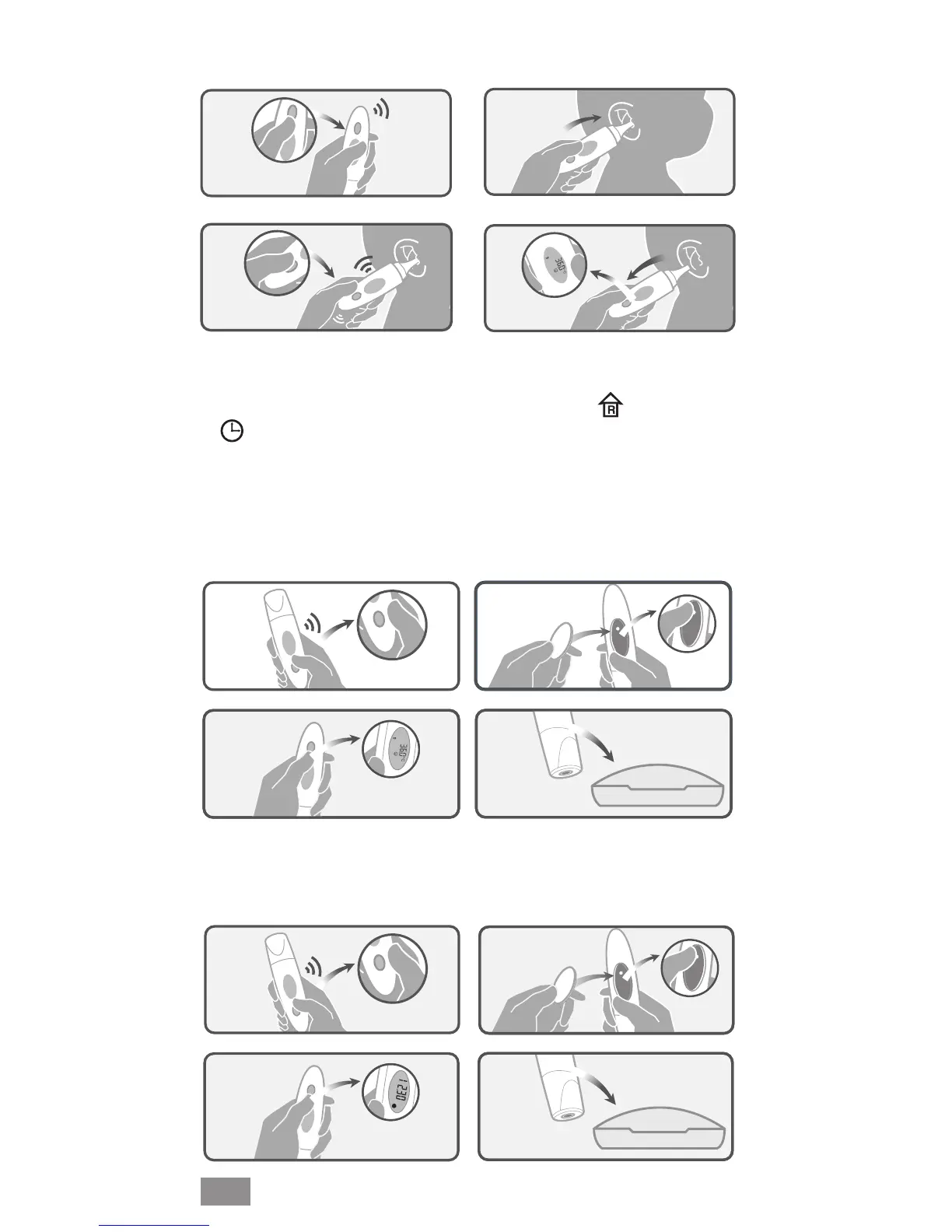
10
1.
2.
4.
3.
► As a room and ambient temperature thermometer
► As a clock thermometer
Open battery cover. Press and release the SET button repeatedly
until the mode of room temperature with icon and clock with
icon are both shown on the display in turn.
Press ON/SCAN button to conrm this setting. From now on
when the device is switched off ambient temperature and time
will be shown on the display in turn.
To cancel this setting press the SET button repeatedly until °C or
°F is ashing and let the device switch of automatically.
Same procedure as for a room and ambient temperature
thermometer.
1.
2.
4.
3.
EN
1.
2.
3.
4.


 To Next Page
 Loading...