9
► As an ear thermometer
To change from forehead to ear mode, take off the removable
front cover from the thermometer tip. Related icon conrms
that device is in ear mode. While arrow icon is ashing pull the
middle of the ear back and up and gently place the probe into
the ear canal.
For children under 1 year, pull the ear straight back. For an in-
fant, it is best to have the child lying at with the head sideways
so the ear is facing upwards. For an older child, it is best to stand
behind and slightly to the side of the child.
After inserting of the probe into the ear canal immediately press
and release the ON/SCAN button. A beep sound will verify the
completion of measurement. Remove the thermometer from the
ear canal. The reading will be shown on the display screen.
The temperature readings may be different from ear to ear, so
always measure the temperature in the same ear. To change
back to the forehead mode, place the removable front cover on
the thermometer probe.
► As a forehead thermometer
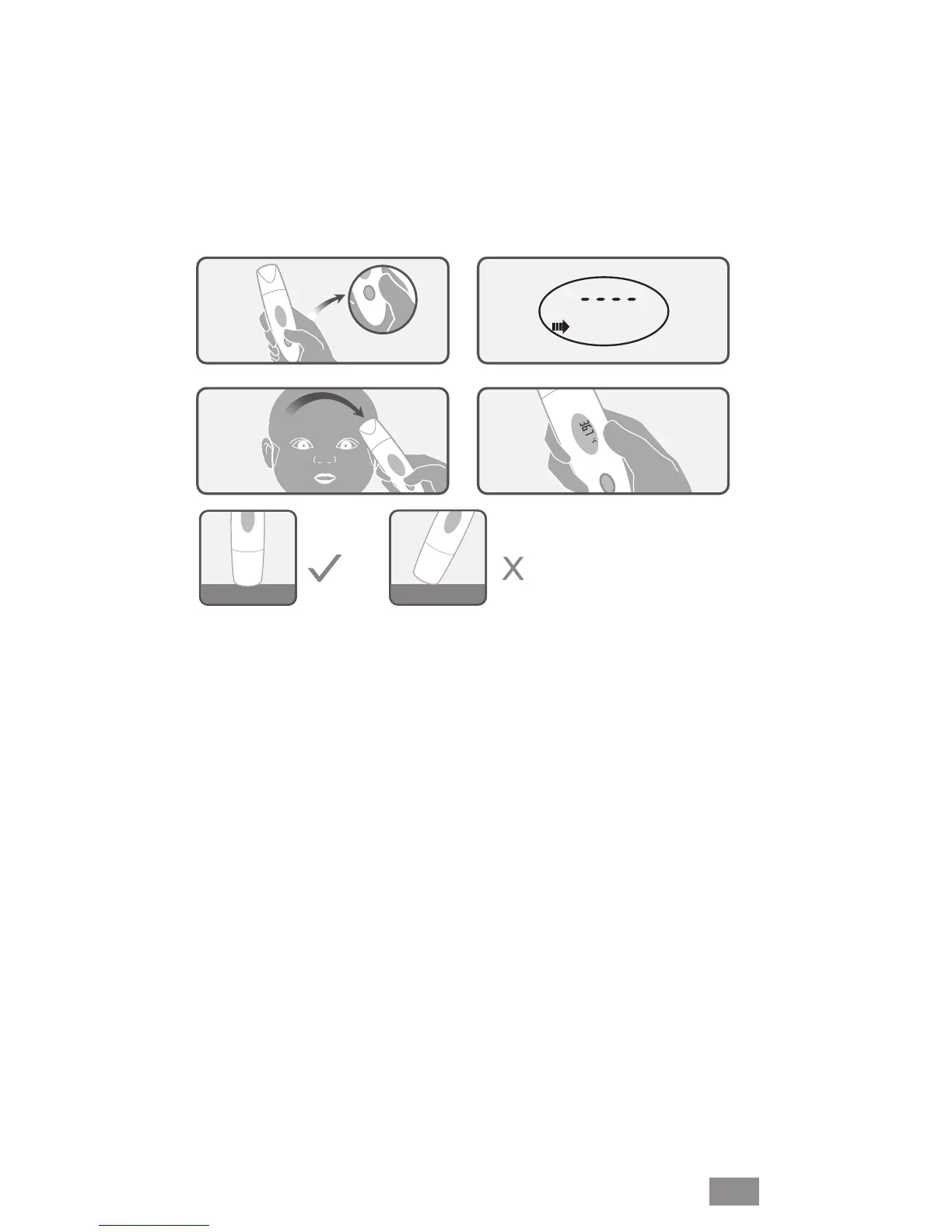
Procedure is same as for non-contact measurement, but the
probe should be pressed on the forehead skin during measure-
ment. If the probe is placed at an angle on the skin/surface
during measurement, the reading will be affected by surrounding
temperature.
1.
2.
3.
4.
Flushed
Angled
EN


 To Next Page
 Loading...