7
Setting up the FORA IR10
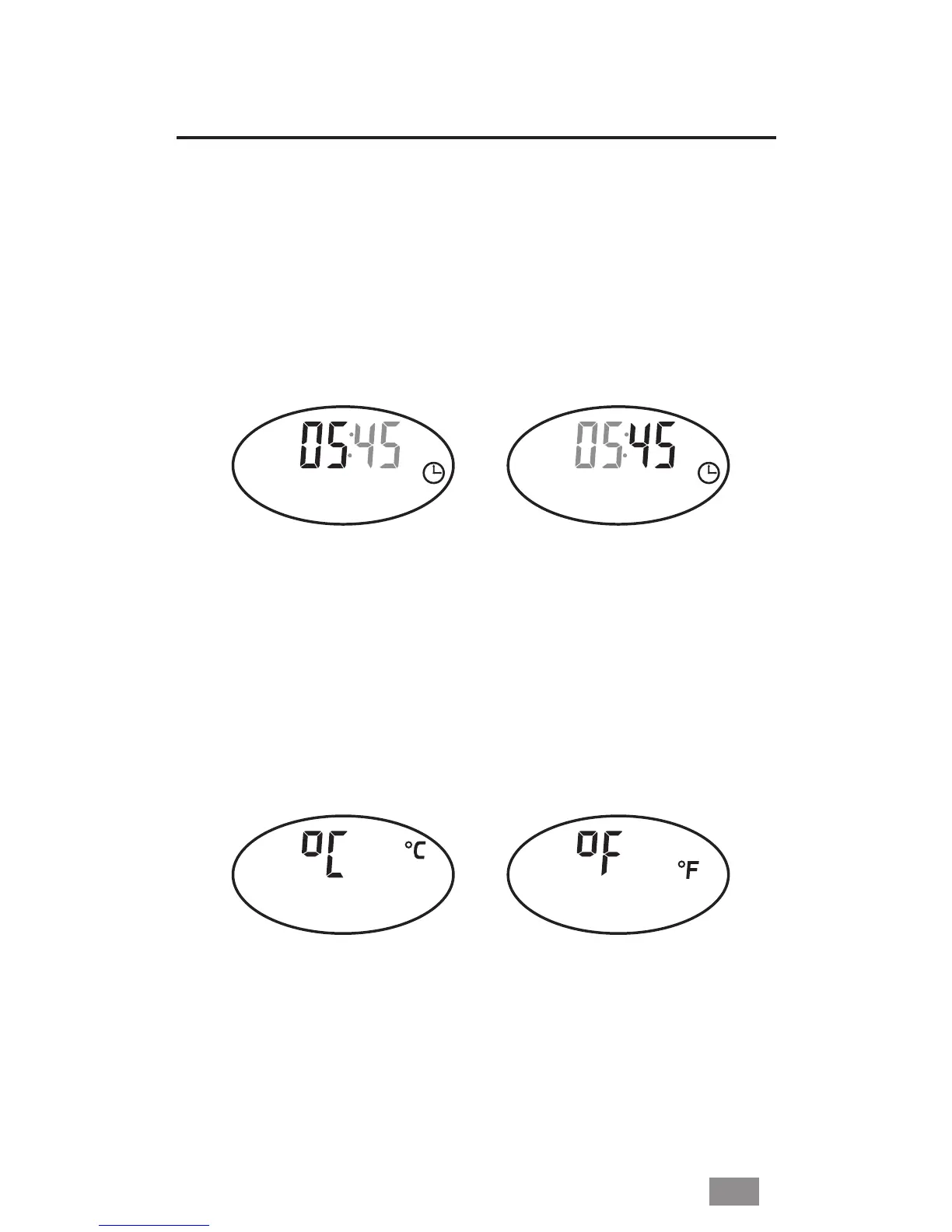
■ Setting the Hour/Minute
Open Battery Cover. Press twice the SET button. The Hour ashing
appears on the display. While the Hour ashing press the
ON/SCAN button until the correct hour appears. Press the SET
button to conrm. On the display appears the Minute ashing.
While the Minute ashing, press the ON/SCAN button until the
correct minute appears. Press the SET button to conrm.
■ Selecting °C or °F
Press and release the SET button repeatedly until the measure-
ment unit is shown and is ashing on the display. Press the ON/
SCAN button to switch between °C and °F. When the desired
measurement unit is selected, press the SET button to conrm.
EN


 To Next Page
 Loading...