EasyManua.ls Logo

FORCE FLYERS 2.4G GYROSCOPE EXPLORER - Headless Mode; Pictures;Video; Spare Parts

Default Icon
7 pages
Print Icon
To Previous Page IconTo Previous Page
Loading...
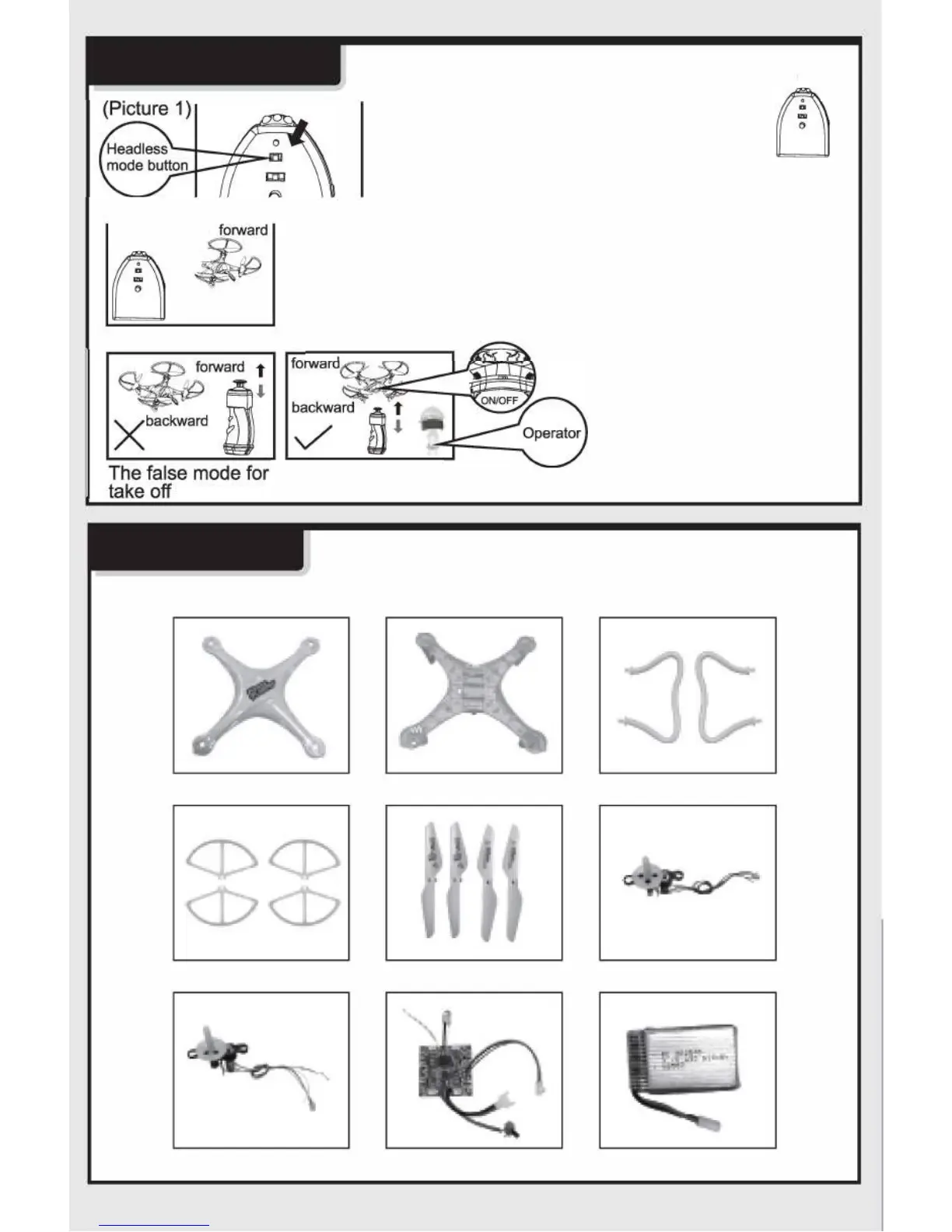
HEADLESS MODE
 
 
1
After the headless mode
is
on, the drones flight is
based on the directon
y
ou mov th gov, not
th front of th dron.
i 
@ 
SPARE PARTS










y

y

  

 

 

-7-
Pr
ess the headless
mode button, sync
the drone with the
glove and begin
flying.
PICTURES/VIDEO
If your drone is
equipped with a
camera, turn the
round knob on the
controller left to take a
picture . To take video
turn the knob right, to
stop the video, turn the
knob right again.