STEP 08
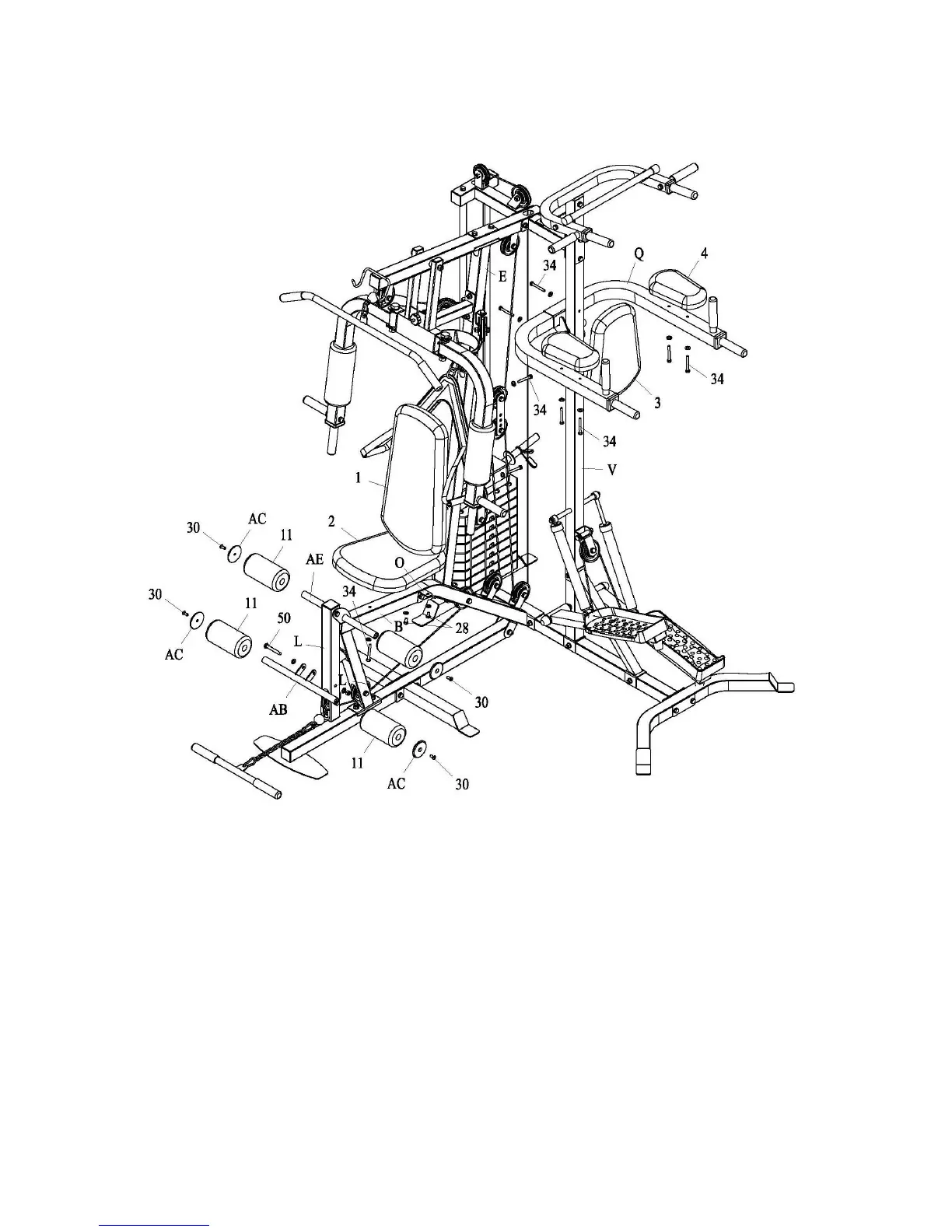
1. Attach part (1) to part (E) with bolt assembly (34).
2. Attach part (2) to part (B) and part (O) with bolt assembly (34) and (28).
3. Attach part (3) to part (V) with bolt assembly (34).
4. Attach part (4) to part (Q) with bolt assembly (34).
5. Attach part (AB) to part (L) with bolt assembly (50).
6. Insert part (AE) into hole of part (B), push part (11) onto each side of part (AE) and (AB).
7. Attach part (AC) to part (AE) and (AB) with bolt (30).



 To Next Page