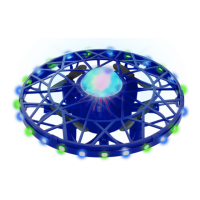
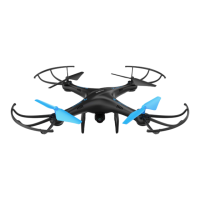
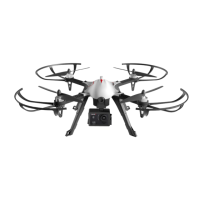
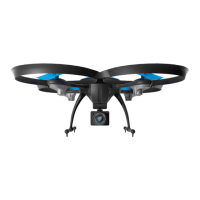
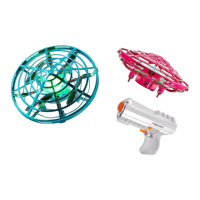
The Force1 Scoot Skeet Drone is a hands-free drone designed for indoor use, offering an interactive and engaging flying experience. It is controlled by hand gestures, making it accessible and fun for users aged 8 and above. The drone is part of the Force1 RC product line, known for its remote-controlled devices.
Function Description:
The Scoot Skeet Drone is a small, lightweight quadcopter that utilizes sensors to detect its surroundings and respond to hand gestures. It is designed for hands-free operation, meaning it does not require a traditional remote control. Instead, users guide the drone by placing their hands near it, influencing its direction and altitude. The drone is equipped with a blaster for an interactive "Skeet" game, where users can aim and "shoot" the drone out of the air.
Key Usage Features:
- Hands-Free Control: The primary feature of the Scoot Skeet Drone is its ability to be controlled by hand gestures. When a hand is placed near the drone, it senses the proximity and adjusts its flight path accordingly.
- Automatic Obstacle Avoidance: The drone automatically rotates to sense the room and avoid crashing into obstacles like walls, furniture, and people. If it senses something nearby, it will change directions.
- Altitude Control: Users can make the drone go higher by placing a hand underneath it when it's close by. The drone senses this request and rises.
- Easy Launch: To launch the drone, users simply turn it on, wait for the center light to turn solid green, and then drop it. It will then soar and race.
- Safe Landing/Stop: To stop the drone, users can gently "catch" it and turn it upside down, which will cause it to stop flying.
- Flip Trick: The drone can perform a flip in mid-glide. To initiate a flip, the drone needs to sense hands on each side. When its light flickers white, brushing a hand under it will make it flip with control.
- "Skeet" Game Mode: The drone comes with a blaster, allowing users to play a "Skeet" game. In "take off mode," pointing the blaster at the drone and pressing the trigger makes it fly up. In "blast mode," aiming at the bottom section of the drone and pulling the trigger will cause it to fall, and its center light will change from green to red, indicating it has been "shot."
- Indoor Use: The drone is specifically designed for indoor use in spacious rooms with plenty of airspace. Flying outdoors is not recommended and can result in a lost drone.
- Durable Design: The drone is described as "pretty tough," suggesting a design that can withstand minor crashes and impacts. If it crashes, users can simply toss it up to relaunch it.
Important Technical Specifications:
- Battery Type: Rechargeable internal Lithium Polymer (Li-Po) battery.
- Charging Time: Approximately 50-60 minutes.
- Charging Method: Connects to a USB port using the provided USB charging cable. Compatible with computer USB ports, power banks, or phone wall chargers.
- Blaster Power: Requires new AAA batteries (not included) for operation.
- Propellers: Includes 8 "A" propellers and 8 "B" propellers, suggesting a quadcopter design with specific propeller types for clockwise and counter-clockwise rotation.
- Sensors: Equipped with top and bottom sensors for environmental detection and hand gesture recognition.
- Indicator Lights:
- Center light flashes during calibration and turns solid green when calibrated and ready to fly.
- Center light turns solid red when the battery is low.
- Center light turns from green to red when "shot" by the blaster in "Skeet" mode.
- Blaster LED light turns red when charging and off when fully charged.
- Blaster light slow flashes red in "take off mode."
- Drone flashes multicolor and blades spin when taking off.
Maintenance Features:
- Charging Instructions: The drone must be turned OFF before charging. The USB charger's LED light indicates charging status (red for charging, off for fully charged).
- Battery Care:
- Never overcharge a Li-Po battery.
- Do not charge near flammable materials or liquids.
- Keep away from children and animals.
- Do not use or charge if the battery is ballooned, swelled, punctured, or damaged.
- Do not leave the battery charging unsupervised.
- Contact customer support if swelling is observed in the engine assembly.
- Drone Calibration: The drone needs to be calibrated. This involves turning it on, waiting for the center light to turn solid green, shaking it back and forth 3 to 5 times (light will flash), placing it on a flat surface, and waiting for the center light to turn solid green again.
- General Care:
- Keep away from humid environments to prevent damage to electronic components.
- Keep face and body away from rotating parts (motors). Tie hair back, wear a hat or hood to avoid entanglement.
- Keep away from heat and direct sunlight to prevent distortion and damage to plastic and electronic components.
- Store upright and do not rest objects against the drone.
- Do not use if punctured or damaged.
- Do not expose to water.
- Do not leave in direct sunlight.
- Replacement Parts: Force1rc.com offers replacement parts and flight tutorials. A limited 90-day warranty includes free limited replacement parts for registered drones, with exceptions for batteries, motors, circuit boards, cameras, and transmitters. Shipping charges may apply.
Safety Precautions:
- Suitable for experienced RC drone users aged 8 years or above. Not safe for users under 8.
- Contains small parts; keep out of reach of small children.
- Operate in a safe manner, as Force1 assumes no liability for injury or property damage from improper operation.
- Use only recommended chargers.
- Unplug the drone from the USB charger when storing or leaving unattended to avoid trickle charging.
- Do not use a broken charger.
- Do not attempt to remove, disassemble, replace, or repair the internal Li-Po battery.
- Avoid areas with sudden changes in elevation, uneven ground, or dangerous obstacles.
- Ensure a safe, clear flight area before relaunching.
The Scoot Skeet Drone is designed to be an intuitive and interactive toy, emphasizing ease of use and engaging play, particularly with its hands-free control and "Skeet" game feature.

 To Next Page

 General