U45W Blue Jay User Manual
21
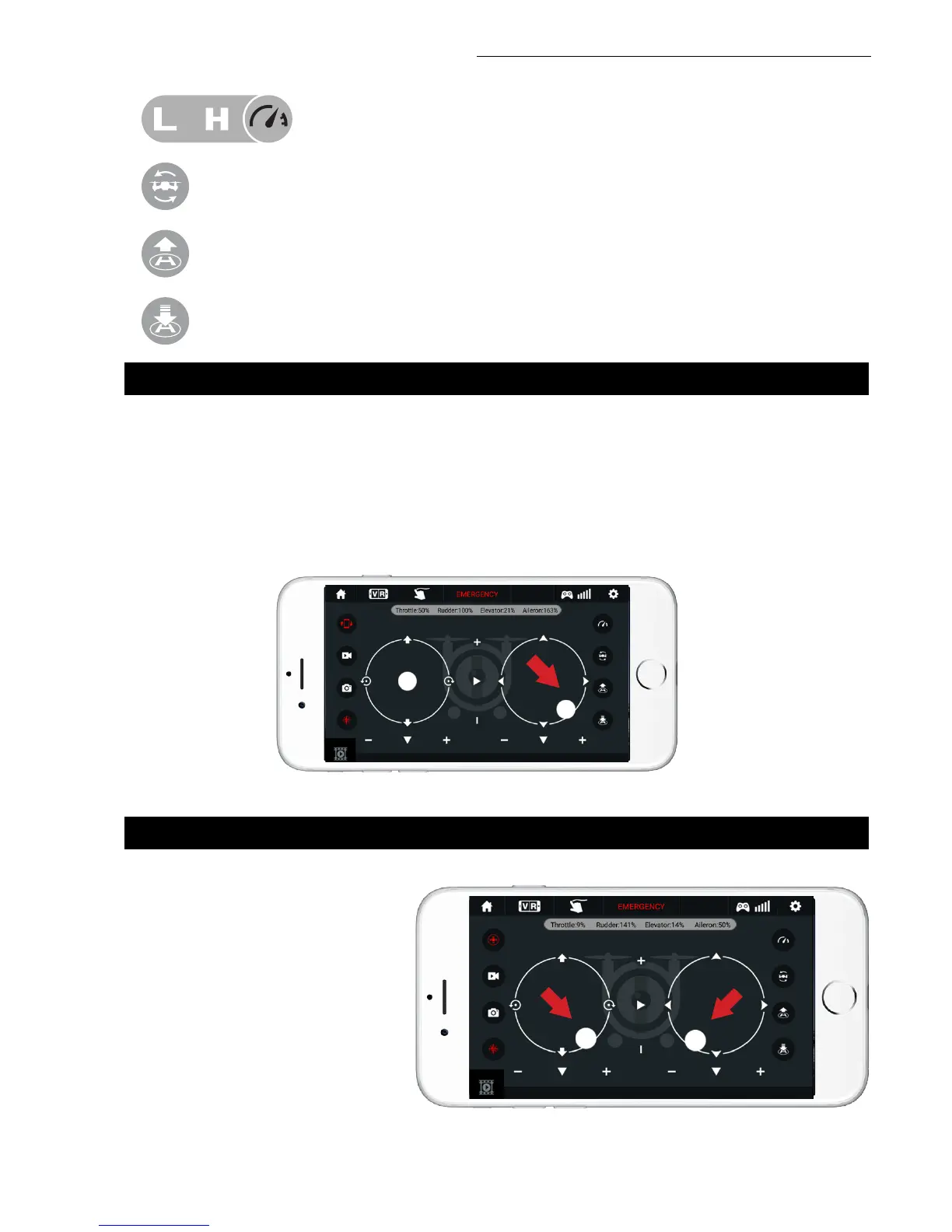
360° Flips: Click this icon to do 360° ips.
1-Key Lift: Click this icon to take off automatically hover at an altitude of 3.9 ft.
1-Key Land: Click this icon to land your drone and stop the propellers.
High/Low Speed Mode: Your drone starts in Low. Click on “H” to enter High-
Speed Mode.
4. CALIBRATION
5. APP FLYING CONTROL
Always calibrate your drone with your transmitter before flying, and recalibrate after takeoff if you
experience difficult operation.
1. Please refer to the Calibration section (p. 12) for instructions and apply them to the app controls.
2. Do not push the Left Ball before successful calibration. Move the Right Ball as the picture shown on
the right. The drone body lights flash, which indicates that the drone is calibrating. When the drone
body lights get solid, which indicates successful calibration and the drone is ready to be controlled.
START THE DRONE
Move the left and right “stick” down
and inward at the same time to start
the drone as shown at right, or click
the 1-Button Takeoff icon to start
the drone.


 To Next Page