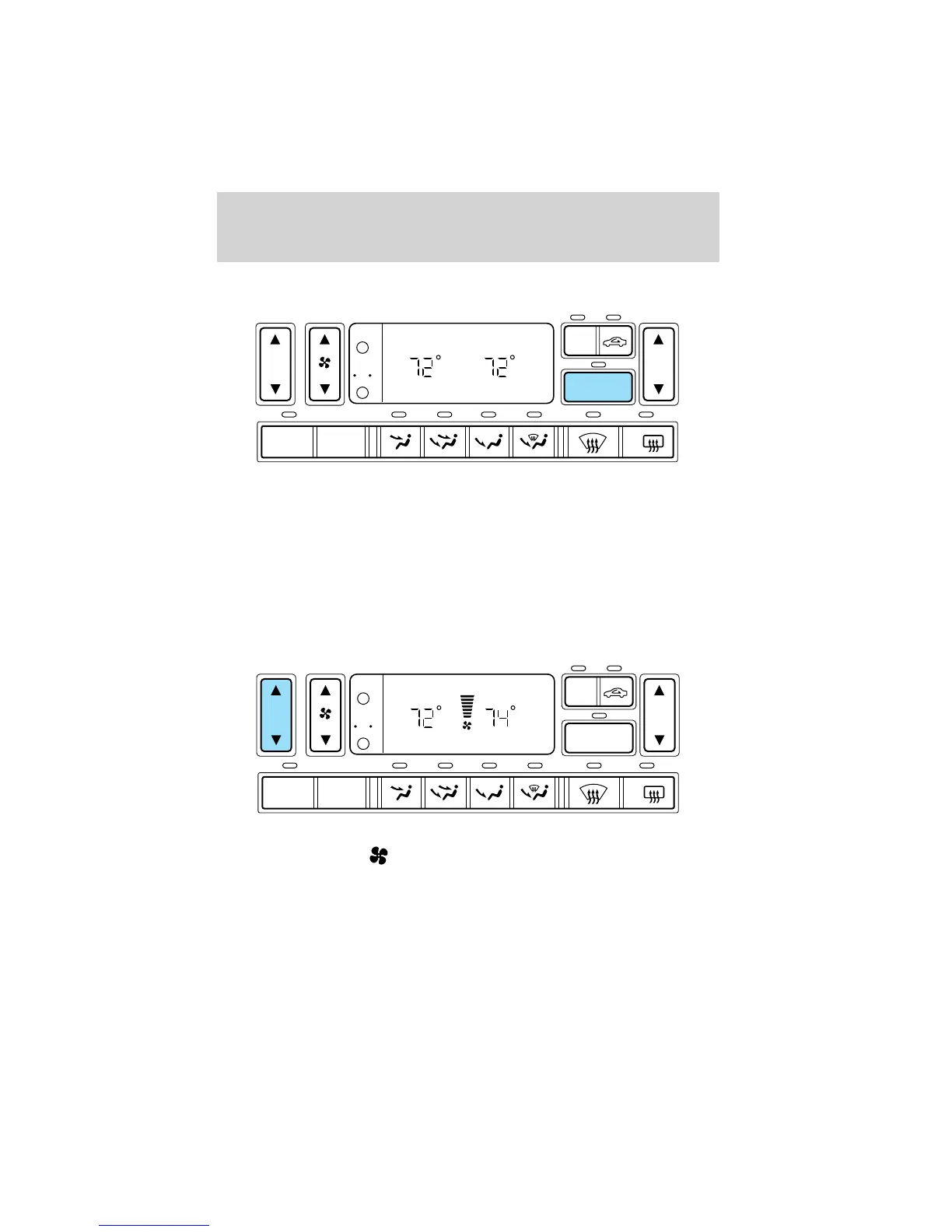
Single/dual electronic temperature zone
Press DUAL to enable or disable the dual zone temperature feature.
When DUAL is pressed, the display window indicates the current
temperature setting for the driver and the last temperature setting that
was selected for the passenger. In addition to the DUAL control, the
passenger may engage the dual temperature zone feature by pressing the
passenger side temperature control.
The DUAL indicator will be lit when the dual temperature zone feature is
selected.
Driver side temperature selection
The display window indicates the selected temperature and manual
control of fan speed (
) if automatic fan speed is not desired.
To control the temperature, select any temperature between 16°C (60°F)
and 32°C (90°F) by pressing the temperature control on the driver side
of the system.
AUTO
OFF
DUAL
A/C
R
EXT
F C
F F
AUTO
OFF
DUAL
A/C
R
EXT
F C
F F
Controls and features
43












 To Next Page