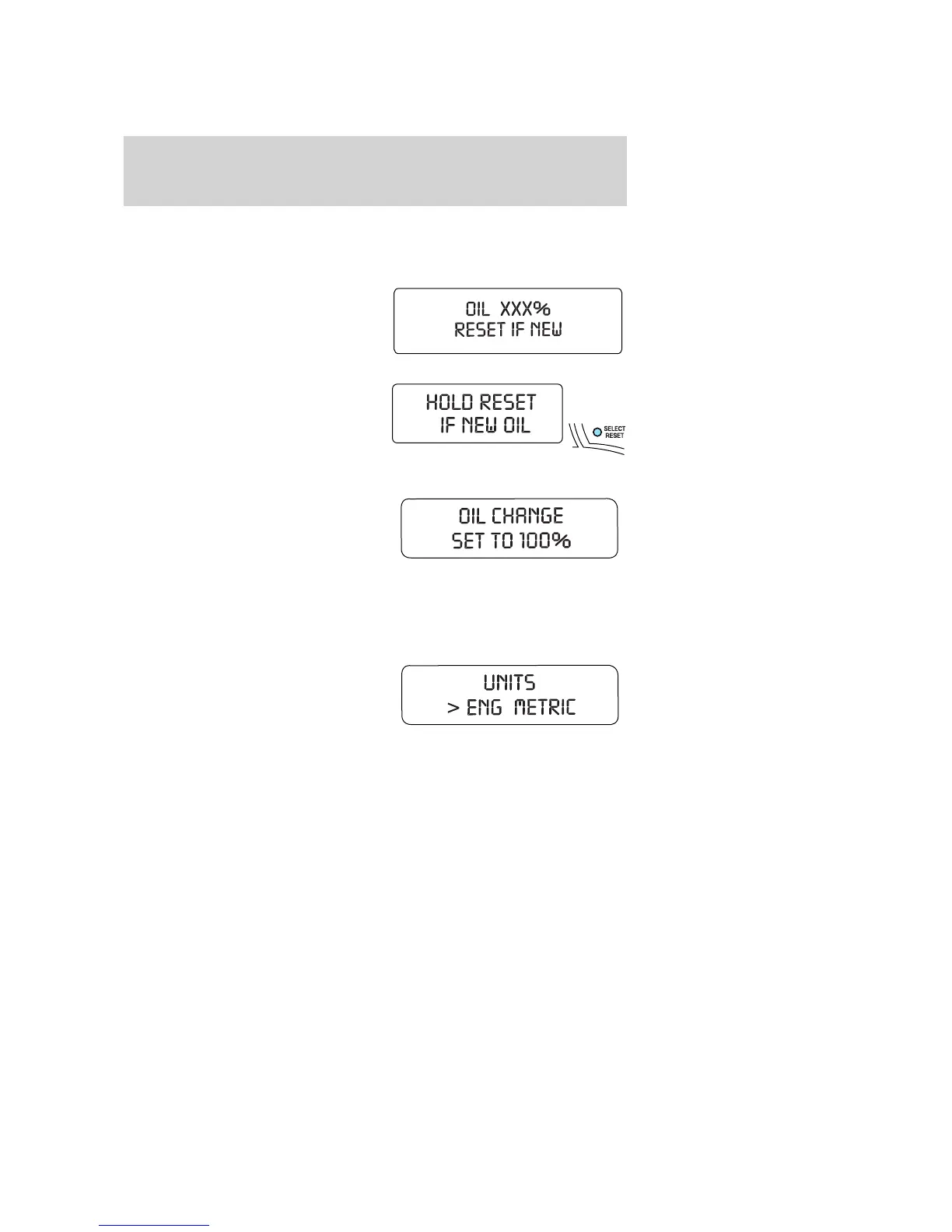
To reset the oil monitoring system to 100% after each oil change
[approximately 5,000 miles (8,000 km) or 180 days] perform the
following:
1. Enter SYSTEM CHECK to display
“OIL XXX% RESET IF NEW”.
2. Press SELECT/RESET control
switch to display “HOLD RESET IF
NEW OIL”.
3. Press and hold the
SELECT/RESET control switch for
more than 2 seconds. Oil life is set
to 100% and “OIL CHANGE SET TO
100%” is displayed.
Note: To change oil life 100% miles
value from 5,000 miles (8,000 km) or 180 days to another value, refer to
the Oil Life Start Value selected from the SETUP MENU in this section.
Units (English/Metric)
1. Select this function from the
SETUP MENU for the current units
to be displayed.
2. Press and hold the
SELECT/RESET control switch to
change from English to Metric.
3. Press the SELECT/RESET control switch for the next SETUP MENU
item or wait for more than 4 seconds to return to the INFO MENU.
Language
Note: When entering the SETUP MENU and a non-English language has
been selected, “PRESS RESET FOR ENGLISH” will be displayed to
change back to English.
2007 Explorer (exp)
Owners Guide (post-2002-fmt)
USA (fus)
Driver Controls
110














 To Next Page