STEERING WHEEL CONTROLS
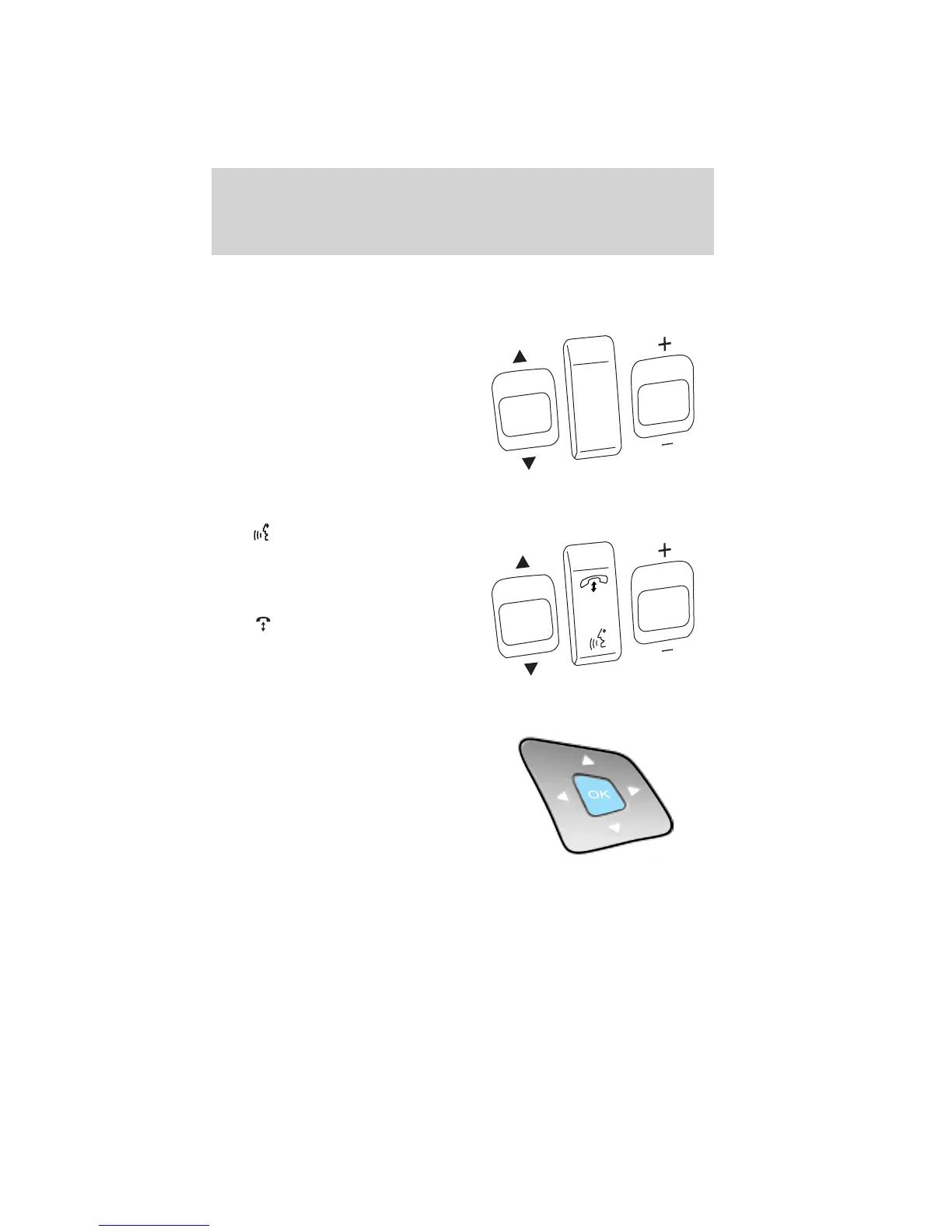
Audio control features
SEEK: Press up or down to select
the next/previous radio station
preset, CD track or satellite radio (if
equipped) channel preset depending
on which media mode you are in.
MEDIA: Press repeatedly to scroll
through available audio modes.
MUTE: Press to silence the radio.
VOL (Volume): Press up or down
to increase or decrease the volume.
Navigation/SYNC威 system hands-free control features (if equipped)
Press to active the voice
recognition feature. Refer to Voice
recognition feature in the MyFord
Touch™ / MyLincoln Touch™
supplement.
Press
to access phone features.
Refer to Phone features in the
MyFord Touch™ / MyLincoln
Touch™ supplement.
Cluster display control features
If equipped with the MyFord™
system, this control functions the
same as the center control on the
faceplate. Refer to MyFord system
in the Entertainment Systems
chapter.
If equipped with the MyFord™
Touch system, use this control to
adjust the right side of the cluster display. Navigate through the screen
and press OK to select. The following features are available:
• Entertainment
• Change audio source
• Limited play list
S
E
E
K
M
E
D
IA
M
U
T
E
VO
L
S
E
E
K
VO
L
Driver Controls
113
2011 Explorer (exp)
Owners Guide, 1st Printing
USA (fus)














 To Next Page