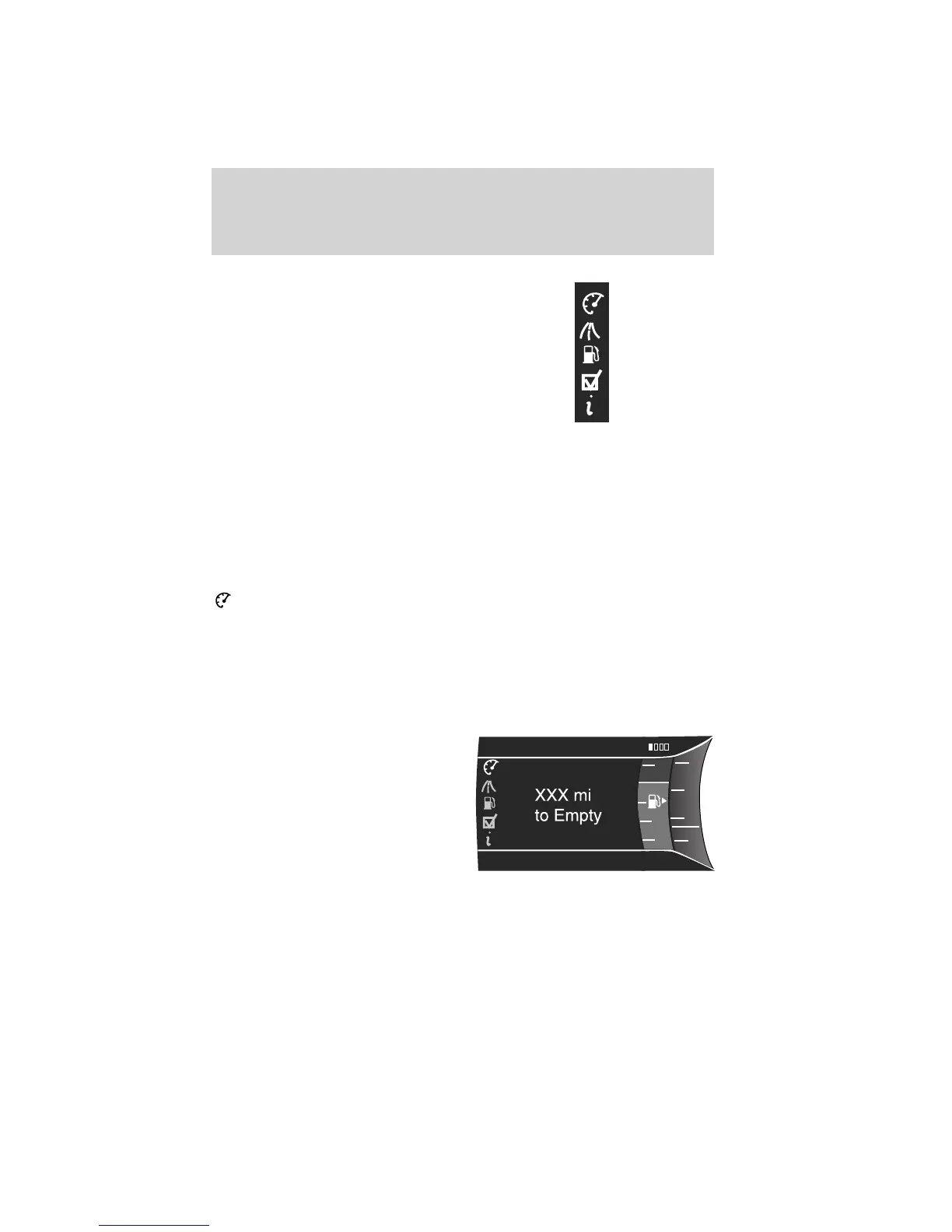
Menu Control: You can choose a
different menu control operation to
suite your needs. In any screen
which shows these category icons
(other than the Main menu screen)
and:
• Standard is set– then scrolling up and down will scroll through the
main categories.
• Memory on is set– then scrolling up and down will scroll through the
last selected sub-category/screen within a main category.
To change the Menu Control between Standard or Memory On, refer to
Vehicle and Menu Control found in the table under the Settings section
later in this chapter.
Display Mode
Press the right arrow on the left steering wheel mounted button when
display mode is selected. The boxes in the upper right corner of the
screen indicate that there are multiple screens that you can navigate
through. Each press of the right arrow will navigate to the next screen
until the last screen is reached. The white highlighted box indicates
which of the screens you are currently viewing:
Distance to empty (DTE) + Fuel
gauge + Bar tachometer
• Distance to empty (DTE): Shows approximate fuel level before the
fuel tank reaches empty. The value is dynamic and can change (raise
or lower) depending on driving style.
F
6
4
RPM
1000
+
2
0
01234.5mi
E
Instrument Cluster
35
2011 Explorer (exp)
Owners Guide, 1st Printing
USA (fus)












 To Next Page