PLUG-IN POWER
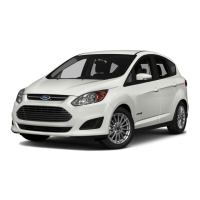
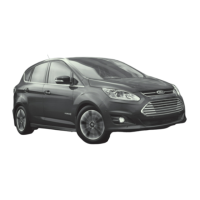
» C-MAX Energi comes equipped with a 120-volt convenience
cord, located in the floor compartment behind the driver’s seat.
This cord allows you to charge the battery using a standard,
110-volt, grounded, three-pronged household outlet. See your
Owner’s Manual for more details.
» For faster charge times, the available 240-volt charging
station provides a full charge in 2.5 hours. See your Dealer
for more information.
CHARGE PORT/LIGHT RING
The charge port is located between the
front le-side door and wheel well. To open,
press and release the indentation on the
charge port door. To close, press and hold the
indentation until the door rotates and closes.
TO CHARGE ENERGI:
1. Put your vehicle in (P) Park and turn the ignition o.
2. Open the charge port door.
3. Plug the charging coupler into the vehicle’s charge port, making
sure the button clicks to latch into the port. Plug the three-prong
electrical plug into a standard, 110-volt outlet.
4. The charge port/light ring will flash twice, and then pulse slowly
when charging.
5. When charging is complete, the light ring will turn o. Press the
coupler button and remove it from the vehicle’s charge port.
SILENT KEY START (SKS)
When you turn the ignition on, look for the
‘ready to drive’ indicator light in your instrument
cluster. When it illuminates, your vehicle has been
successfully started and is ready to drive.
CHOOSE C-MAX ENERGI MODE
Your vehicle contains driver-selectable Electric
Vehicle (EV) modes controlled through the EV
button on the center of the instrument panel, below
the climate controls. Choose to drive in electric-only
mode for city driving, save your plug-in power for
later or let the system adjust your power mode to
suit the current driving conditions.
» EV Auto: automatically selects between gasoline-hybrid and
electric battery power, and running the engine automatically
when needed. This mode will be the only one available if the
plug-in power has been depleted.
» EV Now: puts your vehicle into an all-electric power
experience, aer the vehicle has been charged by
plug-in power.
» EV Later: provides gasoline-hybrid driving power, and saves
the plug-in power for future use when the driver is ready to
switch later to EV Auto or EV Now modes.
Quick Tips 2
Instrument Panel 4–5
Unique C-MAX Features 6–7
SYNC with MyFord Touch 8–12
Convenience 13
Driver Aids 14
Essential Information 15
To make the most of your C-MAX Energi and the electric vehicle lifestyle, please visit
PlugintoFord.com
SMARTGAUGE
®
WITH ECOGUIDE
Use your 5-way controls located on your steering wheel or select
voice control to interact with your vehicle. The two screens within
the instrument panel and the touch screen within the center stack
let you choose settings and messages, control SYNC
®
with MyFord
Touch
®
functions and customize your view of vehicle information.
MYFORD
®
MOBILE APP FOR SMARTPHONES
The downloadable MyFord Mobile app lets you know the status of
your charge, and upcoming charge schedules at any time, from
anywhere. Use the app to:
» See your charge status.
» Set charging schedules when utility rates are low with the Value
Charging feature powered by Microso
®
.
» Set your cabin temperature remotely with preconditioning
while your vehicle is still plugged in.
» Plan trips and get the best routes based on charging station
locations and your vehicle’s charge levels with MapQuest
®
Trip Planner.
Register your smartphone by visiting MyFordmobile.com
to download your free app.
REFUELING
Press the fuel button on your instrument panel
to unlock the fuel door.
C-MAX Energi smart start
1202053_13_C_Max_Energi_QRG_083012.indd 3-4 8/30/12 9:29 AM



 To Next Page
 Loading...