Power Running Boards (if equipped)
This feature automatically deploys the side running boards for easy
entry/exit from the vehicle or for cleaning. Refer to Running boards in
this chapter for more information.
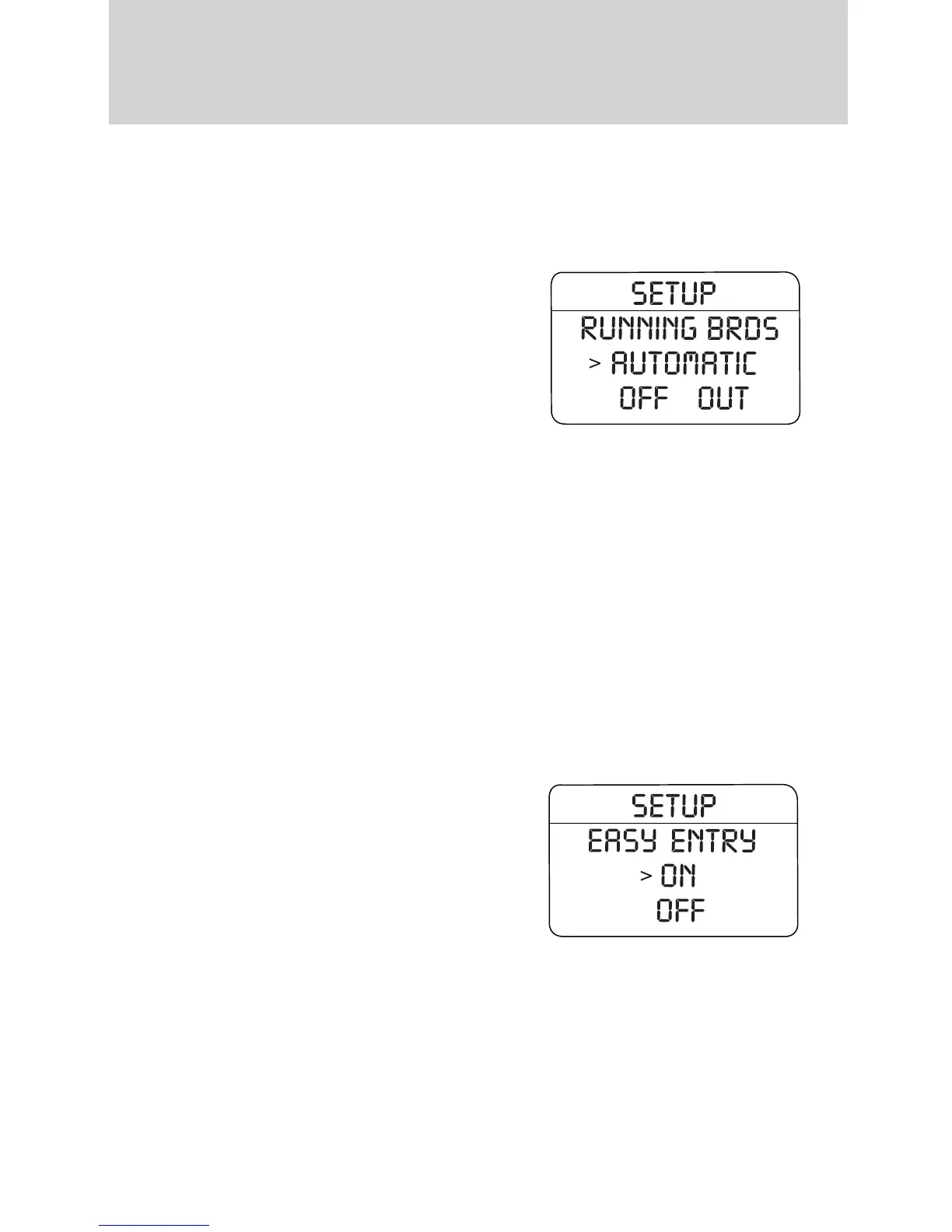
1. To change operation of the power
running board feature, select this
function from the SETUP MENU.
2. Press the RESET control to select
the running boards setting as
follows:
• AUTOMATIC: the running boards
will automatically deploy when a
door is opened and automatically retract when the door is closed,
• OUT: the running boards will remain OUT regardless of the doors
being open/closed. For example, use this setting when washing the
vehicle, or
• OFF: the running boards will remain IN regardless of the doors being
open/closed.
3. Press the RESET control for the next SETUP MENU item or wait for
more than four seconds to return to the INFO menu.
Easy entry/exit seat (if equipped)
This feature automatically moves the drivers seat backwards for easy exit
from the vehicle.
1. To disable/enable the easy exit
seat feature, select this function
from the SETUP MENU.
2. Press the RESET control to turn
the easy entry exit seat ON or OFF.
3. Press the RESET control for the
next SETUP MENU item or wait for
more than four seconds to return to
the INFO menu.
Reverse Sensing System (Park Aid) (if equipped)
This feature sounds a warning tone to warn the driver of obstacles near
the rear bumper, and functions only when R (Reverse) gear is selected.
Driver Controls
141
REVIEW COPY ——
2009 Explorer (exp), Owners Guide (own2002), 3rd Printing, Market: USA
(fus)












 To Next Page