R. SIRIUS: Access different SIRIUS satellite radio features by pressing
SIRIUS, then MENU. See Menu structure later in this section.
S. RADIO: Access different radio features by pressing RADIO, then
MENU. See Menu structure later in this section.
T. CD: Access different CD features by pressing CD, then MENU. See
Menu structure later in this section.
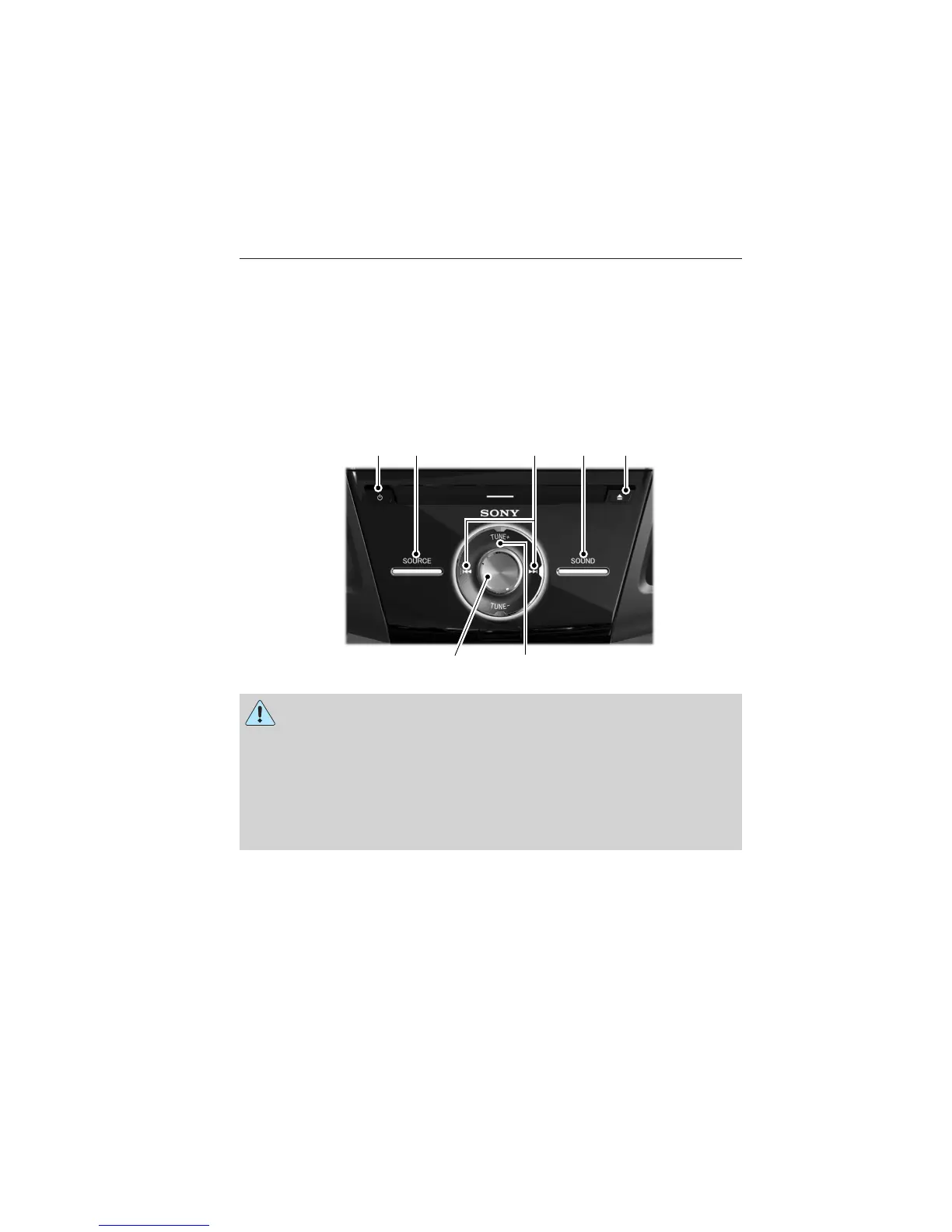
AM/FM/SINGLE CD SONY姞 AUDIO SYSTEM
WARNING: Driving while distracted can result in loss of vehicle
control, accident and injury. Ford strongly recommends that you
use extreme caution when using any device or feature that may take
your focus off the road. Your primary responsibility is the safe operation
of the vehicle. We recommend against the use of any handheld device
while driving, encourage the use of voice-operated systems when
possible and that you become aware of applicable state and local laws
that may affect use of electronic devices while driving.
Note: Most of the audio features are controlled through the MyFord
Touch威 system. See the MyFord Touch威 chapter more information.
A. Power: Press the power control to turn the system on and off.
B. SOURCE: Access different audio modes such as AM, FM and A/V Input.
A EDB C
G F
132 Audio System
2013 Focus (foc)
Owners Guide gf, 1st Printing
USA (fus)



 To Next Page