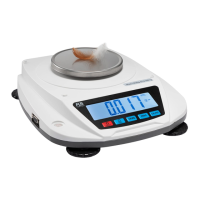
Program settings
Password “4 1 5” to enter,
The key “CHECK SET” to enter and confirm; The key
“SAMPLE” to choose or to next step.
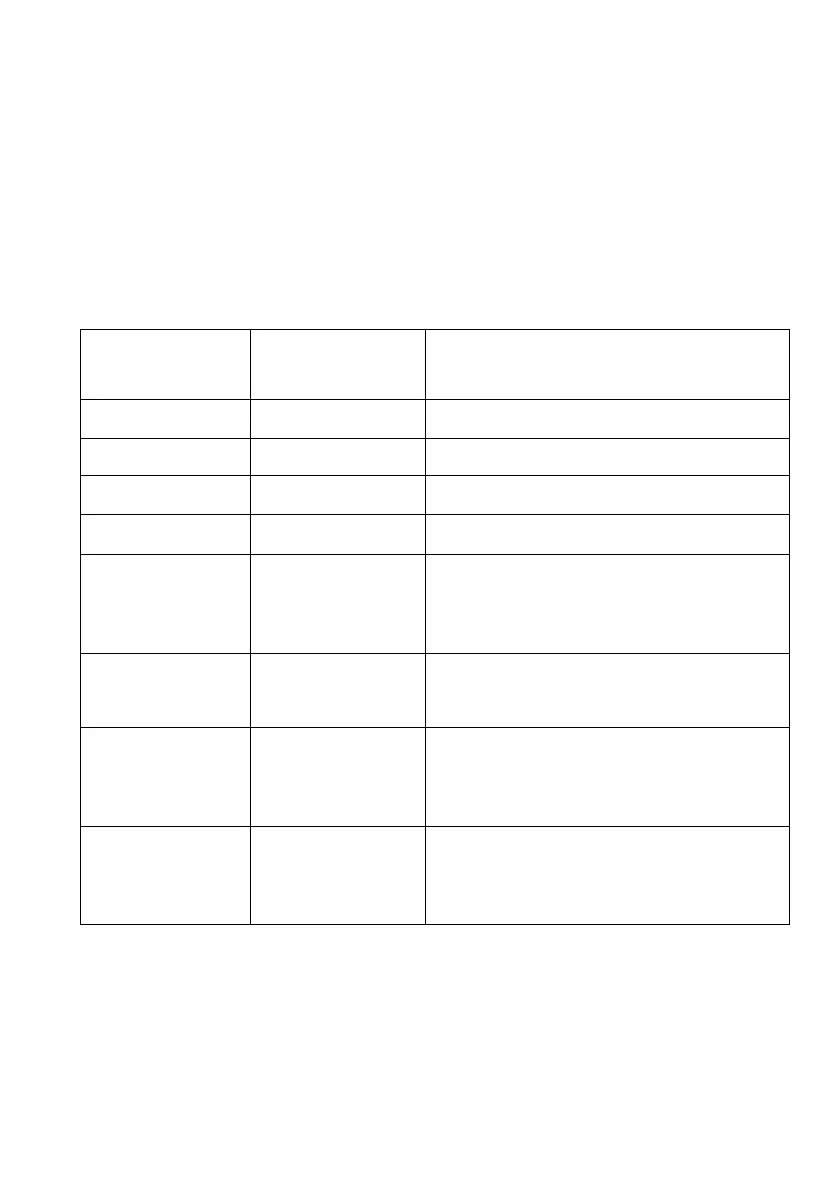
Display Option Parameter
diu-Fun_01 Division 1 2 5 10 20 50
Pnt-Fun_02 Decimal point 0 0.0 0.00 0.000 0.0000
CAP-Fun_03 Capacity If cap is 30kg, 30.000
CAL-Fun_04 Calibration only use for distributor
Lit-Fun_07
Backlight switch
0: always has
back light 1: no
back light
2: back light during operation,
bud-Fun_08
Baud rate
2400 4800 9600 19200
(9600,for connect to printer and
PC)
odE-Fun_09
Print mode
0 (no) 1 (manual) 2
(automatically)
3(continuous) 4 (NLP manual)
5(hi-low print)
tPE-Fun_10
Communic
ate
protocol
0-10, can compatible with main
product in
the market, for more information,
please contact your distributor



 To Next Page